EasyManua.ls Logo

Panasonic SC-VK850 - User Manual

Panasonic SC-VK850
40 pages
Print Icon
To Next Page IconTo Next Page
Loading...
Accessories .........................................................................3
Safety precautions ..............................................................3
Tray/disc handling procedure ............................................4
The remote control .............................................................4
Disc information ................................................................11
Discs — Basic play ...........................................................12
Discs — Convenient functions ........................................ 14
Discs — Using navigation menus ...................................15
Discs — Using On-screen menus ...................................18
Discs — Changing the player’s settings ........................ 21
The radio ............................................................................23
Cassette tapes — Play and Recording ...........................24
Enjoying karaoke ..............................................................26
Sound field and sound quality .........................................28
Convenient functions
The play/record timer/Sleep timer/Auto-off function/
Dimming the display/Muting the volume/Sound range
display ............................................................................ 30
Using other equipment ..................................................... 31
Glossary .............................................................................32
About DivX VOD content / Language code list .............. 33
Troubleshooting guide ..................................................... 34
Maintenance ......................................................................36
Specifications ....................................................................37
Operating Instructions
DVD Stereo System
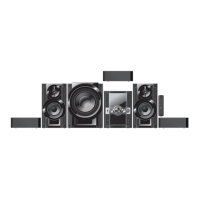
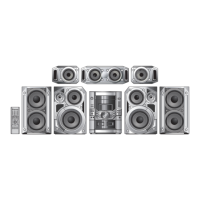
Model No. SC-VK950
SC-VK850
SC-VK750
RQTV0148-2G
H0506VT2076
GSGC
Before connecting, operating or adjusting this product,
please read these instructions completely.
Please keep this manual for future reference.
SC-VK950
Region number
The region number of this player is “2”.
The player plays DVD-Video marked with labels
containing “2” or “ALL”.
Example:
Table of contents
Simple setup
Main unit ...........................................................................39
Remote control .................................................................40
Control Guide
STEP 1 Positioning and connecting the speakers .........5
STEP 2 Connecting a television, the antennas and the
AC power supply cord .........................................8
STEP 3 QUICK SETUP ....................................................10
STEP 4 Setting the time ..................................................10
DEMO function .................................................................10
En
SC-VK950 is used in the illustrations unless otherwise
indicated.


Questions and Answers

  • P
    paul08Aug 19, 2025
    Why is there no sound coming from my Panasonic SC-VK850 Stereo System?
    • A
      allison92Aug 19, 2025
      If you are not getting any sound from your Panasonic Stereo System, ensure all connections are correctly made. Also, verify that the volume is turned up. Note that a pause in sound may occur when changing the play speed, and DivX audio may not output depending on how the files were created.
  • C
    Clarence LyonsAug 21, 2025
    What to do if my Panasonic Stereo System is not responding to any buttons?
    • K
      Kimberly MillsAug 21, 2025
      If your Panasonic Stereo System is unresponsive, it might be due to external factors like lightning or static electricity. Try turning the unit OFF and then back ON. Alternatively, switch the unit to standby mode by pressing the power button, disconnect the AC power supply cord, and then reconnect it. Also, check the remote control batteries and replace them if depleted, ensuring they are installed correctly. If CD Mode is on, turn it off by pressing the CD MODE button. If condensation has formed, wait 1 to 2 hours for it to evaporate. The disc may be dirty and may require cleaning.
  • C
    christinaturnerAug 23, 2025
    What to do if my Panasonic SC-VK850 has no sound?
    • I
      ijenkinsAug 25, 2025
      If your Panasonic Stereo System has no sound, there are several things you can check: * Verify the connections. * Increase the volume. * Be aware that there may be a pause in sound when you change the play speed. * Note that DivX Audio may not be output depending on how the files were created. * Some audio effects may not work or have less effect with certain discs. * Ensure that AC power supply cords or fluorescent lights are not near the cables. Keep other appliances and cords away from the unit's cables.
  • M
    Michael LewisAug 26, 2025
    What to do if my Panasonic Stereo System does not turn on?
    • S
      Sandra ArnoldAug 26, 2025
      If your Panasonic Stereo System does not have power and appears to be in standby mode, ensure that the AC power supply cord is securely inserted. Also, the unit may have been switched to standby by the sleep timer or auto-off function.
  • P
    Phillip SuttonSep 1, 2025
    Why is there ghosting when progressive output is on with my Panasonic Stereo System?
    • J
      jenkinsalexandraSep 1, 2025
      If you notice ghosting when progressive output is enabled on your Panasonic Stereo System, it may be due to the editing method or material used on the DVD-Video. This issue might be resolved by using interlace output. You can change the 'Video Output Mode' to '480i' or '576i' so 'PRG.' on the display goes out. Alternatively, select '480p' or '576p' in 'Video Output Mode' in Picture Menu. Keep in mind that if the unit is connected to the television through VIDEO OUT or S VIDEO OUT terminal, output will be interlace even if 'PRG' is displayed.
  • K
    Kimberly SinghSep 4, 2025
    How to fix noise and distorted sound during AM broadcasts on my Panasonic Stereo System?
    • T
      Thomas CohenSep 4, 2025
      To address noise, distorted sound, flickering “ST”, beat sounds, or a low hum during AM broadcasts on your Panasonic Stereo System, try the following: * Adjust the position of the FM or AM antenna. * Consider using an outdoor antenna. * Press [PLAY MODE] to select 'Mono'. * Turn off the television or separate it from the unit. * Separate the antenna from other cables and cords.
  • P
    Patricia MartinezSep 6, 2025
    What to do if my Panasonic Stereo System disc tray won't open?
    • K
      Katherine ClineSep 6, 2025
      If the disc tray(s) on your Panasonic Stereo System won't open and “CHGR ERR” is displayed, press [^] to release the jammed tray(s) as the unit will switch off. Then, switch it on again, and the tray(s) will initialize to the previous condition. If the problem persists, consult your dealer.
  • J
    johnthompsonSep 8, 2025
    How to solve issues with group display and on-screen messages on Panasonic SC-VK850 Stereo System?
    • T
      Tyler BakerSep 9, 2025
      If your Panasonic Stereo System displays messages like “Cannot display group xx, content xx,” has no on-screen display, shows “5” or “Check the disc,” or displays “Authorization Error,” “Rental Expired,” or “Rental Movie Expired” for DivX content, consider the following: * You may be trying to display incompatible contents. * Go to the 'Display' tab in the Setup menus and select 'On' for 'On-Screen Messages'. * The operation may be prohibited by the unit or disc. * The disc might be dirty. * You may be trying to play DivX VOD content purchased with a different registration code, which is not playable on this unit. * The DivX VOD content may have zero remaining plays.
  • T
    Thomas GarciaSep 12, 2025
    Why can't I access the menu play on my Panasonic SC-VK850?
    • F
      fieldscathySep 12, 2025
      If you're unable to access menu play, the playback control menu doesn't appear, or you cannot access the Setup menu on your Panasonic Stereo System, it may be due to the following reasons: * This function depends on software availability. * Press [g, STOP] twice and then press [DVD/CD q]. * Ensure 'DVD/CD' is selected as the source. * Cancel program and random play.
  • C
    Craig WhiteSep 13, 2025
    How to display subtitles on Panasonic Stereo System?
    • A
      Amanda HarperSep 13, 2025
      If you're experiencing issues with subtitles on your Panasonic Stereo System, such as no subtitles, incorrect positioning, or inability to select alternative languages: * This function is dependent on software availability. * Ensure subtitles are enabled on the television, as they may have been cleared. * Adjust the position of the subtitles using 'Subtitle Position' in the Display Menu. * Try selecting languages from the disc’s menu, if available.

Summary

Getting Started and Safety

Supplied Accessories and Safety Precautions

Identify included accessories and follow essential safety guidelines for unit operation and placement.

Disc Handling and Remote Control Basics

Learn safe disc handling procedures and fundamental remote control operation.

System Setup and Connections

Speaker Positioning and Connections

Optimize speaker placement for sound quality and connect speakers to the unit.

Connecting TV, Antennas, and Power

Connect the television, antennas, and AC power supply cord for system setup.

Quick Setup and Time Configuration

Perform initial quick setup and set the system time for optimal unit performance.

Disc Playback Operations

Understanding Disc Formats and Basic Playback

Information on playable disc types and how to perform basic playback operations.

Remote Control Playback and Navigation

Use the remote control for disc playback, menu navigation, and content browsing.

Convenient Playback Modes and Features

Explore repeat, random, and program play modes for enhanced disc listening experiences.

Advanced Disc Features and Settings

On-Screen Menus and Playback Settings

Customize audio, video, subtitle, and display settings via on-screen menus.

Changing Player Settings

Configure disc, video, TV type, time delay, and other player preferences for personalized use.

Special Functions and Troubleshooting

Timers, Display, and Other Functions

Set timers, adjust display brightness, mute volume, and use sound range displays.

Connecting External Equipment and Karaoke

Connect external devices, use the Music Port, and enjoy karaoke with various audio sources.

Troubleshooting Common Operational Issues

Guidance for resolving power, operation, disc playback, and picture/sound problems.

System Specifications and Operation Guides

Technical Specifications Overview

Detailed specifications for amplifier, disc, tuner, terminals, and speaker sections.

Control Guides and Radio Operation

Learn to operate the main unit and remote control, and tune the radio for reception.

Cassette Tapes, Karaoke, and Sound

Cassette Tape Playback and Recording

Operate cassette tapes for playback and record audio onto tapes.

Enjoying Karaoke and Adjusting Sound

Set up and enjoy karaoke, and adjust sound field and quality settings for optimal audio.

Panasonic SC-VK850 Specifications

General IconGeneral
Number of speakers5
CD PlayerYes
FM RadioYes
TypeMini Hi-Fi System
Playable MediaCD, CD-R/RW, MP3
TunerFM/AM
USB PortYes

Related product manuals