EasyManua.ls Logo

Panasonic SC-VK70D - User Manual

Panasonic SC-VK70D
44 pages
Print Icon
To Next Page IconTo Next Page
Loading...
RQT7125-3B
DVD Stereo System
Operating Instructions
Model No. SC-VK90D
SC-VK80D
SC-VK70D
Before connecting, operating or adjusting this
product, please read these instructions completely.
Please keep this manual for future reference.
2
3
4
2
3
4
Region number supported by
this player
Region numbers are allocated to DVD players and
software according to where they are sold.
For the Middle East and South Africa
The region number of this player is “2”.
The player will play DVD-Video marked
with labels containing “2” or “ALL”.
Example:
For Southeast Asia
The region number of this player is “3”.
The player will play DVD-Video marked
with labels containing "3" or "ALL".
Example:
For Australia, N.Z. and Oceania
The region number of this player is “4”.
The player will play DVD-Video marked
with labels containing "4" or "ALL".
Example:
2
3
4
2
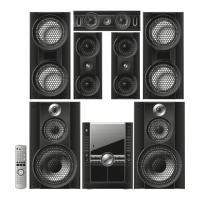
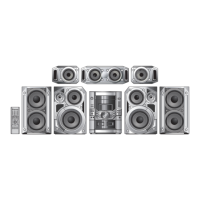
The above illustration of the unit is an example and shows SC-VK90D for Southeast Asia.
A
U
D
I
O
/
V
I
D
E
O
GN GC GCS
RQT7125(01) 7/22/03, 9:12 AM1

Table of Contents

Questions and Answers

  • V
    Vanessa MorenoAug 18, 2025
    What to do if my Panasonic SC-VK70D remote control is not working?
    • B
      Barry RobinsonAug 19, 2025
      If your Panasonic Stereo System isn't responding when you press the buttons or use the remote control, it might be due to an external factor like lightning or static electricity. To resolve this, try resetting the unit by switching it to standby mode and then back on. You can also disconnect the AC power supply cord and reconnect it. Ensure the batteries are correctly installed in the remote and are not depleted. Point the remote control directly at the sensor. If you're trying to control a television with the remote, press [SHIFT]+[TV f] first. Finally, if condensation has formed, wait 1 to 2 hours for it to evaporate.
  • D
    David ValenzuelaAug 21, 2025
    How to reset my Panasonic Stereo System to factory settings?
    • C
      Corey HuntAug 21, 2025
      To reset all the SETUP settings of your Panasonic Stereo System to the Factory Preset, while the unit is stopped and “DVD/CD” is the source, press and hold [L STOP] on the unit and [h10] on the remote control for about 3 seconds until “Initialized” disappears from the television. Then, turn the unit off and on again. All settings will return to the default values.
  • K
    Karen SmithAug 23, 2025
    How to fix subtitles on Panasonic SC-VK70D?
    • T
      tiffanyturnerAug 23, 2025
      If you see no subtitles or the subtitles are incorrectly positioned on your Panasonic Stereo System, ensure that subtitles are enabled on the television. You can also change the position of the subtitles using the “Subtitle Position” setting in the GUI screen.
  • V
    vcombsAug 26, 2025
    Why does my Panasonic SC-VK70D keep turning off?
    • C
      Charles Ward MDAug 26, 2025
      If your Panasonic Stereo System automatically switches to standby mode and has no power, ensure the AC power supply cord is securely inserted. Also, check if the unit was switched to standby by the sleep timer.
  • U
    urobertsAug 28, 2025
    What to do if my Panasonic SC-VK70D won't play the disc?
    • G
      garrettheatherAug 28, 2025
      If play doesn’t start (or stops immediately) when you press [-/J DVD/CD] on your Panasonic Stereo System, it could be due to several reasons. Some operations may be prohibited by the disc itself. Ensure that the disc is one that the unit can play according to the operating instructions. For DVD-Video discs, confirm that their region number is the same as or includes the same region number as the unit, or that the DVD-Video is marked “ALL”. The disc may also be dirty and require cleaning, or it might be installed upside down. Finally, if using a DVD-RAM, ensure that it has something recorded on it.
  • T
    tjenkinsAug 30, 2025
    Why can't I select different languages on my Panasonic SC-VK70D Stereo System?
    • M
      Megan AyalaAug 30, 2025
      The ability to select alternative languages on your Panasonic Stereo System is dependent on the software availability of the disc.
  • M
    melissa39Sep 1, 2025
    What to do if there is no menu play on my Panasonic SC-VK70D?
    • J
      justinjenningsSep 1, 2025
      If you are experiencing no menu play on your Panasonic Stereo System, try selecting from the disc’s menu if one is available.
  • K
    Katherine AdkinsSep 4, 2025
    Why is the language wrong on my Panasonic SC-VK70D Stereo System?
    • J
      Jessica BlackSep 4, 2025
      The availability of the soundtrack and/or subtitle language you selected with the SETUP menus on your Panasonic Stereo System is dependent on the software.
  • E
    elongSep 6, 2025
    Why can't I change the camera angle on my Panasonic SC-VK70D Stereo System?
    • S
      Stacey HarrisSep 6, 2025
      Even if a disc has a number of angles recorded, these angles may be recorded for specific scenes only. This is why you cannot change the angle on your Panasonic Stereo System.
  • S
    Stephen RossSep 8, 2025
    Why can't I add markers on my Panasonic SC-VK70D Stereo System?
    • K
      Kristina MartinezSep 8, 2025
      You cannot add markers on your Panasonic Stereo System while playing a play list or if the disc’s play time doesn’t appear on the unit’s display.

Summary

Getting Started - Initial Setup

System Components and Safety

Details system components, safety warnings, and environmental considerations for unit use.

Simple Setup Guide

Step-by-step guide for initial setup, including locating components and connecting them.

Connecting Speakers and Voltage Selection

Instructions on connecting speakers and setting the correct voltage for the unit.

Connecting to Television

Guides on connecting the unit to a television using VIDEO IN, COMPONENT VIDEO IN, or S VIDEO IN terminals.

Quick Setup and TV Configuration

Covers the quick setup process, TV type selection, and aspect ratio settings.

Disc Operations

Basic Disc Playback

Covers normal playback, pausing, stopping, and selecting discs for playback.

Disc Navigation and Control

Explains features like skipping, searching, slow-motion, frame-by-frame playback, and quick replay.

Disc Play Modes and Group Selection

Details modes like selecting groups/tracks, all group play, random play, and program play.

Sound Field Adjustments

Surround Sound Modes

Explains various surround sound modes and their specific functions.

Recording Operations

Recording Procedures

Provides instructions for recording audio from various sources and reducing noise.

System Settings

Changing Disc, Video, and Audio Settings

Details how to adjust disc, video, and audio language settings for personalized use.

Troubleshooting and Reference

Troubleshooting Guide

Provides solutions for common operational issues, error messages, and display indicators.

Panasonic SC-VK70D Specifications

General IconGeneral
BluetoothNo
CD PlayerYes
USB PlaybackYes
FM RadioYes
Number of Discs5
Tuner BandsFM
TypeMini Hi-Fi System
Playable MediaCD, CD-R, CD-RW, MP3
Speakers2

Related product manuals