EasyManua.ls Logo

Panasonic SC-VK72D - User Manual

Panasonic SC-VK72D
36 pages
Print Icon
To Next Page IconTo Next Page
Loading...
Operating Instructions
DVD Stereo System
Model No. SC-VK92D/SC-VK82D/
SC-VK72D
Before connecting, operating or adjusting the product, please
read the instructions completely.
Please keep this manual for future reference.
Region number
The player plays DVD-Video marked with labels containing the
region number or "ALL".
Region Number
Saudi Arabia and Kuwait 2
Southeast Asia 3
Australia and N.Z. 4
Example: Southeast Asia
2
3
4
3
RQT8169-1L
GCSGS
Table of contents
Getting started
Safety precautions ........................................................................ 3
Accessories ................................................................................... 3
Disc information ............................................................................ 4
Simple setup
STEP1
Positioning ............................................................... 5
STEP2
Speaker connections .............................................. 6
STEP3
Video connections .................................................. 7
STEP4
Radio and power supply connections .................. 8
STEP5
The remote control .................................................. 8
STEP6
QUICK SETUP .......................................................... 9
STEP7
Setting the time ....................................................... 9
DEMO function ...................................................................... 9
Control reference guide ............................................................. 10
Disc operations
Discs — Basic play ..................................................................... 12
Discs — Convenient functions .................................................. 14
Disc information / Displaying current playback condition
(QUICK OSD) / Reviewing titles to play
(ADVANCED DISC REVIEW) / CD sequential play (CD MODE) /
Quick replay / Skipping 30 seconds forward /
Changing the zoom ratio / Changing the play speed /
Angle selection and Still picture rotation/advance / Changing
soundtracks / Changing subtitles / Repeat play
Discs — Using navigation menus ............................................. 16
Playing data discs / Playing from the selected track in the CD /
Playing HighMAT
TM
discs / Playing RAM discs
Discs — Program/Random play ................................................ 18
Program play (up to 32 items) / Random play /
ALL-DISC random play
Discs — Using on-screen menus .............................................. 19
Main Menu / Other Settings
Discs — Changing the player settings ..................................... 20
Changing the delay time (Speaker Settings)
Radio operations
The radio ...................................................................................... 22
Manual tuning / Preset tuning / Selecting channels
Tape operations
Cassette tapes ............................................................................. 23
Playback / Recording
Karaoke operations
Enjoying karaoke
........................................................................
24
Enjoying karaoke function / Changing the key / Adjusting the
echo effect / To record your karaoke performance /
To record your voice
Other operations
Sound field and sound quality ................................................... 26
Down-mixing / Dolby Pro Logic II / Center Focus / Super
Surround / Sound field control / Using the Manual Equalizer
(MANUAL EQ) / Using the Super Sound Equalizer / Subwoofer
level / Super Woofer / Multi Re-master—Enjoying more natural
sound / Speaker level adjustments
Using the timers .......................................................................... 28
The play/record timer / The sleep timer
Other functions ........................................................................... 29
Muting the volume / Auto-off function / Dimming the display /
Changing the sound range display
Using other equipment .......................................................... 29-30
Using headphones / Operating a television / Using a subwoofer /
Using an external unit / Optional antenna connections
Reference
Glossary ....................................................................................... 31
Language code list ..................................................................... 31
Troubleshooting guide ............................................................... 32
Specifications .............................................................................. 34
Tray/disc handling procedure ..................................... Back cover
Maintenance ................................................................. Back cover
GN
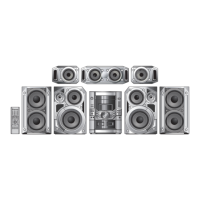
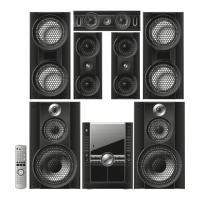
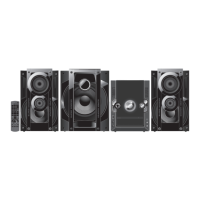
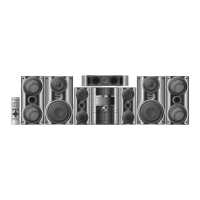
The above illustration of the unit is an example and shows SC-VK92D for Southeast Asia.
RQT8169L(Cv)new1 5/19/05, 6:24 PM1

Questions and Answers

  • S
    sarah63Aug 13, 2025
    What to do if my Panasonic SC-VK72D is unresponsive?
    • V
      virginiathomasAug 13, 2025
      If your Panasonic Stereo System is unresponsive, try turning it off and then back on. Alternatively, turn it off, disconnect the AC power supply cord, and then reconnect it. This issue may arise from lightning, static electricity, or other external factors. Also, ensure that you are using compatible discs and that the CD Mode is off by pressing the [CD MODE] button.
  • C
    Christopher FisherAug 16, 2025
    Why is the sound distorted on my Panasonic SC-VK72D Stereo System?
    • B
      Bernard PhillipsAug 16, 2025
      If you're experiencing distorted sound, non-functional effects, or humming during playback on your Panasonic Stereo System, keep other appliances and cords away from the unit’s cables. Noise may occur when playing WMA files, and some audio effects might not work with certain discs. Multi Re-master and Dolby Pro Logic II do not work if you have changed the play speed.
  • C
    Christopher ShawAug 20, 2025
    How to fix distorted picture on Panasonic SC-VK72D Stereo System?
    • A
      ashley57Aug 20, 2025
      If you're experiencing a distorted picture or incorrect picture size on your Panasonic Stereo System, ensure the unit is connected directly to the television, not through a video cassette recorder. You may also need to change the “TV Aspect” in the “Video” tab or adjust the Zoom setting. Also, turn off TV’s zoom function. For Southeast Asia use a multi-system or NTSC television. For others use a multi-system or PAL television. Separate the antenna wire of the television from the unit.
  • B
    Brandon AndersonAug 25, 2025
    How to fix ghosting on Panasonic SC-VK72D?
    • I
      Ian RodriguezAug 25, 2025
      If you experience ghosting when progressive output is on with your Panasonic Stereo System, change the “Video Output Mode” in Picture Menu to “480i (or 525i)” or “576i (or 625i)”. Also, press [SHIFT]+[PROGRESSIVE] so “PRG” is displayed. Note that if the unit is connected to the television through VIDEO OUT or S VIDEO OUT terminal output will be interlace, even if “PRG” is displayed.
  • T
    Tiffany SmithAug 28, 2025
    Why does my Panasonic SC-VK72D say 'This disc may not be played in your region'?
    • K
      Kimberly ReidAug 28, 2025
      If your Panasonic Stereo System displays the message “This disc may not be played in your region” or has no on-screen display, confirm the region number for the unit on the back. Select “On” in “On-Screen Messages” in the “Display” tab. The operation might be prohibited by the unit or disc, or you may be trying to display incompatible content.
  • M
    Michelle SanfordAug 31, 2025
    How to adjust subtitles on Panasonic SC-VK72D Stereo System?
    • Y
      ywarnerAug 31, 2025
      If subtitles are not displaying correctly on your Panasonic Stereo System, adjust the position in the “Subtitle Position” settings, found in the Display Menu, or ensure that subtitles are enabled.
  • N
    nroblesSep 4, 2025
    Why is point B automatically set on Panasonic SC-VK72D?
    • R
      Raymond SmithSep 4, 2025
      The end of an item becomes point B when it is reached. A-B repeat is canceled when you press [SHIFT]+[QUICK REPLAY].
  • A
    Amy WestSep 8, 2025
    Why can't I add markers on Panasonic SC-VK72D?
    • R
      Richard CochranSep 8, 2025
      You cannot add markers with DVD-RAM. If the disc’s elapsed play time doesn’t appear on the unit’s display, you cannot add markers.

Summary

Safety Precautions and Accessories

Safety Precautions

Important guidelines for safe operation and placement of the audio system.

Accessories

List of included items for system setup and initial operation.

System Setup and Connections

STEP 1 Positioning

Guide to optimal placement of speakers for best sound quality.

STEP 2 Speaker connections

Instructions for connecting speakers to the main unit.

STEP 3 Video connections

Steps for connecting the main unit to a television.

STEP 4 Radio and power supply connections

Connecting antennas and power supply for radio and system operation.

Remote Control and Initial Operations

STEP 5 The remote control

How to install and use the remote control for system operation.

STEP 6 QUICK SETUP

Assisted setup for necessary system configurations.

STEP 7 Setting the time

Procedure for setting the unit's internal clock.

Control Reference and Basic Disc Playback

Control reference guide

Identification and function of main unit and center console controls.

Remote control overview

Detailed guide to buttons and functions on the remote control.

Discs - Basic play

Instructions for loading, playing, and stopping discs.

Advanced Disc Operations and Navigation

Enjoy progressive video and subtitles

Enabling progressive video and selecting subtitle languages.

Disc menus and navigation

Navigating disc menus and selecting items on screen.

Discs - Convenient functions

Overview of useful disc playback features like replay and skip.

Changing playback formats

Adjusting zoom ratio, soundtracks, subtitles, and repeat modes.

Discs - Using navigation menus

Navigating through disc menus for playback control.

Discs - Program;Random play

Setting up custom playback sequences or random play.

Discs - Using on-screen menus

Accessing and using various on-screen menus for disc control.

Discs - Changing the player settings

Customizing player behavior via the setup menu tabs.

Changing speaker delay time

Adjusting speaker delay for optimal surround sound.

Radio, Cassette, Karaoke, and Sound Settings

The radio

Tuning into radio stations and managing presets.

Cassette tapes

Using the cassette deck for playback and recording.

Enjoying karaoke

Setting up and using the karaoke features, including vocal mute.

Karaoke performance adjustments

Adjusting volume, microphone levels, and recording karaoke.

Sound field and quality settings

Adjusting sound settings for immersive audio experiences.

Advanced sound customization

Using equalizer, subwoofer, and speaker level adjustments.

Using timers

Setting timers for automatic playback or recording, and sleep timer.

System functions and adjustments

Utilizing muting, auto-off, display dimming, and headphone/subwoofer use.

External Equipment, Troubleshooting, and Specifications

Using other equipment

Connecting and using external audio/video devices and antennas.

Troubleshooting guide

Solutions for common operational problems and errors.

System Specifications

Technical details and performance characteristics of the audio system.

Speaker and general specifications

Technical specs for speakers and general operating conditions.

Disc Handling and Maintenance

Tray;disc handling procedure

Correct methods for opening, closing, and inserting discs.

Maintenance

Cleaning instructions for the unit and cassette heads.

Panasonic SC-VK72D Specifications

General IconGeneral
TypeMini Hi-Fi System
BluetoothYes
CD PlayerYes
USB PlaybackYes
FM RadioYes
Number of Discs1
Tuner BandsFM
FM TunerYes
Playable MediaCD, CD-R, MP3
Speakers2
Speaker Configuration2.1 Channel

Related product manuals