Discs — Convenient functions
15
RQT8169
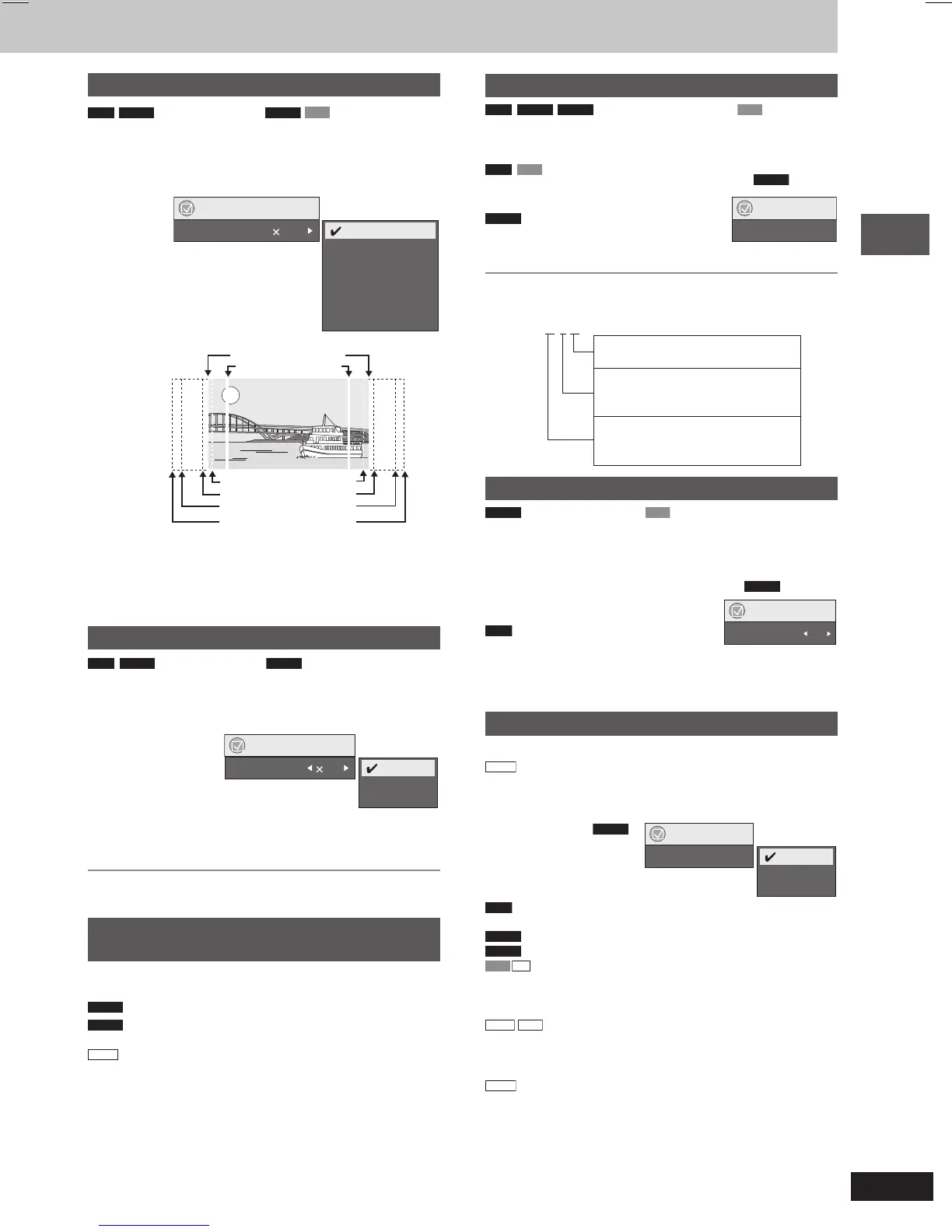
Changing the zoom ratio
RAM
DVD-A
(Motion picture part)
DVD-V
VCD
This feature expands the letterbox picture to fit the screen.
During play
Press [SHIFT] + [ZOOM] several times to select the
preset aspect ratio (Just Fit Zoom) or “Auto”.
Functions
Just Fit Zoom 1.00
4:3 Standard
European Vista
16:9 Standard
American Vista
Cinemascope1
Cinemascope2
Auto
e.g.
Fine adjustments (Manual Zoom)
After selecting the preset aspect ratio or “Auto”, press [;, :].
– from “x1.00” to “x1.60” (in 0.01 units)
– from “x1.60” to “x2.00” (in 0.02 units)
•
Press and hold [;, :] to alter faster.
Changing the play speed
RAM
DVD-A
(Motion picture part)
DVD-V
During play
Press [SHIFT] + [PLAY SPEED] several times to select
“Normal”, “Fast” or “Slow”.
Functions
Play Speed 1.0
Fast
Slow
Normal
Changing play speed between the range of “x0.6” to “x1.4” (in
0.1 units)
Press [;, :] while the above message is displayed.
•
Press [:, DVD/CD] to return to normal play.
•
This function may not work depending on the disc’s recording.
Angle selection and Still picture rotation/
advance
Press [SHIFT] + [ANGLE/PAGE] several times to select
the angle or rotate/advance the still picture.
DVD-V
(with multiple angles) – Angle selection
DVD-A
– Still picture advance
(Press [RETURN] to go back to page 1.)
JPEG
– Still picture rotation
16:9 Standard (16:9)
4:3 Standard (4:3)
European Vista (1.66:1)
American Vista (1.85:1)
Cinemascope1 (2.35:1)
Cinemascope2 (2.55:1)
Changing soundtracks
RAM
DVD-A
DVD-V
(with multiple soundtracks)
VCD
Press [SHIFT] + [AUDIO] several times to select the
soundtrack.
RAM
VCD
You can use this button to select “L”, “R”
or “L R”.
DVD-V
(Karaoke discs)
Press [;, :] to select “On” or “Off” for
vocals.
Read the disc’s instructions for details.
Signal type/data
LPCM/PPCM/0Digital/DTS/MPEG: Signal type
kHz (Sampling frequency)/bit/ch (Number of channels)
Example:
3/2 .1ch
.1: Low frequency effect
(not displayed if there is no signal)
0: No surround
1: Mono surround
2: Stereo surround (left/right)
1: Center
2: Front left + Front right
3: Front left + Front right + Center
Changing subtitles
DVD-V
(with multiple subtitles)
VCD
(SVCD only)
Press [SHIFT] + [SUBTITLE] several times to select the
subtitle language.
•
On +R/+RW, a subtitle number may be shown for subtitles that are
not displayed.
To display/clear the subtitles
Press [;, :] to select “On” or “Off”.
RAM
(On/Off only with discs that contain
subtitle on/off information)
Press [SHIFT] + [SUBTITLE] to select “On” or “Off”.
•
Subtitle on/off information cannot be recorded using Panasonic
DVD Recorders.
Repeat play
(Only when the elapsed play time can be displayed.
JPEG
: Works with all JPEG content.)
During play
Press [REPEAT] several times to select an item to be
repeated.
RAM
: Program
→
Disc
→
Off
• During playlist play: Scene
→
Playlist
→
Off
DVD-A
: Track
→
Group
\
→
Off
DVD-V
: Chapter
→
Title
\
→
Off
VCD
CD
: Track
→
Disc
\
→
Off
• When CD Mode is on: Track
→
Disc
→
All CD’s
→
Off
• When CD Mode is on, during program and random play:
Track
→
All CD’s
→
Off
WMA
MP3
: Content
→
Group
\
→
Off
• When CD Mode is on: Content
→
Group
→
All CD’s
→
Off
• When CD Mode is on, during program and random play:
Content
→
All CD’s
→
Off
JPEG
: Group
\
→
Off
\
“All” is displayed during program and random play.
e.g.
DVD-V
Functions
Audio 1
e.g.
DVD-V
e.g.
DVD-V
Functions
Repeat Off
Chapter
Title
Off
RQT8169(14_16)new1 4/18/05, 3:13 PM15








 To Next Page