EasyManua.ls Logo

Panasonic SC-VK760 - User Manual

Panasonic SC-VK760
40 pages
Print Icon
To Next Page IconTo Next Page
Loading...
Operating Instructions
DVD Stereo System
Model No. SC-VK960
SC-VK860
SC-VK760
RQTV0239-1L
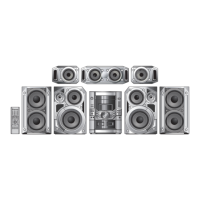
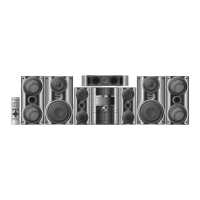
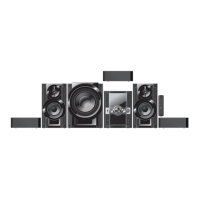
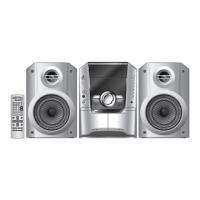
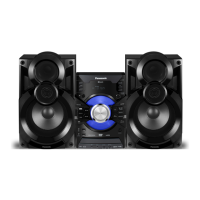
The illustration shows SC-VK960
GCS GCT GN
Region number
The player plays DVD-Video marked with labels
containing the region number or “ALL.
Region Number
Southeast Asia 3
Australia and N.Z. 4
Example:
For Southeast Asia
1
3
4
3
Before connecting, operating or adjusting this product,
please read the instructions completely.
Please keep this manual for future reference.
Operations in these instructions are described using
the remote control, but you can perform the operations
on the main unit if the controls are the same.
Unless otherwise indicated, illustrations in these
operating instructions are for the Southeast Asia.
Your unit may not look exactly the same as illustrated.
SC-VK960 is used in the illustrations unless otherwise
indicated.
RQTV0239_1L.indd 1RQTV0239_1L.indd 1 6/12/07 12:34:42 PM6/12/07 12:34:42 PM
Question and Answer IconNeed help?

Do you have a question about the Panasonic SC-VK760 and is the answer not in the manual?

Summary

GETTING STARTED

Safety precautions

Essential safety instructions for using the DVD stereo system, covering placement, voltage, power cord, and foreign matter.

Simple setup

Guide on speaker placement for optimal sound and initial connection steps for the system.

Making the connections

Instructions for connecting video cables (COMPONENT VIDEO OUT) and the AC power supply cord.

Antenna connections

Details on connecting AM loop and FM antennas for radio reception, including optional outdoor antennas.

Preparing the remote control

Instructions on battery insertion, remote control usage, and the DEMO function.

DISC OPERATIONS

Disc information

Details on playable and unplayable disc types and formats, including recorded discs.

QUICK SETUP

Step-by-step guide to initial system configuration via on-screen menus for optimal settings.

Overview of controls

Identifies main unit and remote control buttons and their functions with page references.

Discs - Basic play

How to insert, play, stop, and pause discs, including tray handling and disc removal.

Discs - Advanced play

Features like repeat play, CD sequential play, and displaying current playback conditions (QUICK OSD).

Discs - Program and Random play

How to create custom playback orders or play tracks randomly from discs.

Discs - Using navigation menus

Navigating data discs and using sub menus for playback options like group and content selection.

Discs - Using on-screen menus

Detailed explanation of various on-screen menus for playback control, including functions and settings.

Discs - Changing the player settings

Customizing audio, video, subtitle, menu language, and other player preferences via settings menus.

OTHER OPERATIONS

Using the radio

Tuning methods, presetting stations, and improving FM sound quality.

Playing and recording using the cassette tapes

Basic tape playback, recording from sources, and proper tape handling procedures.

Enjoying karaoke

Connecting microphones and singing along with various sources like DVD, VCD, tape, and radio.

Using sound effects

Adjusting sound fields, pitch, and using vocal mute functions for enhanced audio experience.

Using the timers

Setting play, record, and sleep timers for automated operation and convenience.

Using other equipment

Connecting portable audio players and other external units to the system for playback.

USB

Connecting and playing files from USB mass storage devices, including compatible formats.

Operating a television

Basic TV control functions such as power, input selection, volume, and channel change via remote.

Changing the main unit and remote control mode

Switching between remote control modes to avoid interference with other devices.

REFERENCE

Glossary

Definitions of technical terms used throughout the manual for better understanding.

Maintenance

Instructions for cleaning the unit's surfaces and cassette deck heads for optimal performance.

When moving the unit

Steps to safely disconnect and prepare the unit for transport or relocation.

Troubleshooting guide

Solutions for common operational problems, error messages, and display indicators.

Specifications

Technical details, dimensions, power requirements, and speaker specifications for all models.

Summary

GETTING STARTED

Safety precautions

Essential safety instructions for using the DVD stereo system, covering placement, voltage, power cord, and foreign matter.

Simple setup

Guide on speaker placement for optimal sound and initial connection steps for the system.

Making the connections

Instructions for connecting video cables (COMPONENT VIDEO OUT) and the AC power supply cord.

Antenna connections

Details on connecting AM loop and FM antennas for radio reception, including optional outdoor antennas.

Preparing the remote control

Instructions on battery insertion, remote control usage, and the DEMO function.

DISC OPERATIONS

Disc information

Details on playable and unplayable disc types and formats, including recorded discs.

QUICK SETUP

Step-by-step guide to initial system configuration via on-screen menus for optimal settings.

Overview of controls

Identifies main unit and remote control buttons and their functions with page references.

Discs - Basic play

How to insert, play, stop, and pause discs, including tray handling and disc removal.

Discs - Advanced play

Features like repeat play, CD sequential play, and displaying current playback conditions (QUICK OSD).

Discs - Program and Random play

How to create custom playback orders or play tracks randomly from discs.

Discs - Using navigation menus

Navigating data discs and using sub menus for playback options like group and content selection.

Discs - Using on-screen menus

Detailed explanation of various on-screen menus for playback control, including functions and settings.

Discs - Changing the player settings

Customizing audio, video, subtitle, menu language, and other player preferences via settings menus.

OTHER OPERATIONS

Using the radio

Tuning methods, presetting stations, and improving FM sound quality.

Playing and recording using the cassette tapes

Basic tape playback, recording from sources, and proper tape handling procedures.

Enjoying karaoke

Connecting microphones and singing along with various sources like DVD, VCD, tape, and radio.

Using sound effects

Adjusting sound fields, pitch, and using vocal mute functions for enhanced audio experience.

Using the timers

Setting play, record, and sleep timers for automated operation and convenience.

Using other equipment

Connecting portable audio players and other external units to the system for playback.

USB

Connecting and playing files from USB mass storage devices, including compatible formats.

Operating a television

Basic TV control functions such as power, input selection, volume, and channel change via remote.

Changing the main unit and remote control mode

Switching between remote control modes to avoid interference with other devices.

REFERENCE

Glossary

Definitions of technical terms used throughout the manual for better understanding.

Maintenance

Instructions for cleaning the unit's surfaces and cassette deck heads for optimal performance.

When moving the unit

Steps to safely disconnect and prepare the unit for transport or relocation.

Troubleshooting guide

Solutions for common operational problems, error messages, and display indicators.

Specifications

Technical details, dimensions, power requirements, and speaker specifications for all models.

Panasonic SC-VK760 Specifications

General IconGeneral
BrandPanasonic
ModelSC-VK760
CategoryStereo System
LanguageEnglish

Related product manuals