EasyManua.ls Logo

Panasonic SC-VK71D - User Manual

Panasonic SC-VK71D
40 pages
Print Icon
To Next Page IconTo Next Page
Loading...
RQT7700-2L
DVD Stereo System
Operating Instructions
Model No. SC-VK91D
SC-VK81D
SC-VK71D
Before connecting, operating or adjusting this
product, please read these instructions completely.
Please keep this manual for future reference.
2
3
4
2
3
4
2
3
4
2
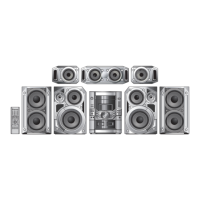
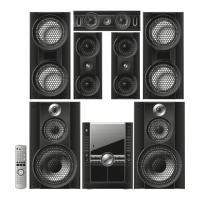
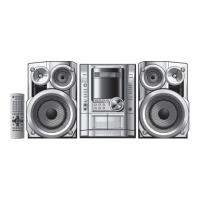
The above illustration of the unit is an example and shows SC-VK71D for Southeast Asia.
GN GC
Region number supported by
this player
Region numbers are allocated to DVD players and
software according to where they are sold.
For Saudi Arabia, Kuwait, the Middle
East and South Africa
The region number of this player is “2”.
The player will play DVD-Video marked
with labels containing “2” or “ALL”.
Example:
For Southeast Asia
The region number of this player is “3”.
The player will play DVD-Video marked
with labels containing "3" or "ALL".
Example:
For Australia and N.Z.
The region number of this player is “4”.
The player will play DVD-Video marked
with labels containing "4" or "ALL".
Example:
GCSGS
RQT7700(Cv)5 6/22/04, 8:34 AM1

Table of Contents

Questions and Answers

  • R
    robertsdeniseJul 29, 2025
    Why is my Panasonic SC-VK71D Stereo System not responding to button presses or the remote control?
    • L
      Levi BowersJul 29, 2025
      If your Panasonic Stereo System is not responding to button presses or the remote control, there might be several reasons. Some operations may be prohibited by the disc, so turn the unit off and then back on. The unit may not be operating properly due to lightning, static electricity, or some other external factor; turn it off, disconnect the AC power supply cord, and then reconnect it. If the batteries are depleted, replace them. If condensation has formed, wait 1 to 2 hours for it to evaporate. Ensure that the disc is compatible and correctly installed. Clean the disc if it's dirty. If you cannot select random or program play, cancel all group, program, and random play.
  • A
    Amber CooperAug 3, 2025
    How to fix noise or distorted sound on my Panasonic SC-VK71D Stereo System?
    • S
      spencelisaAug 3, 2025
      To address noise or distorted sound issues on your Panasonic Stereo System, adjust the position of the FM or AM antenna, or use an outdoor antenna. Turn off the television or separate it from the unit. Also, separate the antenna from other cables and cords.
  • B
    Bobby JimenezAug 9, 2025
    What to do if the picture is distorted on my Panasonic SC-VK71D Stereo System?
    • A
      Aaron NelsonAug 9, 2025
      If the picture on your Panasonic Stereo System is distorted, not showing, or of poor quality, check the connection first. Ensure the television’s video input setting is correct and that the television is on. Verify the unit is connected directly to the television, not through a video cassette recorder. For component video, connect to the (480I) input terminals on a compatible television. Also, keep the antenna wire separated from the unit, as mobile telephone chargers can cause disturbance. Note that some distortion is normal during SEARCH.
  • B
    Brooke RoachAug 14, 2025
    Why does my Panasonic Stereo System have no power?
    • M
      martinezmichaelAug 14, 2025
      If your Panasonic Stereo System has no power and switches to standby mode automatically, it may have been switched to standby by the sleep timer or auto-off function. Ensure the AC power supply cord is securely inserted.
  • A
    Ashley GutierrezAug 19, 2025
    What to do if there is no on-screen display on Panasonic Stereo System?
    • D
      David SantiagoAug 19, 2025
      If there is no on-screen display on your Panasonic Stereo System, or the disc’s menu is displayed in a different language, or you see the message “Cannot display group xx, content xx”, you may be trying to display incompatible content. Select the preferred language for “Menus” in the “Disc” tab.
  • M
    Michael JensenAug 23, 2025
    Why is the sound quality poor and recording not possible on my Panasonic Stereo System?
    • J
      johnathansmithAug 23, 2025
      If you are experiencing poor sound quality and recording is not possible on your Panasonic Stereo System, clean the heads. If the erasure prevention tabs have been removed, cover the holes with adhesive tape.

Summary

Region Number Support

Saudi Arabia, Kuwait, Middle East, South Africa

Details region number 2 support for these areas.

Southeast Asia

Details region number 3 support for this region.

Australia and N.Z.

Details region number 4 support for these regions.

Getting Started: System Overview

System Components

Lists the components for each model (VK91D, VK81D, VK71D).

Critical Safety Precautions

Covers laser safety, fire/electric shock, and installation warnings.

Getting Started: Power Safety

AC Power Cord and Fuse Replacement

Safety guidelines for the AC power cord and procedure for fuse replacement.

Simple Setup: Speaker Positioning

Optimal Speaker Placement and Usage

Guides on placing speakers for optimal sound and avoiding picture interference.

Simple Setup: Connections

Speaker and Video Cable Connections

Illustrates connecting speaker and video cables for different models.

Simple Setup: Radio and Power

Antenna, Power, and Radio Tuning

Instructions for connecting antennas, power cord, and tuning radio stations.

Simple Setup: Controls

Remote Control and Quick Setup

Explains remote operation and the initial quick setup process.

Unit Controls Overview

Main Unit and Center Console Controls

Identifies controls on the main unit and center console.

Disc Operations: Basic Playback

Loading, Starting, and Controlling Discs

Guides on disc playback, controls like stop, pause, skip, and search.

Disc Operations: Play Modes

Group, Random, Program, and Repeat Play

Explains how to play discs in group, random, program, and repeat sequences.

Disc Settings: Picture and Audio

Picture Menu Adjustments

Options for picture mode, adjustment, output, and display settings.

Radio Operations

Tuning and Channel Selection

Instructions for manual tuning, preset stations, and selecting radio channels.

Sound Field and Quality

Surround Sound Modes

Explains Dolby Digital, DTS, Dolby Pro Logic II, and Super Surround effects.

Recording Operations

Recording Sources and Methods

Instructions on recording from radio, discs, and tapes, including protection.

Karaoke Operations

Vocal Muting and Audio Modes

How to mute vocals and select audio modes for karaoke playback.

Convenient Functions

Volume, Display, and TV Controls

Features for muting volume, auto-off, headphone use, and TV operation.

Reference: Glossary and Disc Handling

Glossary of Terms

Defines technical terms used in the manual.

Disc Handling Procedures

Step-by-step guide for safely opening, closing, and inserting discs.

Reference: Troubleshooting Power and Operation

Troubleshooting: Power and Operation Issues

Common problems related to power, button response, and remote control operation.

Reference: Maintenance and Safety

Maintenance and Service

Guidance on cleaning the unit, cassette heads, and when to seek professional service.

Specifications: Core Components

Amplifier, Cassette Deck, Disc Specs

Technical specifications for amplifier, cassette deck, disc formats, and video output.

Specifications: Speakers and General

Speaker System Specifications

Technical specifications for all speaker models (VK91D, VK81D, VK71D).

Panasonic SC-VK71D Specifications

General IconGeneral
BrandPanasonic
ModelSC-VK71D
CategoryStereo System
LanguageEnglish

Related product manuals