6
Setup
6
RQTX0127
ENGLISH
Setup
Preparation
≥ Turn off all equipment before connection and read the
appropriate operating instructions.
≥Connect the AC mains lead after all other connections are
complete.
[Note]
≥ Do not use the wireless system and digital transmitter in a
metal cabinet or bookshelf.
≥ Do not attempt to connect any extra surround speakers to the
home theater unit.
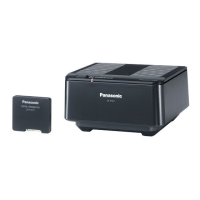
≥ Place the wireless system within approximately 10 m from the
home theater unit.
≥
Surround speakers and surround back speakers are all optional.
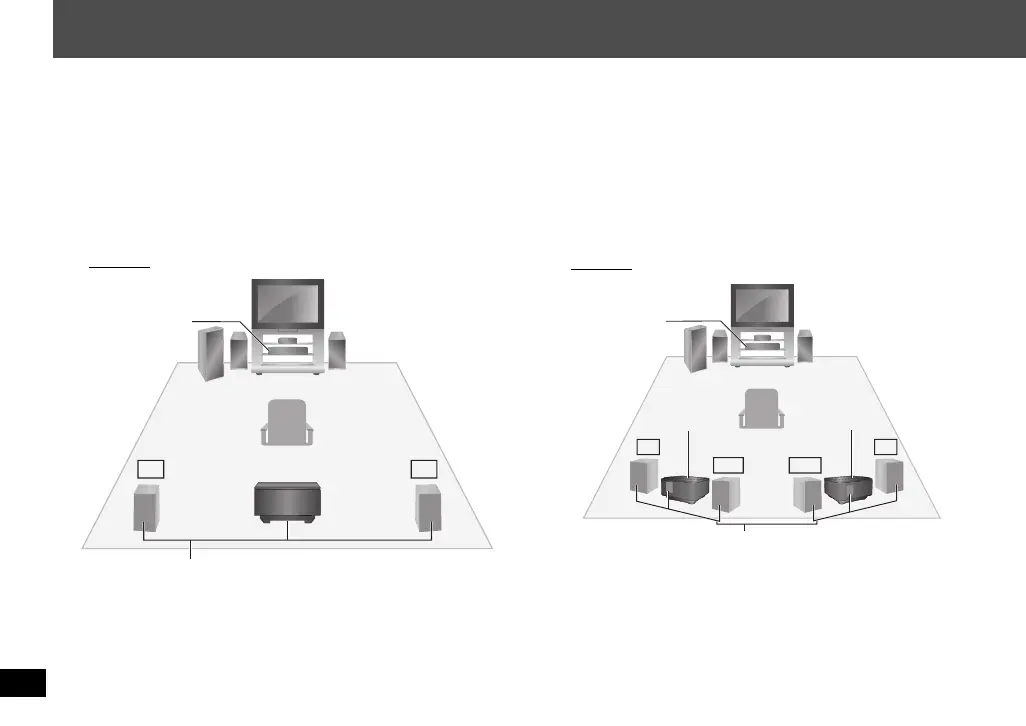
∫ Wireless setup diagram
e.g. 5.1ch
LS: Surround (left), RS: Surround (right)
≥ Place on the side of or slightly behind the seating position.
e.g. 7.1ch (Using two units of the wireless system)
This placement offers 7.1-channel playback. Your home theater
unit must be capable of 7.1-channel playback.
LS: Surround (left), RS: Surround (right)
≥Place on the side of the seating position.
LB: Surround back (left), RB: Surround back (right)
≥Place behind the seating position, about 1 meter higher than
ear level.
LS RS
Surround speaker cables (included)
Wireless system
Home theater unit
(with the digital
transmitter)
Seating position
LS
LB RB
RS
Surround speaker cables (included)
Wireless system
Home theater unit
(with the digital
transmitter)
Seating position
Wireless system
SH-FX67_RQTX0127_En_181107.fm Page 6 Sunday, November 18, 2007 11:28 AM


 To Next Page