Section 2 – Cable Identification
15
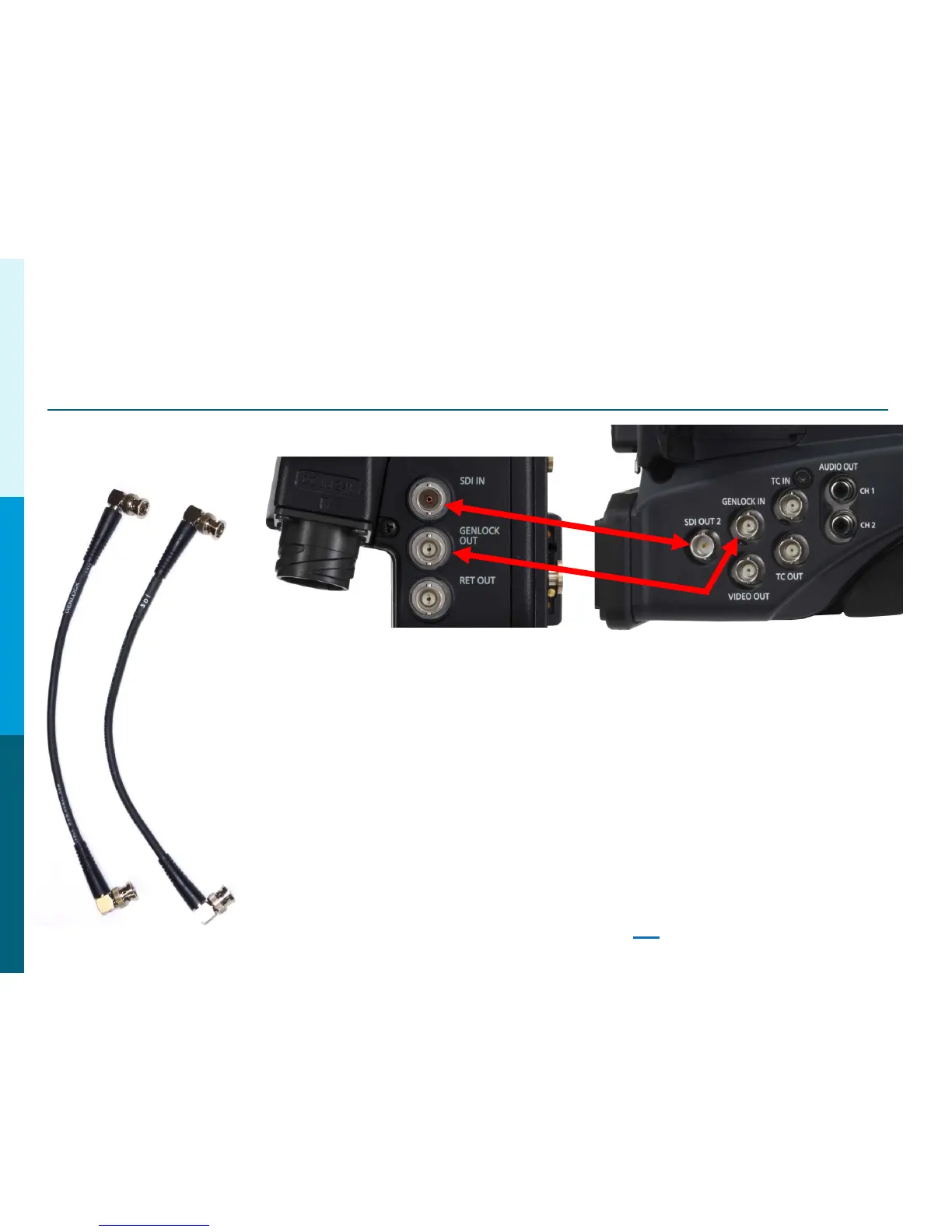
GENLOCK and SDI
These 2 short BNC cables connect:
1. AG-CA300 Camera Adaptor GenLock Out to the Camera GenLock In.
2. AG-CA300 SDI in to the Camera SDI Out.
Note: When connecting to the HPX300, HPX370 or HPX500,
these cameras will automatically GenLock when the
GenLock Cable is connected. However, the HDX900,
HPX2000, HPX2700, HPX3000, HPX3100 and HPX3700
must be manually set to External GenLock in the
System Menu. Failure to turn this menu item on will
result in NO ROP control. See Page 29
for Menu Settings.
Panasonic Solutions Company



 To Next Page