EasyManua.ls Logo

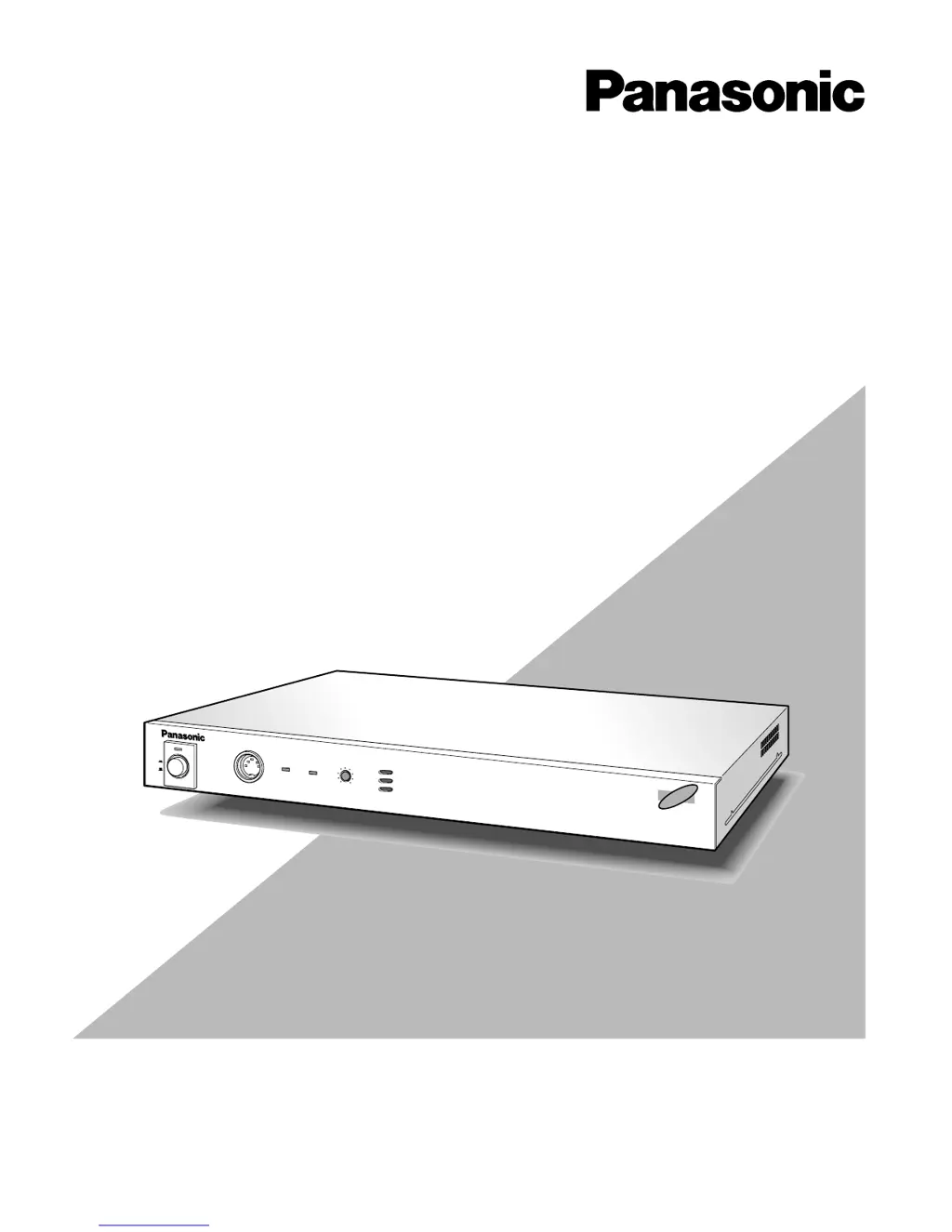
Panasonic WJ-AV20 - User Manual

Panasonic WJ-AV20
88 pages
Print Icon
To Next Page IconTo Next Page
Loading...
Please read these instructions carefully before attempting
to connect or operate this product and be sure to save this manual for future use.
AVCodecAVCodec
AV Codec W
J-AV
20
R
E
M
O
T
E
R
IN
G
.V
O
L
PO
W
ER
ON
OFF
LINE
1
LINE
2
AV Codec
Operating Instructions
Model No. WJ-AV20

Table of Contents

Questions and Answers

  • W
    Whitney PayneAug 20, 2025
    Why is there no sound with my Panasonic WJ-AV20?
    • C
      Christina SuttonAug 20, 2025
      If you're experiencing a lack of sound, consider these potential causes: * The audio output and input of the monitor might not be properly connected. Ensure these connections are correctly made. * The AUDIO SEND setting at the opposite site might be OFF. If the opposite site is a transmitter, set it to G722 or G728 on the AUDIO menu. If it's a receiver, set it to ON. * The transmitting audio might be muted at the opposite site. Ensure that audio mute is reset there.
  • X
    xandersonAug 23, 2025
    How to turn on Panasonic WJ-AV20 Recording Equipment if power remains off?
    • T
      Traci ShawAug 23, 2025
      If the power remains off, it is likely that the power cord is not correctly connected, or the power plug is not properly inserted into an AC outlet. Insert the power cord plug correctly into an AC outlet.
  • T
    theresa59Aug 26, 2025
    How to stop howling sound on Panasonic WJ-AV20?
    • J
      julie81Aug 26, 2025
      To eliminate howling, consider the following: * The echo canceler (AEC) may be set to OFF. Set AEC to ON in the [AUDIO] menu. * The speaker and microphone of the opposite site may be too close. Keep microphones away from the speaker at the opposite site, or adjust the speaker volume. * The audio output and input connectors may be connected to the same VTR. Avoid connecting them to the same VTR.
  • C
    Christopher VegaAug 28, 2025
    What to do if received images are not displayed at local site on the monitor for Panasonic WJ-AV20?
    • K
      Keith StephensAug 28, 2025
      If received images aren't displaying, check these items: * Ensure the monitor is connected to monitor output 1 or 2. * If the opposite site's voice encoder is set to G722 and connected at 1B or 64K, connect it at 2B or 128K, or configure it to G728 or no voice.
  • U
    ulewisAug 31, 2025
    Why camera images are not displayed at local site on the monitor of Panasonic WJ-AV20 Recording Equipment?
    • J
      jordanthomasAug 31, 2025
      If camera images are not displayed, the camera may not be connected to the selected video input connector. Select the video input to which the camera is connected, using the video selection menu.
  • C
    Christopher MartinezSep 2, 2025
    Why alarm dialing cannot be connected on Panasonic WJ-AV20 Recording Equipment?
    • A
      Alison GibbsSep 2, 2025
      If alarm dialing fails, check these potential causes: * The sensor might not be correctly connected. Ensure it is properly connected, and the sensor type and edge/level are correctly set. * Sensor input settings might not be correctly registered. Register quick dial numbers in the alarm dialing table. * The sensor signal input time might be too short. Adjust the settings so the sensor signal remains active from the start of calling until disconnection, or ensure the sensor input make lasts longer than 100 ms. * The dialing number might not be registered in the directory. Ensure it is correctly registered.
  • J
    Jack AndersonSep 4, 2025
    Why combination camera cannot be controlled with Panasonic Recording Equipment?
    • F
      Frederick RyanSep 4, 2025
      If you're unable to control the combination camera, here are some things to check: * Ensure the combination camera is connected to the VIDEO IN 1 connector. * Verify that the combination camera presets are registered in the camera menu [510 CAMERA.PRESET.TRIGGER OUT]. Register combination presets 1 to 8. * Make sure that Video input 1 is selected on the [500 CONTROL] menu.
  • C
    cjohnsonSep 7, 2025
    Why is there view point operation failure when view points cannot be changed in coordination with sensor on Panasonic WJ-AV20?
    • P
      Peter RoblesSep 7, 2025
      If you're experiencing viewpoint operation failure, and view points cannot be changed in coordination with the sensor, it could be due to the following reasons: * View points have not been set. * Sensor input settings are not correct. * Mode is set to receiver. To resolve this, correctly set the view points, ensure the sensor is correctly connected to the sensor input connector, and check alarm for the view point to be selected in coordination with the sensor on the viewpoint setting screen and set that alarm to ON.
  • M
    Miranda BowenSep 10, 2025
    Why is serial data communication not possible on Panasonic Recording Equipment?
    • K
      Kristen MoralesSep 10, 2025
      If serial data communication fails, it may be due to: * Different serial port settings between the connected terminals. Ensure both Codecs and peripherals have the same serial port settings. Verify the settings on the 650 setting menu. * Negotiation failure between terminals. Try connecting again.
  • J
    Joseph FieldsSep 12, 2025
    What does it mean if the opposite terminal cannot be controlled and '[Opposite terminal uncontrollable]' is shown on Panasonic WJ-AV20 Recording Equipment?
    • J
      jjohnsonSep 12, 2025
      If the opposite terminal cannot be controlled and '[Opposite terminal uncontrollable]' is displayed, it could be because: * Both terminals are set to receive. Receivers cannot be connected to each other, so change the settings. * There is a negotiation failure between terminals. Try connecting again.

Panasonic WJ-AV20 Specifications

General IconGeneral
Video Inputs4
Audio Inputs4
Video Outputs2
Audio Outputs2 x Stereo RCA (Monitor, Program)
EffectsWipe, Mix, Fade
Power Supply120 VAC, 60 Hz

Related product manuals