Section 2 – Cable Identification
21
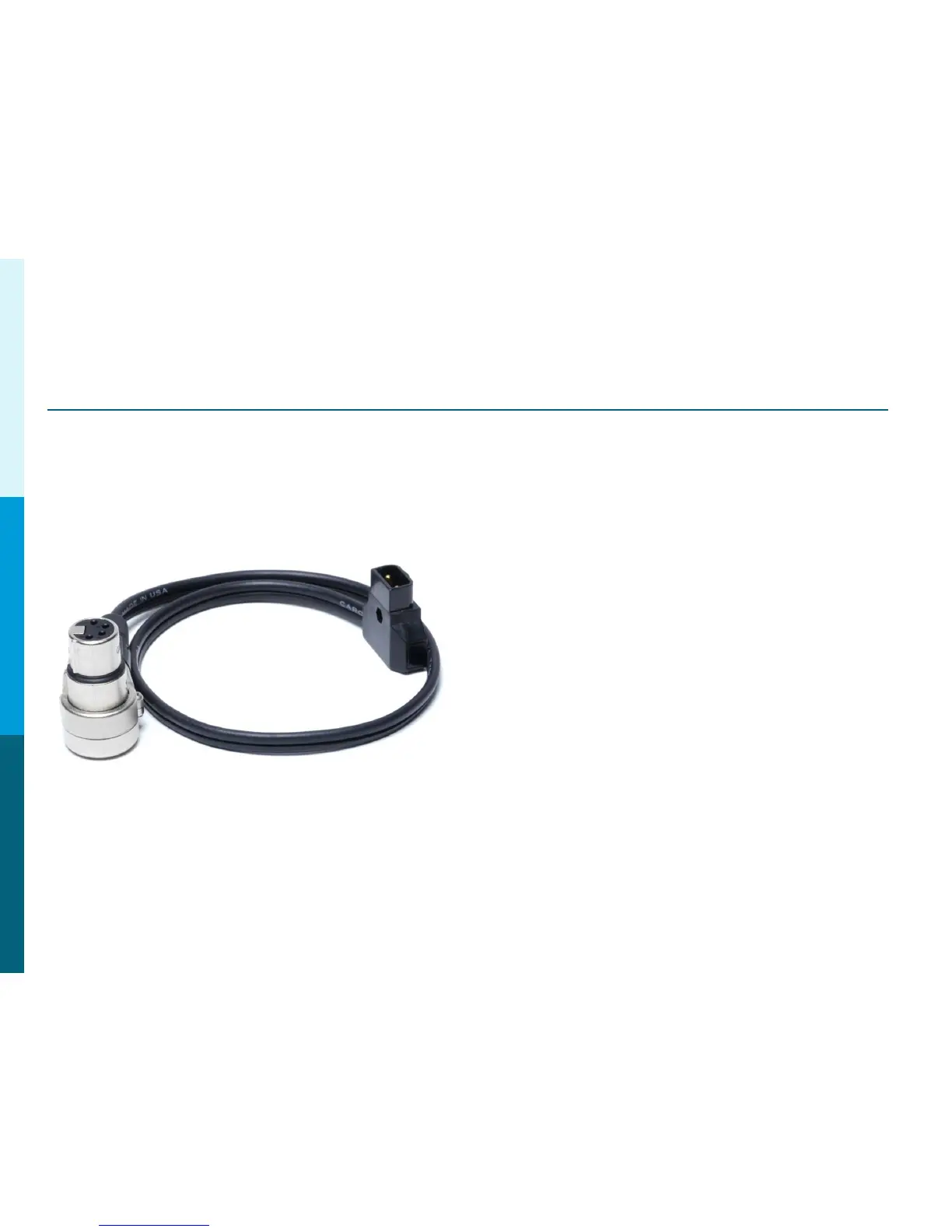
Optional – Power Tap 28” (Part # PowerTap28)
This cable Provides 12 Volt DC Power
for the On Board Monitor.
Connect the P-Tap Plug to the
P-Tap Jack on the Camera. Connect
the 4 Pin XLR to the Monitor DC In.
Note: Power Tap-28 = 28”
Power Tap-20 =20”
IMPORTANT NOTE: Do Not Power the BT-LH910 Monitor from the
4 Pin Lemo 12V 1.5A DC Out on the camera body. Do to the
current requirement on the BT-LH910, only use the P-Tap
or external source to power the monitor.
Panasonic Solutions Company




 To Next Page