8 9
Adds powerful bass
no display
Cancel
Other operations
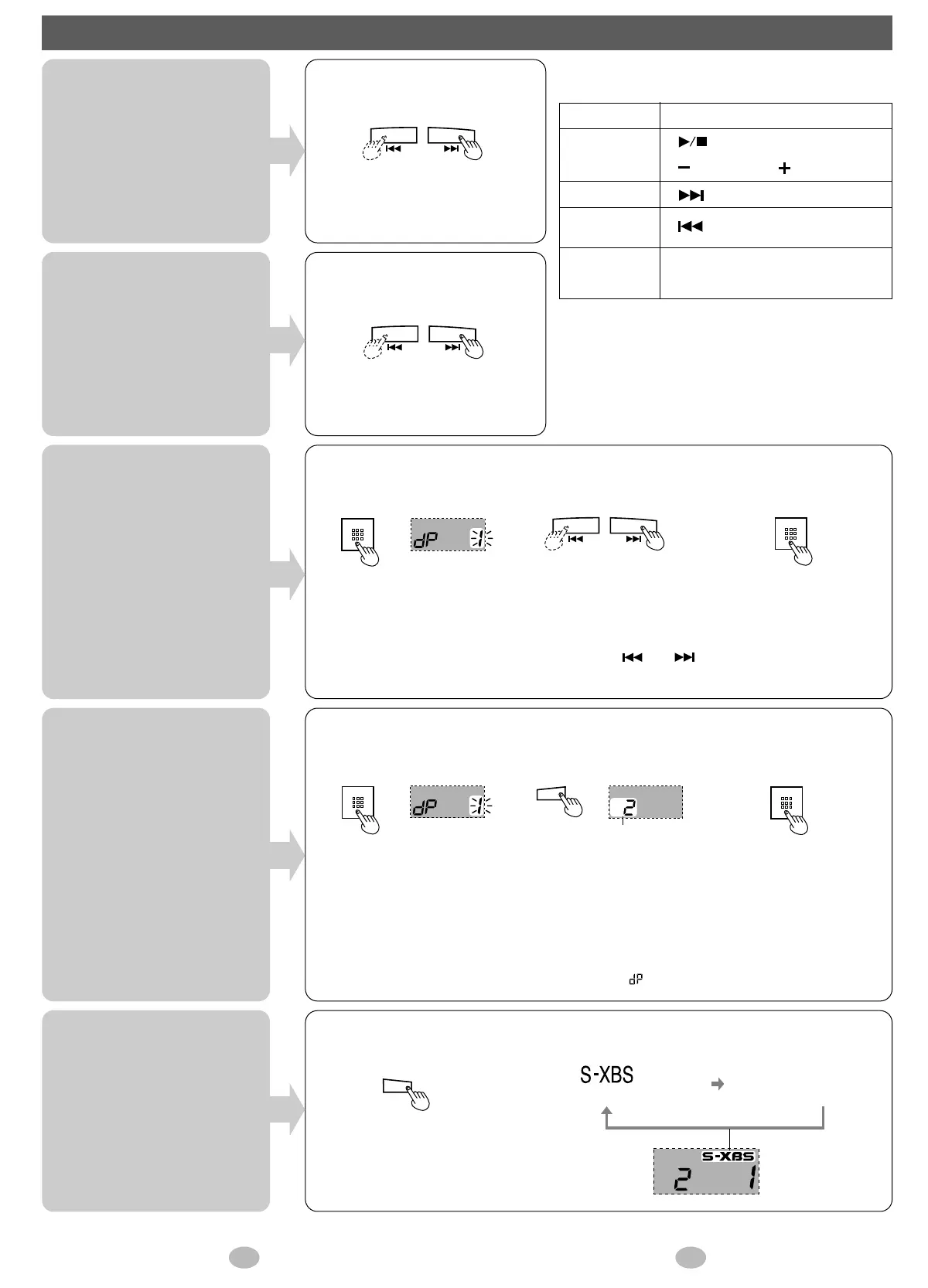
Skipping tracks
Press during play.
2
Select the track.
3
Play the track.
Press and hold during play.
Backward Forward
Backward Forward
Search
Direct play
Changing
sound quality
Backward Forward
• Tracks change faster if you press and hold [ ] or [ ].
• If the unit is left stopped for about ten seconds, even after selecting a track, it turns off.
Using playlists
When playlists the unit
can play are on the
card
※ Playlists created with
Panasonic Media
Manager cannot be
played.
Press during play.
Each time you press the button
1
Press during play.
Play stops and the track
number flashes.
3 Play the tracks in
the playlist.
2 Select the playlist
number.
• Tracks change faster if you press and hold [PLAYLIST] in step 2.
• If the unit is left stopped for about ten seconds, even after selecting a playlist
number, it turns off.
• To play all the tracks on the SD card, select “” (default playlist) in step 2.
1 Press during play.
Play stops and the track
number flashes.
■
The operation tone
A tone sounds to indicate operation.
Tone
Beep
Beep beep
Beep beep
beep
Beep beep
beep beep
Button pressed
[ ],[PLAYLIST]
[ VOLUME ],[S-XBS]
[](Skip only)
[](Skip only)
The operation cannot be performed.
Check the HOLD setting.
This unit cannot repeat play or play tracks in a random order.
RQT5658







 To Next Page