31
During Photo View mode
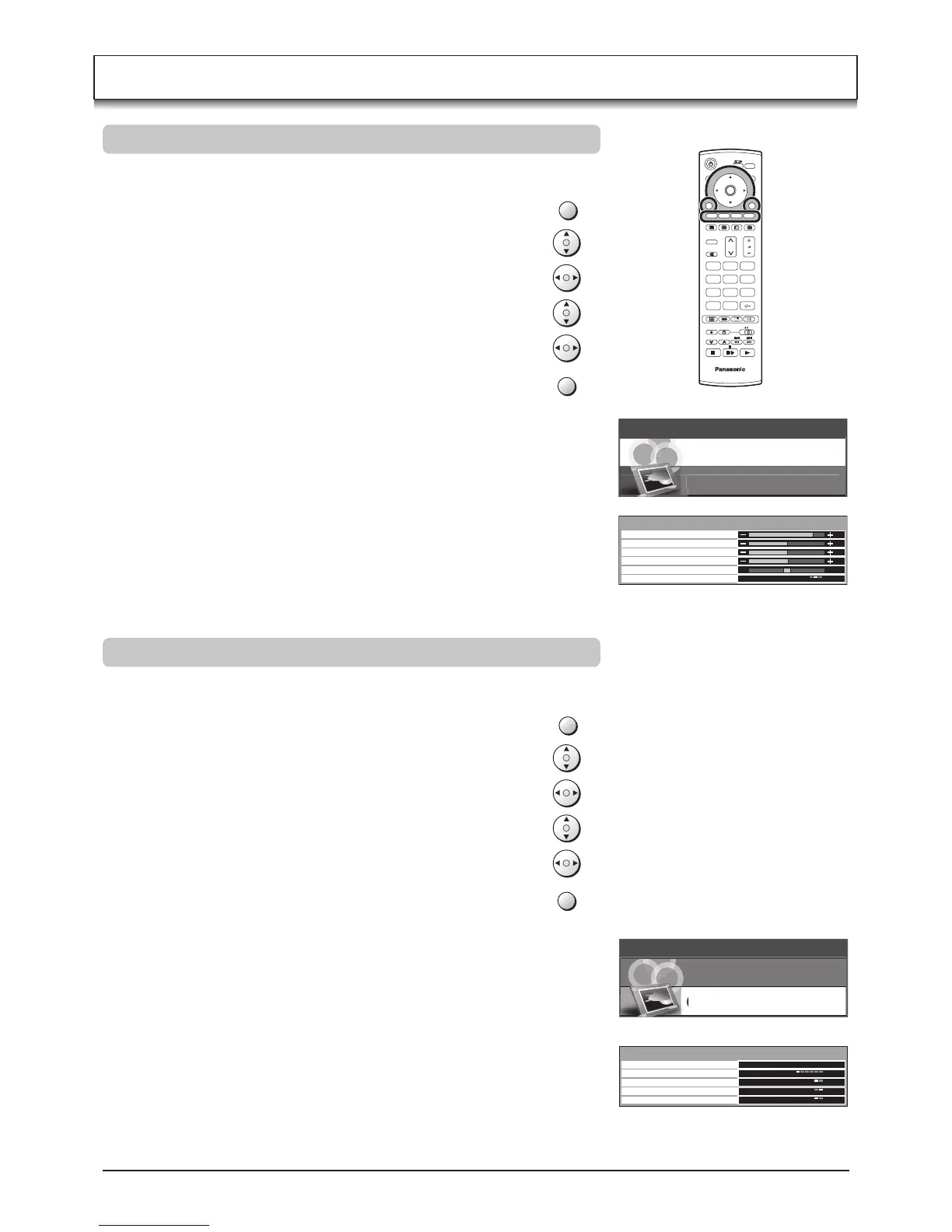
Press the MENU button.
Move to choose CARD SETUP MENU.
Access CARD SETUP MENU.
Move to choose menu option.
Adjust chosen option or access chosen menu.
Press the EXIT button at any time to exit CARD SETUP MENU.
TV
C
N
123
456
789
0
OK
Photo View mode
During Photo View mode
Press the MENU button.
Move to choose PICTURE.
Access PICTURE.
Move to choose menu option.
Adjust chosen option or access chosen menu.
Press the EXIT button at any time to exit PICTURE.
CONTRAST, BRIGHTNESS, COLOUR, SHARPNESS
Increase or decrease the levels of these options
according to your personal preference.
The picture hue can be adjusted to suit your taste.
Allows you to set the overall colour tone of the picture.
Choose from COOL, STANDARD and WARM.
NTSC-TINT
C.TEMP
SLIDE SHOW
INTERVAL
SEQUENCE
REPEAT
CARD
Provides access to Slide Show mode.
See page 32.
When the Slide Show, allows you to select the display
intervals between 5 to 90 seconds.
When the Slide Show, allows you to select the ORDER
or RANDOM.
When REPEAT is ON, the Slide Show repeats
automatically.
Select either SD or PC when both cards are inserted
in the slots.
MENU
EXIT
PICTURE
CARD SETUP MENU
MENU
EXIT
MAIN MENU
PICTURE






 To Next Page