
 Need help?
Do you have a question about the Panasonic TH-50PV30 and is the answer not in the manual?
General safety warnings regarding fire and electric shock prevention, including appliance placement and cover removal.
Advice on environmental conditions, static discharge effects on the screen, and tropical climate suitability.
Warning against displaying still pictures for extended periods to prevent permanent after-images on the screen.
Lists approved optional accessories and emphasizes professional setup for safety and stability.
Covers placement, ventilation, proximity to electromagnetic sources, power handling, and cable care.
Instructions for immediate actions if smoke, odor, or water/objects enter the TV.
Guidelines for cleaning the display panel and cabinet safely, and avoiding damage from liquids.
Lists essential accessories like remote control, power cable, and ferrite cores that should be included.
Step-by-step guide for inserting batteries into the remote control and important battery cautions.
Instructions on how to safely open and close the front and terminal covers for cable connections.
Details methods for securing cables using clamps and bands for tidy management.
Explains the need for an external antenna for proper VHF/UHF reception and recommends outdoor antennas.
Provides important notes on cable placement, signal quality, and obtaining correct aerial systems.
How to select AV sources using the TV/AV button and colored buttons on the remote.
Illustrates how to connect headphones and AV sources to the AV3 terminals.
Guides on connecting the TV's monitor output terminals to other audio-visual equipment.
Details on connecting AV1 input terminals and Component input terminals for various video sources.
Instructions for connecting a computer to the TV's PC input terminal using RGB or D-sub cables.
Information on compatible horizontal and vertical scanning frequencies for PC signals.
Steps to connect the mains lead to the TV and then to the wall socket for operation.
Explains how to switch the TV to standby mode and the function of the power indicator light.
Overview of essential buttons like MENU, TV/AV, Volume, and Channel selection.
Highlights buttons for specific modes like Teletext, Aspect Control, Multi Window, and VCR/DVD.
Explains how to use the MENU, cursor, OK, and EXIT buttons to navigate menus and adjust settings.
Guide on how to access and change the TV's on-screen display language.
Accesses the TUNING MENU to configure channel selection, auto/manual tuning, sound, and colour systems.
Explains how to fine-tune stations and skip unused program numbers for a better viewing experience.
Describes channel selection when CH SELECT is set to POSITION.
Explains how to directly select channels by entering their number when CH SELECT is set to DIRECT.
Guides on using AUTO TUNE to automatically search, store, and sort local TV stations.
Alternative method to initiate AUTO TUNE using the TV's front panel buttons.
Instructions for manually tuning individual program positions and storing desired stations.
Alternative method to perform MANUAL TUNE using the TV's front panel buttons.
A table mapping channel display numbers to received channels across different system selections and regions.
How to adjust Contrast, Brightness, Colour, Sharpness, and NTSC-TINT for preferred picture quality.
Explains C.TEMP, D.PNR, MPEG NR, and 3D-COMB for color tone, noise reduction, and image enhancement.
Guides on adjusting Bass, Treble, and Balance for optimal sound output and speaker positioning.
How to activate Surround sound for an immersive experience and adjust headphone volume.
Configuration options for Teletext, Off Timer, Color Set, Child Lock, and Text Select features.
Adjustments for Side Panel display, Power Save, VCR/Game mode, Colour System, and Colour Matrix.
How to access the Owner ID feature via the SETUP menu for personal details and security.
Step-by-step guide to enter PIN, Name, House Number, and Postcode for owner identification.
How to use the ASPECT button to cycle through modes like AUTO, 16:9, JUST, and 4:3.
Explains ZOOM1, ZOOM2, and ZOOM3 modes for magnifying or displaying letterbox pictures without distortion.
How to use MULTI PIP button for PIP, POP, and PAP modes, and swap window contents.
Instructions on changing channels within sub-windows and switching between TV/AV sources.
How to use the STILL button to freeze the current program and resume viewing.
Using CH SEARCH to view freeze-frames of all stored channels and select one to watch.
How to view the current program and a teletext page side-by-side.
Accessing and adjusting Picture Mode, Contrast, Brightness, and Sharpness for PC input.
Fine-tuning white balance for different color areas and enabling advanced picture adjustments.
How to adjust horizontal/vertical position and size, and eliminate flickering with Clock Phase.
Setting the sync mode (H&V or G) for proper synchronization of PC signals.
Information on displayable image formats, limits, and compatibility for JPEG files from digital cameras.
Safety guidelines for handling SD/PC cards, data protection, and preventing damage or data loss.
Step-by-step instructions for inserting and removing SD and PC cards from their slots.
Details on compatible card types, error messages, and accessing the Card Menu Screen.
How to adjust Contrast, Brightness, Colour, Sharpness, and NTSC-TINT within the Photo View mode.
Accessing options like Slide Show, Interval, Sequence, Repeat, and Card selection for photo viewing.
Explains how to switch between multi-image thumbnail view and single image display.
How to rotate images by 90 degrees and magnify them for closer viewing.
Guides on setting up and starting the automatic photo slideshow.
Explains List mode, FASTEXT mode, and methods for selecting teletext pages.
How to use Reveal, List Store, and HOLD functions for enhanced teletext viewing.
How to store and recall favorite teletext pages for quick access.
How to view TV picture while waiting for news flashes or page updates.
Procedures for accessing sub-pages when teletext information spans multiple pages.
Returning to index page and accessing sub-pages via specific buttons.
How to select sound modes for different broadcast signals.
Explains how the remote can control selected Panasonic VCRs and DVDs.
Guides on setting up the remote by entering manufacturer codes for VCRs and DVDs.
Checks for common issues like snowy picture, no sound, or color problems.
Addresses after-images and the sleep feature, explaining their causes and solutions.
A table detailing applicable input signals for the PC input (D-sub 15P) with frequencies.
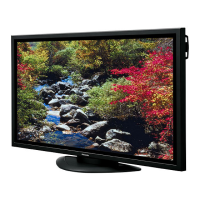
Details power consumption, plasma display panel size, resolution, and contrast ratio.
Information on supported color systems, scanning formats, and input/output terminals.
Instructions to record model and serial numbers for warranty and identification purposes.
 General
| Screen Size | 50 inches |
|---|---|
| Display Type | Plasma |
| Resolution | 1366 x 768 |
| Aspect Ratio | 16:9 |
| HDMI Ports | 2 |
| Inputs | HDMI, Component, Composite |
| Speakers | 20W (10W x 2) |





 To Next Page