EasyManua.ls Logo

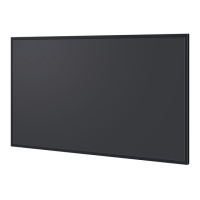
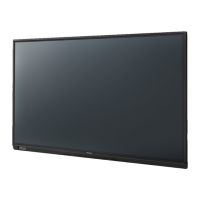
Panasonic TH-70LF50U - User Manual

Panasonic TH-70LF50U
60 pages
Print Icon
To Next Page IconTo Next Page
Loading...
TH-70LF50U
TH-80LF50U
Model No.
Operating Instructions
FULL HD LCD Display
English
Before connecting, operating or adjusting this product,
please read these instructions completely.
Please keep this manual for future reference.

Table of Contents

Questions and Answers

  • K
    katherine19Aug 12, 2025
    What to do if Panasonic Monitor remote control is not working?
    • X
      xbyrdAug 12, 2025
      If your Panasonic Monitor's remote control isn't working, first ensure that the batteries aren't completely discharged and are inserted correctly. Also, make sure the remote control sensor isn't exposed to direct sunlight or strong fluorescent light. Finally, verify that you're using the remote control specifically designed for your unit.
  • A
    anthony58Aug 22, 2025
    Why does my Panasonic TH-70LF50U Monitor power off automatically?
    • D
      Debra HernandezAug 22, 2025
      If your Panasonic Monitor unexpectedly turns off, check the settings for “NO SIGNAL POWER OFF”, “PC POWER MANAGEMENT”, “DVI-D POWER MANAGEMENT” and “NO ACTIVITY POWER OFF”. One of these settings might be enabled.
  • W
    William MillerAug 31, 2025
    What to do if there is no picture displayed or sound output sometimes on Panasonic TH-70LF50U Monitor?
    • T
      Teresa PrattAug 31, 2025
      If your Panasonic Monitor sometimes shows no picture or sound, try turning the power off and on again. You can also try replacing the selector or distributor.

Panasonic TH-70LF50U Specifications

General IconGeneral
BrandPanasonic
ModelTH-70LF50U
CategoryMonitor
LanguageEnglish

Related product manuals