EasyManua.ls Logo

Panasonic TH-75CQ1W - User Manual

Panasonic TH-75CQ1W
54 pages
Print Icon
To Next Page IconTo Next Page
Loading...
*Actual resolution: 3840 × 2160p
EU
Operating Instructions
Functional Manual
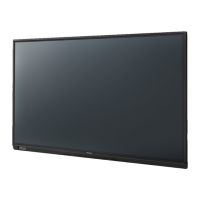
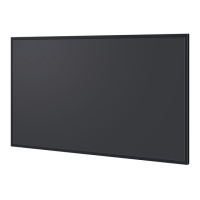
UHD LCD Display
For business use
Model No. TH-86CQ1W
86-inch model
TH-75CQ1W
75-inch model
TH-65CQ1W
65-inch model
TH-55CQ1W
55-inch model
TH-50CQ1W
50-inch model
TH-43CQ1W
43-inch model
English
Please read these instructions before operating your set
and retain them for future reference.
DPQP1286ZC/X1
*
This manual is common to all the models regardless of suffixes of the
model number.
Manufactured under license from Dolby Laboratories.
Dolby, Dolby Audio and the double-D symbol are trademarks of Dolby
Laboratories.
TP0819TS2070 -PB

Questions and Answers

  • R
    robertcollinsAug 20, 2025
    How to fix unstable video on Panasonic TH-75CQ1W?
    • M
      Melissa BrownAug 20, 2025
      If you are experiencing unstable video on your Panasonic Monitor, especially when using a PC, try the automatic screen adjustment. The signal may be incompatible, and this adjustment might resolve the issue.
  • J
    Julie MccarthyAug 21, 2025
    What to do if the video from the HDMI input terminal is abnormal on Panasonic TH-75CQ1W Monitor?
    • T
      Tammy KochAug 22, 2025
      To address an abnormal video from the HDMI input terminal on your Panasonic Monitor: * Check that the HDMI cable supports 4K and complies with the HDMI standard. * Verify that the input signal is compatible with this display. * If the connected device does not support 4K, set [EDID select] to [4K/30p].
  • J
    Jessica NielsenAug 25, 2025
    What to do if there is normal picture but no sound on Panasonic TH-75CQ1W?
    • S
      Stuart ReedAug 25, 2025
      If your Panasonic Monitor displays a normal picture but has no sound, check the volume settings. Ensure that the mute function has not been activated on the remote control and that the volume is not set to the minimum level.
  • D
    David AndersonAug 26, 2025
    What to do if there is no picture and no sound on Panasonic Monitor?
    • C
      Corey HendersonAug 27, 2025
      If your Panasonic Monitor shows no picture and produces no sound, try pressing the POWER ON or STANDBY button. This addresses potential issues related to the monitor not being plugged into the AC outlet, not being switched on, or problems with the Picture and Brightness/Volume settings.
  • G
    gfischerAug 28, 2025
    What to do if Panasonic TH-75CQ1W remote control is not working?
    • J
      Jimmy ScottAug 28, 2025
      If your Panasonic Monitor remote control isn't working, there might be a few reasons. Ensure the batteries are correctly inserted with the proper polarity (+, -). Also, make sure the batteries aren't exhausted. Point the remote control unit toward the display’s remote control sensor. Finally, check that the [RC control lock] is set to [Unlocked].
  • J
    jmcgrathAug 30, 2025
    What to do if Panasonic TH-75CQ1W Monitor displays error or remote control is disabled?
    • K
      Kimberly AllisonAug 30, 2025
      If your Panasonic Monitor displays an error like “no picture” or the remote control is suddenly disabled, it might be due to external load noises interfering with normal operation. Turn off the power, wait at least 5 seconds, and then turn it back on to check if the operation returns to normal.
  • C
    Carol CurrySep 1, 2025
    How to fix Panasonic TH-75CQ1W when the unit is not turned on even if the power ON command is sent with the LAN control?
    • L
      Lisa JonesSep 1, 2025
      The Panasonic Monitor is designed so that it cannot be turned on with the LAN control in standby state. When controlling the power on/off in remote operation, use the serial control.
  • V
    vgrimesSep 3, 2025
    How to fix uncontrollable LAN on Panasonic TH-75CQ1W Monitor?
    • J
      Jason MatthewsSep 3, 2025
      To troubleshoot an uncontrollable LAN on your Panasonic Monitor: * Check that [SERIAL IN/LAN select] is selected [LAN]. * Ensure that the connection has been made properly. * Verify that [LAN setup] is set correctly.
  • J
    Jennifer WrightSep 5, 2025
    How to fix uncontrollable Serial commands on Panasonic TH-75CQ1W Monitor?
    • A
      Angela SmithSep 5, 2025
      To resolve uncontrollable serial commands on your Panasonic Monitor: * Check that [SERIAL IN/LAN select] is selected [SERIAL IN]. * Verify that the connection has been made properly.
  • W
    wmcbrideSep 7, 2025
    Why does Panasonic TH-75CQ1W take a while for the picture to appear?
    • T
      Troy NicholsSep 7, 2025
      Your Panasonic Monitor digitally processes signals to reproduce high-quality images. Because of this, it may take a few moments for the picture to appear when the power is turned on or when the input is switched.

Panasonic TH-75CQ1W Specifications

General IconGeneral
BrandPanasonic
ModelTH-75CQ1W
CategoryMonitor
LanguageEnglish

Related product manuals