EasyManua.ls Logo

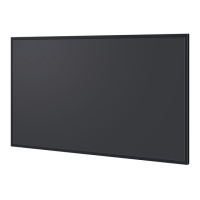
Panasonic TH-75CQ1W - User Manual

Panasonic TH-75CQ1W
54 pages
Print Icon
To Next Page IconTo Next Page
Loading...
*Actual resolution: 3840 × 2160p
EU
Operating Instructions
Functional Manual
UHD LCD Display
For business use
Model No. TH-86CQ1W
86-inch model
TH-75CQ1W
75-inch model
TH-65CQ1W
65-inch model
TH-55CQ1W
55-inch model
TH-50CQ1W
50-inch model
TH-43CQ1W
43-inch model
English
Please read these instructions before operating your set
and retain them for future reference.
DPQP1286ZC/X1
*
This manual is common to all the models regardless of suffixes of the
model number.
Manufactured under license from Dolby Laboratories.
Dolby, Dolby Audio and the double-D symbol are trademarks of Dolby
Laboratories.
TP0819TS2070 -PB

Questions and Answers

  • J
    jacqueline56Sep 9, 2025
    What causes image retention on Panasonic Monitor?
    • K
      Kyle MoranSep 9, 2025
      Image retention may occur on your Panasonic Monitor if you display a still picture for an extended period, causing the image to remain on the screen. However, this will disappear when a general moving picture is displayed for a while and is not considered a malfunction.
  • C
    Crystal WellsSep 12, 2025
    Why do the edges of the images flicker on Panasonic TH-75CQ1W?
    • L
      Lisa SmithSep 12, 2025
      Due to the characteristics of the system used to drive the liquid crystal panel in your Panasonic Monitor, the edges may appear to flicker in fast-moving parts of the images. This is normal and not indicative of malfunctioning.
  • T
    Tracey GarnerSep 13, 2025
    Why are there areas at the top and bottom of the screen where picture is not displayed on Panasonic Monitor?
    • M
      Marisa JohnsSep 13, 2025
      When using a video software program (such as a cinema size program) with a screen wider than one in the 16:9 mode, blank areas separate from the images are formed at the top and bottom of the screen on your Panasonic Monitor.
  • P
    paula99Sep 14, 2025
    Why are there always-lighting dots or non-lighting dots on the screen of Panasonic TH-75CQ1W?
    • C
      Charles VillanuevaSep 15, 2025
      The presence of always-lighting or non-lighting dots on the screen of your Panasonic Monitor is a characteristic of liquid crystal panels and is not a problem.
  • L
    Linda AyalaSep 17, 2025
    Why do parts of the Panasonic TH-75CQ1W become hot?
    • M
      Melissa ReedSep 18, 2025
      Even when the temperature of parts of the front, top, and rear panels of your Panasonic Monitor has risen, these temperature rises will not pose any problems in terms of performance or quality.

Panasonic TH-75CQ1W Specifications

General IconGeneral
BrandPanasonic
ModelTH-75CQ1W
CategoryMonitor
LanguageEnglish

Related product manuals