EasyManua.ls Logo

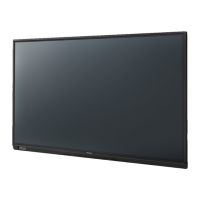
Panasonic TH-75SQ1W - User Manual

Panasonic TH-75SQ1W
150 pages
Print Icon
To Next Page IconTo Next Page
Loading...
EU
Operating Instructions
Functional Manual
UHD LCD Display For business use
Model No. TH-98SQ1W
98-inch model
TH-86SQ1W
86-inch model
TH-75SQ1W
75-inch model
TH-65SQ1W
65-inch model
TH-55SQ1W
55-inch model
TH-49SQ1W
49-inch model
English
Please read these instructions before operating your set
and retain them for future reference.
DPQP1288ZC/X1TP0819TS2060 -PB
*Actual resolution:
3840 × 2160p

Table of Contents

Other manuals for Panasonic TH-75SQ1W

Questions and Answers

  • S
    Stephanie WilliamsonSep 23, 2025
    Why does it take a while for the picture to appear on my Panasonic TH-75SQ1W Monitor?
    • S
      Stephen TownsendSep 23, 2025
      It takes a while for the picture to appear on your Panasonic Monitor because the unit digitally processes the various signals.
  • B
    Billy Bennett IIIAug 25, 2025
    How to restore colour on my Panasonic TH-75SQ1W with normal sound?
    • Q
      qriddleAug 25, 2025
      If your Panasonic Monitor displays no colour but the sound is normal, adjust the Colour controls. The colour controls may be set at the minimum level.
  • S
    Stephen HarperAug 25, 2025
    Why does my Panasonic TH-75SQ1W screen darken slightly with bright pictures?
    • A
      Amber CochranAug 26, 2025
      If the screen of your Panasonic Monitor darkens slightly when bright pictures with minimal movements are shown, it is normal and not indicative of malfunctioning.
  • S
    Shannon DrakeAug 26, 2025
    Why do the edges of the images flicker on my Panasonic TH-75SQ1W Monitor?
    • B
      Benjamin CooperAug 27, 2025
      If the edges of the images flicker on your Panasonic Monitor, this is normal and not indicative of malfunctioning.
  • D
    Daniel StewartSep 23, 2025
    Why Image retention appears on my Panasonic TH-75SQ1W?
    • Q
      qserranoSep 23, 2025
      Image retention appears when you display a still picture for an extended period on your Panasonic Monitor.
  • K
    Kristine ButlerSep 13, 2025
    How to fix no sound on my Panasonic TH-75SQ1W but picture is normal?
    • K
      Keith LopezSep 13, 2025
      If you have a normal picture but no sound on your Panasonic Monitor, check the volume settings. Ensure that the mute function has not been activated on the remote control.
  • M
    Matthew MasonSep 12, 2025
    What to do if there is no picture displayed or sound output from the [DIGITAL LINK] terminal on Panasonic TH-75SQ1W?
    • J
      John NorrisSep 12, 2025
      First, check whether the connection has been made properly between the video (output) equipment and twisted pair cable transmitter and between the twisted pair cable transmitter and this product. Also, check that [Network settings] - [DIGITAL LINK mode] is not set to [Ethernet].
  • T
    Tammy JuarezSep 12, 2025
    Why can the file be played back with “USB media player”, but not with “Memory viewer” on Panasonic Monitor?
    • A
      Andre HarveySep 12, 2025
      Check the playback file specifications of “USB media player” and “Memory viewer.”
  • M
    Morgan JacobsonSep 4, 2025
    Why can't I play a file with 'Memory viewer' on my Panasonic TH-75SQ1W Monitor?
    • M
      maria80Sep 4, 2025
      If a file can be played back with “USB media player” but not with “Memory viewer” on your Panasonic Monitor, check the playback file specifications of “USB media player” and “Memory viewer.”
  • H
    Heather HurleySep 2, 2025
    Why is there no picture or sound from the DIGITAL LINK terminal on my Panasonic TH-75SQ1W Monitor?
    • N
      Natalie TaylorSep 2, 2025
      If there is no picture displayed or sound output from the [DIGITAL LINK] terminal on your Panasonic Monitor, check whether the connection has been made properly between the video (output) equipment and twisted pair cable transmitter and between the twisted pair cable transmitter and this product.

Panasonic TH-75SQ1W Specifications

General IconGeneral
BrandPanasonic
ModelTH-75SQ1W
CategoryMonitor
LanguageEnglish

Related product manuals