EasyManua.ls Logo

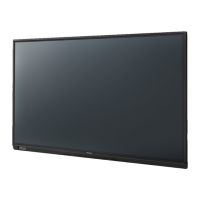
Panasonic TH-75BQ1W - User Manual

Panasonic TH-75BQ1W
166 pages
Print Icon
To Next Page IconTo Next Page
Loading...
*Actual resolution:
3840 × 2160p
Operating Instructions
Functional Manual
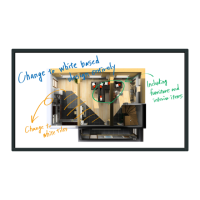
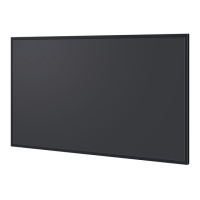
Touch Screen LCD Display For business use
Model No. TH-75BQ1W
75-inch model
TH-65BQ1W
65-inch model
English
Please read these instructions before operating your set
and retain them for future reference.
DPQP1330ZC/X1TP0620TS2120 -PB

Table of Contents

Questions and Answers

  • M
    mmartinezAug 21, 2025
    Why does my Panasonic Monitor power off automatically?
    • E
      elizabeth71Aug 21, 2025
      If your Panasonic Monitor's power unexpectedly turns off, check the following settings to ensure none are set to [On (Enable)]: * [No signal power off] * [HDMI1 power management] * [HDMI2 power management] * [HDMI3 power management] * [DisplayPort power management] * [DVI-D power management] * [PC power management] * [No activity power off]
  • C
    Casey MoralesAug 23, 2025
    How to fix Panasonic TH-75BQ1W with normal picture but no sound?
    • R
      Rhonda ReevesAug 23, 2025
      If your Panasonic Monitor isn't producing any sound with a normal picture, ensure the mute function hasn't been activated on the remote control and check the volume settings.
  • S
    Stephanie MartinezAug 26, 2025
    What to do if my Panasonic Monitor has no picture and no sound?
    • B
      Brittany GarciaAug 26, 2025
      If your Panasonic Monitor displays no picture and no sound, check the following: * Ensure the monitor is plugged into an AC outlet. * Verify the monitor is switched on. * Check the Picture and Brightness/Volume settings by pressing the or the .
  • T
    Tonya MillerAug 28, 2025
    What to do if Panasonic TH-75BQ1W Monitor displays 'no picture' error?
    • A
      Angela HardyAug 28, 2025
      If your Panasonic Monitor experiences a display error like 'no picture,' or the remote control stops working suddenly, remove the power plug from the socket, wait for at least 5 seconds, and then reinsert it to turn the power back on.
  • S
    Sarah MendezAug 30, 2025
    Why is multi-touch not working on my Panasonic TH-75BQ1W?
    • J
      Jordan DonovanAug 30, 2025
      If multi-touch operations aren't working on your Panasonic Monitor, check that [Touch screen settings] - [Touch screen] in the [Setup] menu is not set to [Off]. Also, keep light and noise sources away from the touch panel, and avoid direct sunlight.
  • L
    Luke WattsSep 1, 2025
    How to fix the cut off picture on Panasonic Monitor?
    • J
      Jennifer MorganSep 1, 2025
      If the top or bottom of the picture is cut off on your Panasonic Monitor screen, adjust the position of the picture on the screen.
  • M
    Mariah LamSep 3, 2025
    How to troubleshoot sound distortion on Panasonic TH-75BQ1W Monitor?
    • E
      elizabeth54Sep 3, 2025
      If you're experiencing sound distortion or noise with your Panasonic Monitor, ensure that the audio input to the AUDIO IN 1 and AUDIO IN 2 terminals is not exceeding the rated level of 0.5 Vrms.
  • J
    Joshua DonovanSep 5, 2025
    Why are there blank areas on my Panasonic TH-75BQ1W Monitor?
    • F
      Frank HoffmanSep 5, 2025
      If you observe areas at the top and bottom of the Panasonic Monitor screen where the picture is not displayed, it may occur when using video software (like a cinema size program) with a screen wider than the 16:9 mode, which results in blank areas above and below the images.
  • C
    Connie WoodsSep 7, 2025
    What to do if Panasonic TH-75BQ1W Monitor sometimes has no picture or sound?
    • A
      Anthony JacksonSep 8, 2025
      If your Panasonic Monitor sometimes shows no picture or outputs no sound, try turning the power off and on again, or replacing the selector or distributor, to see if the symptoms improve.
  • J
    jguzmanSep 9, 2025
    Why does my Panasonic TH-75BQ1W have no color?
    • T
      Timothy LangSep 10, 2025
      If you are getting no color with normal sound on your Panasonic Monitor, check that the color controls are not set to the minimum level.

Panasonic TH-75BQ1W Specifications

General IconGeneral
BrandPanasonic
ModelTH-75BQ1W
CategoryMonitor
LanguageEnglish

Related product manuals