EasyManua.ls Logo

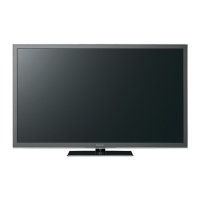
Panasonic TH-85PB1W - User Manual

Panasonic TH-85PB1W
80 pages
Print Icon
To Next Page IconTo Next Page
Loading...
Model No.
TH-85PB1W
TH-103PB1W
Operating Instructions
Display Operations
Interactive Plasma Display
Please read these instructions before operating your set
and retain them for future reference.
English
TQZW560

Table of Contents

Questions and Answers

  • J
    Jeffrey TaylorAug 9, 2025
    Why is there no picture on my Panasonic TH-85PB1W Monitor?
    • G
      Gary SheaAug 9, 2025
      If your Panasonic Monitor displays no picture, there might be a few reasons. First, ensure the monitor is properly plugged into the AC outlet and switched on. You can also check the Picture and Brightness/Volume settings by pressing the power switch or stand-by button on the remote control.
  • H
    Heather SheppardAug 14, 2025
    How to fix Panasonic TH-85PB1W Monitor with no sound?
    • B
      brianna76Aug 15, 2025
      If your Panasonic Monitor has no sound, first check if the mute function is activated on the remote control. Also, verify that the speakers are correctly connected to the monitor.
  • S
    Stephanie Brown DDSAug 19, 2025
    What to do if Panasonic Monitor remote control not working?
    • K
      Kelsey SantiagoAug 19, 2025
      If the remote control for your Panasonic Monitor isn't working, there are a few things to check: * Make sure the batteries haven't completely discharged and are inserted correctly. * Ensure the remote control sensor isn't exposed to direct outdoor light or strong fluorescent light. * Confirm that you're using the remote control specifically designed for your unit.
  • E
    emma52Aug 25, 2025
    Why is there no color on my Panasonic Monitor?
    • D
      Diane DavisAug 26, 2025
      If your Panasonic Monitor is displaying no color, the color controls might be set to the minimum level.
  • M
    Micheal WardAug 29, 2025
    Why does it take a while for the picture to appear on Panasonic TH-85PB1W?
    • M
      Monica RodriguezAug 29, 2025
      It may take a few moments for the picture to appear on your Panasonic Monitor when the power is turned on or when the input has been switched. This is because the unit digitally processes the various signals to reproduce esthetically pleasing images.
  • J
    Jordan JohnstonSep 3, 2025
    Why does the screen darken slightly on my Panasonic TH-85PB1W Monitor?
    • D
      daycharlesSep 3, 2025
      The screen on your Panasonic Monitor might darken slightly when photos, still images from a computer, or other pictures with minimal movements are displayed for an extended period. This is normal and helps reduce image retention and prolong the screen's service life; it doesn't indicate a malfunction.

Panasonic TH-85PB1W Specifications

General IconGeneral
BrandPanasonic
ModelTH-85PB1W
CategoryMonitor
LanguageEnglish

Related product manuals