23
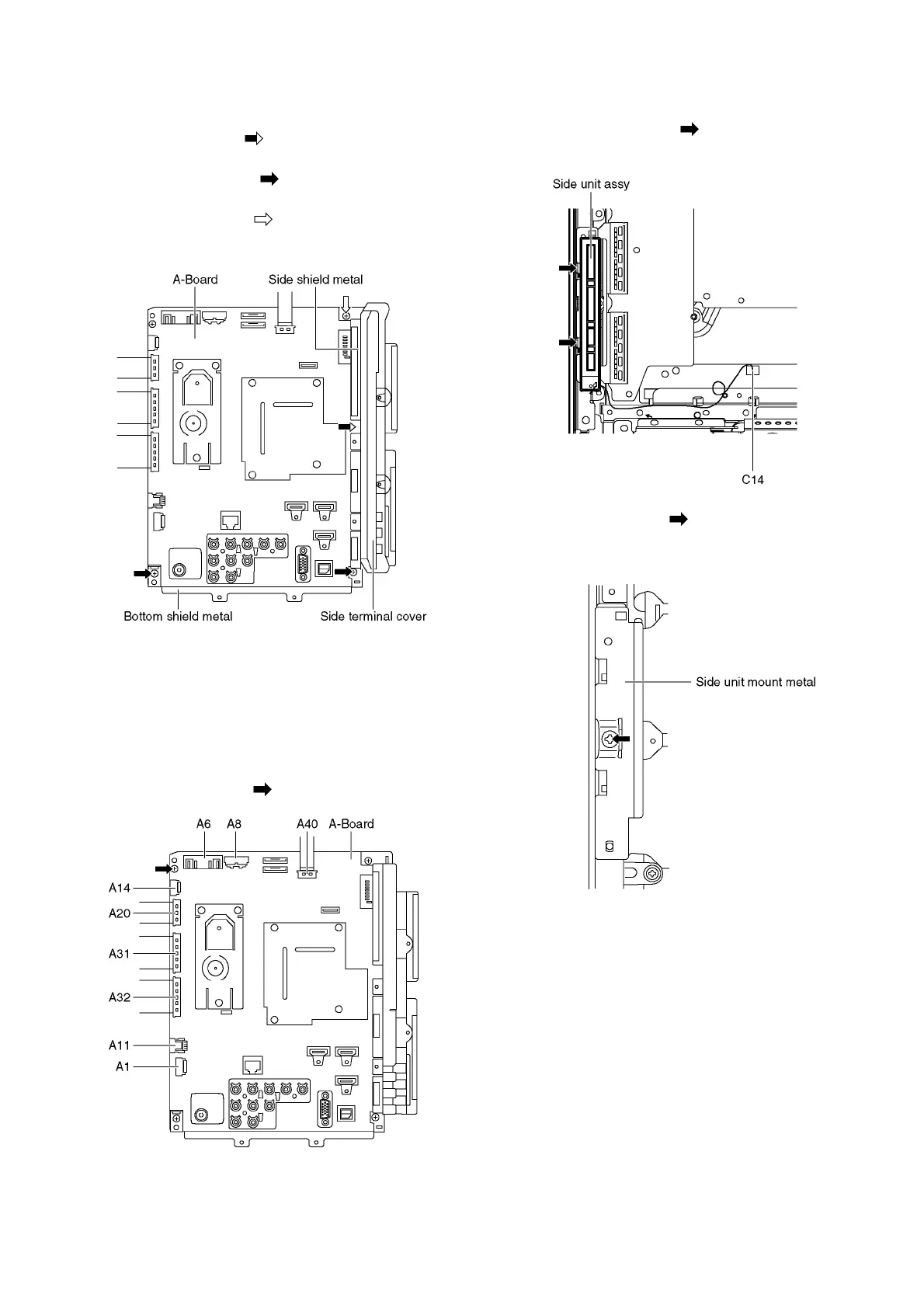
9.5. Remove the Side terminal
cover and the shield metals
1. Remove the claw (×1 ).
2. Remove the Side terminal cover.
3. Remove the screws (×2 ).
4. Remove the Bottom shield metal.
5. Remove the screw (×1 ).
6. Remove the Side shield metal.
9.6. Remove the A-Board
1. Remove the Side terminal cover and the Shield metals.
(See section 9.5.)
2. Unlock the cable clampers to free the cable.
3. Disconnect the connectors (A1, A6, A8, A11 and A14).
4. Disconnect the flexible cables (A20, A31, A32 and A40).
5. Remove the screw (×1 ) and remove the A-Board.
9.7. Remove the Side unit assy
1. Disconnect the connector (C14).
2. Remove the claws (×2 ) and remove the Side unit
assy.
3. Remove the screw (×1 ).
4. Remove the Side unit mount metal.



 To Next Page