SPECT
123
456
789
C
0
N
TV
OK
Aspect Controls
The TV will allow you to enjoy viewing the picture at its optimum size and aspect, including widescreen
cinema format pictures.
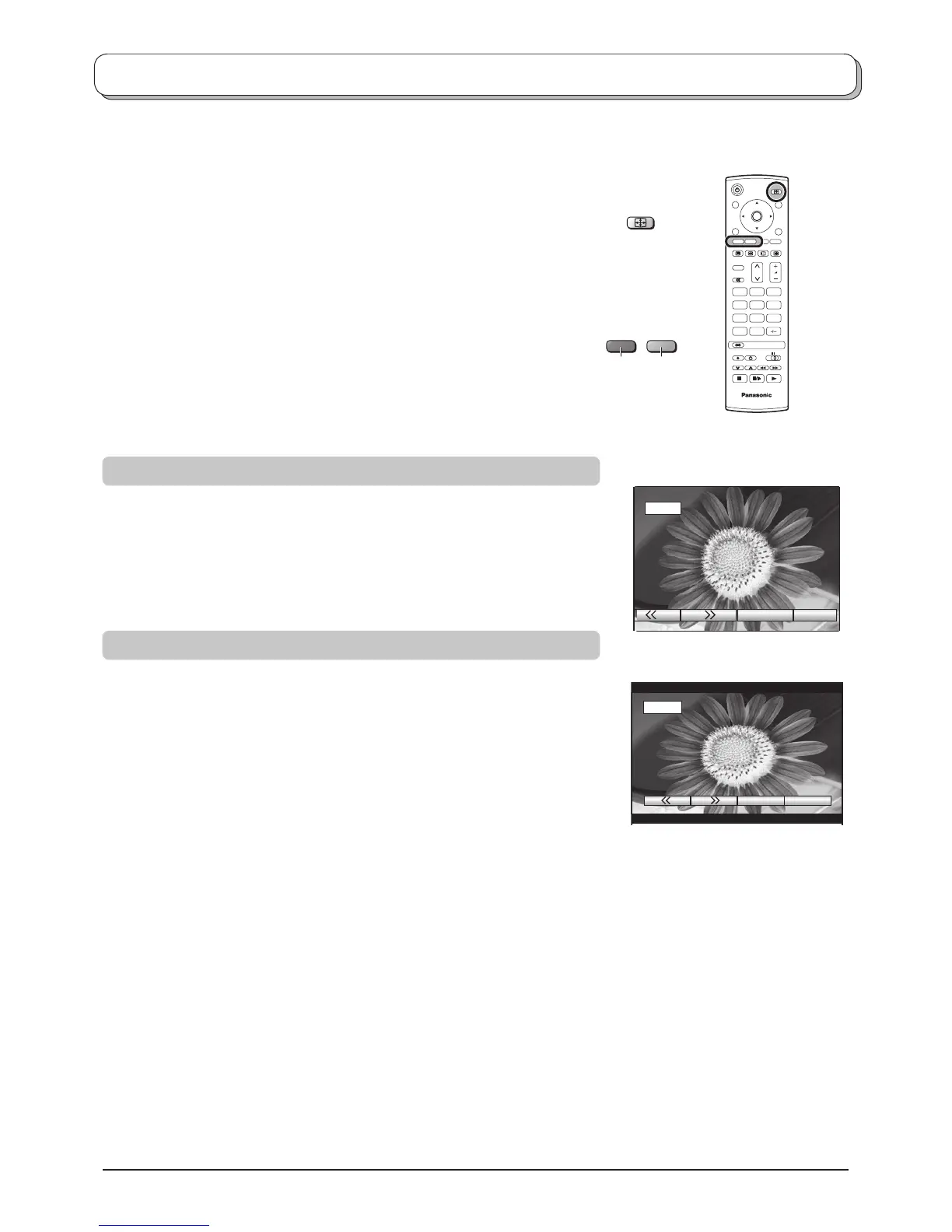
Press the ASPECT button repeatedly to move through the two
aspect options:
4:3, 16:9
OR
Press the ASPECT button. Whilst the on screen selector keys are
displayed, use the Red or Green buttons to move in either direction
through the two aspect options.
16:9 will display a 16:9 picture.
16 : 9
4:3 will display a 4:3 picture at its standard 4:3 size with no aspect
distortions.
4 : 3
4:3
16:9
GreenRed



 To Next Page