4
1
1
2
1
2
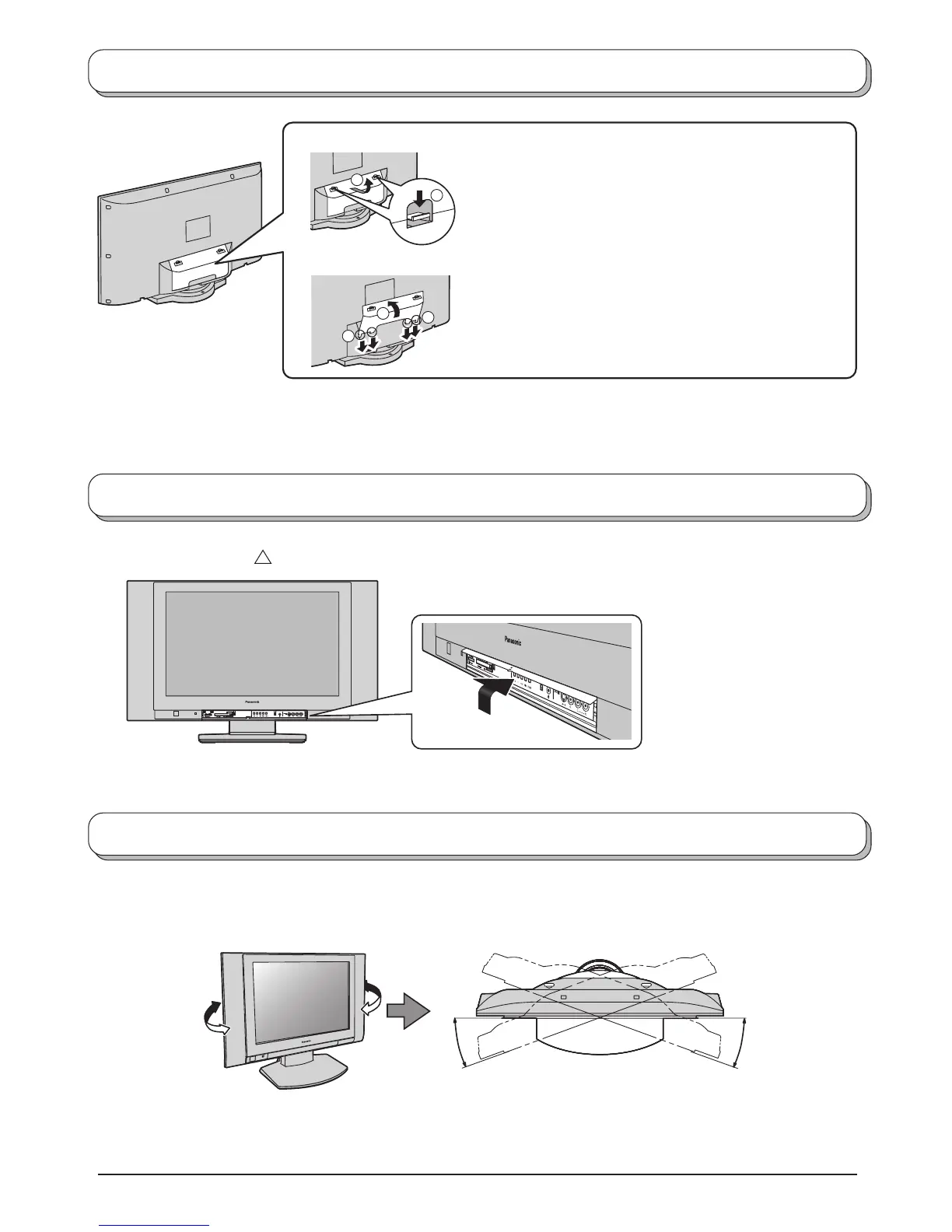
Cable cover removal and fitting
Removal
Fitting
1. Insert the claws (at 4 points) at the bottom end.
2. Push it until hook will be cricked.
How to open the front cover
Adjust the stand to your desired angle. The stand angle can be adjusted between 40 ° right-and-left direction.
How to use the LCD stand
Note:
To avoid interference appearing on the screen, do not bundle the RF cable and mains lead together.
1. Push down hooks and pull the cover slightly towards
yourself to disengage the claws (at 4 points).
2. Slowly pull out in the downward direction.
Note:
The stand angle cannot be adjusted forward and backward.
Rise the lower part of “
”.
Front
(Figure from the top)
20 °
20 °



 To Next Page