9
TUNING MENU
This section provides access to the manual and automatic tuning menu.
Leave the menu pressing by button “N”.
Adjust the level.
ATP
Manual tuning
Swap
Q --- L i n k
Child Lock
Provides the automatic pre---tuning of the
television. See page 10.
Allows manual tuning of the selected
channels. See page 11.
The broadcasting stations may be finely
tuned to with t he Fine tuning function.
Allowsthevolumetobesetfordifferent
broadcasting stations with different
sound levels.
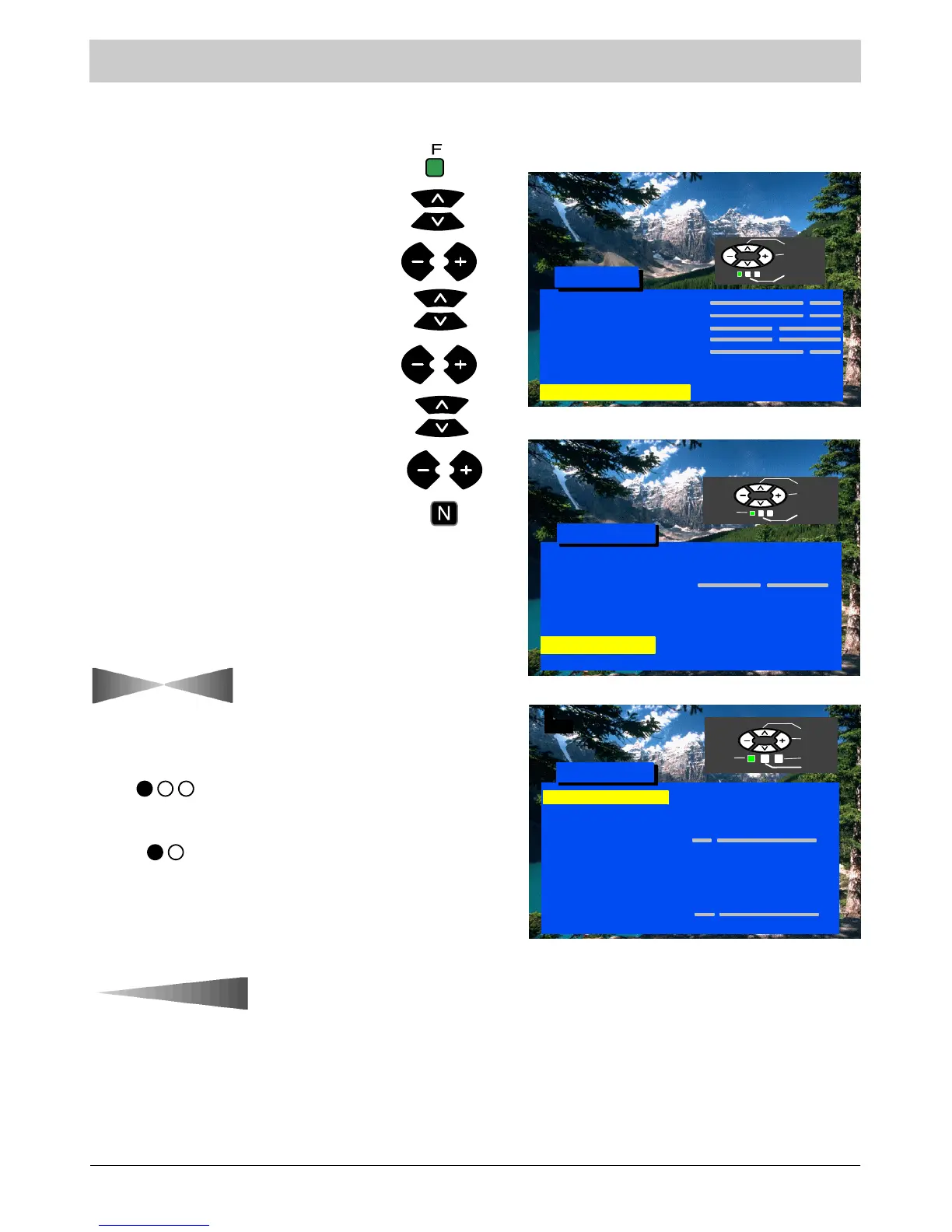
Press button “F”.
Select Setup menu.
Select Tuning menu.
Enter Setup menu.
Enter Tuning menu.
Enter the required parameter.
Fine tuning
Volume correction
Decoder (AV)
To be used when the decoder is
connected via AV. Select “On” if the
decoder is t o process the coded signal.
Select“Off”whenfinished.
Swapstheprogrammesasyou
prefer. See page 12.
Locks the programme position against
undesirable intrusion.
Q---Link function is used to download
the data to a compatible VCR. See
page 14.
Manual tuning
TV System
Fine tuning
Swap
Colour system
Decoder (AV)
Q --- L i n k
Volume Correc.
Child Lock
ATP
Tuning Menu
Access
Off
1
CH44
Select
Access
Return
Exit
Store
Off
Contrast
Brightness
Colour
Sharpness
Tint (NTSC only)
Off timer
Sound Menu
Main Menu
Select
Access
Exit
Off
Setup Menu
Access
Access
Setup Menu
Auto
Select
Access
Exit
Return
Text Language
Aspect
C --- A --- T --- S
Colour system
(AV only)
Q --- L i n k
Tuning Menu
OSD Language
Off
AUTO
Access
SC1
AUTO
Colour system
Selects the colour decoding system for
the programme.
TV System
Selects sound standard.
West




 To Next Page