2.3. Adjustment for White Balance
Preparation:
1. Receive the white balance pattern and aging should have been performed over 30 minutes.
2. Set the picture menu to DYNAMIC NORMAL.
3. Degausse the CRT face.
4. Fix the CRT colour analyzer receiver unit to CRT face.
Adjustment of Low Light.
1. Adjustment Sub Bright, so that Y = 6.5 ± 1.0 nit.
2. Adjustment R-CUT OFF, so that X = 0.241 ± 0.005 nit.
3. Adjustment G-CUT OFF, so that Y = 0.241 ± 0.005 nit.
Adjustment of High Light
1. Adjustment Sub Bright, so that Y = 190 nit.
2. Adjustment R-Drive, so that X = 0.255 ± 0.003 nit.
3. Adjustment B-Drive, so that Y = 0.258 ± 0.003 nit.
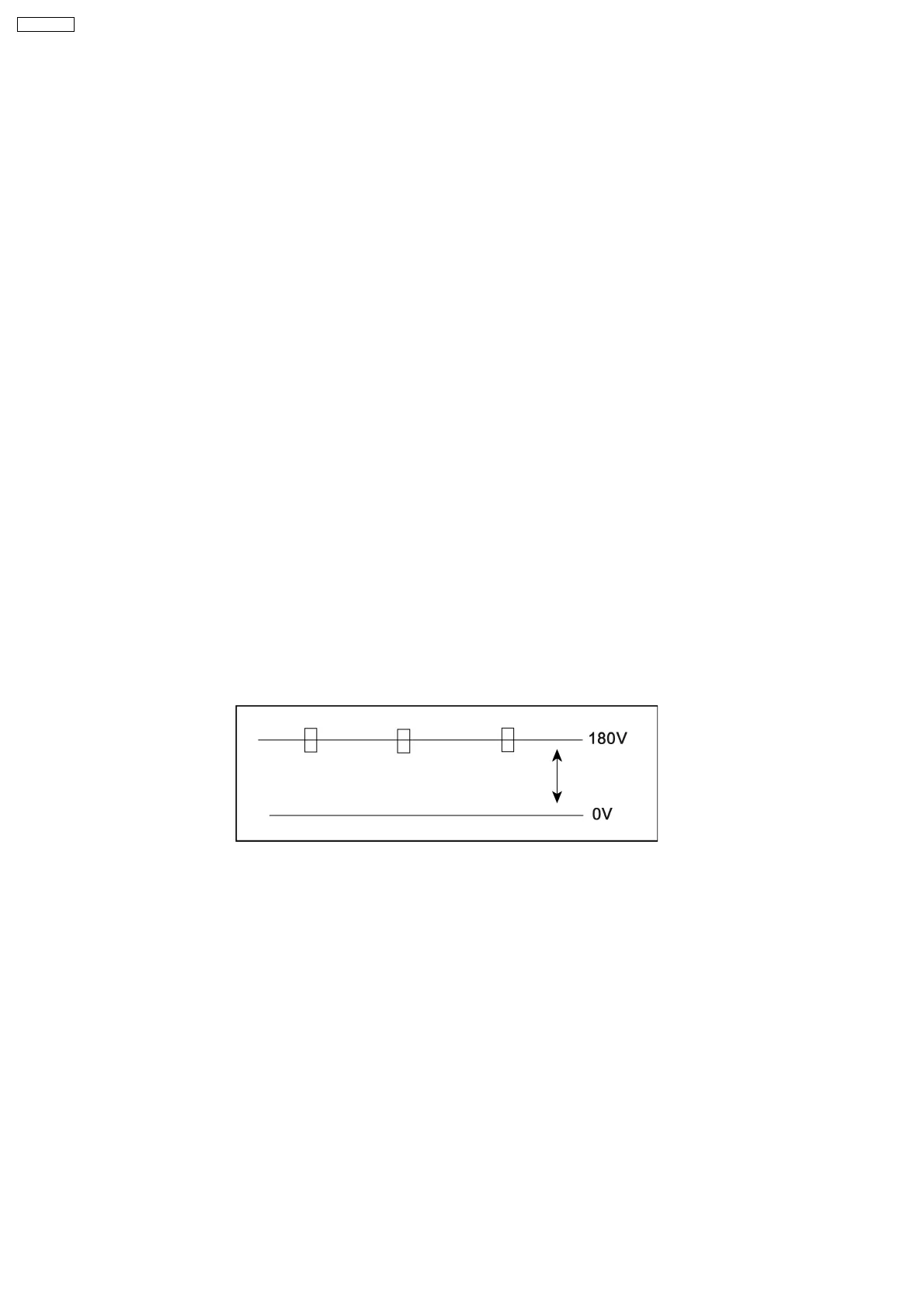
2.4. Adjustment for CRT CUT OFF
Preparation:
1. Connect the oscilloscope probe to TPL7.
2. Screen VR min.
3. Set the data Sub Bright, Bright.
4. In service Mode at “Bright” dac press [5] in factory mode to enter vertical line and adjust by volume down or up button.
5. Adjust “Screen VR” until 1-H Line appears.
6
TX-29F350T







 To Next Page