25
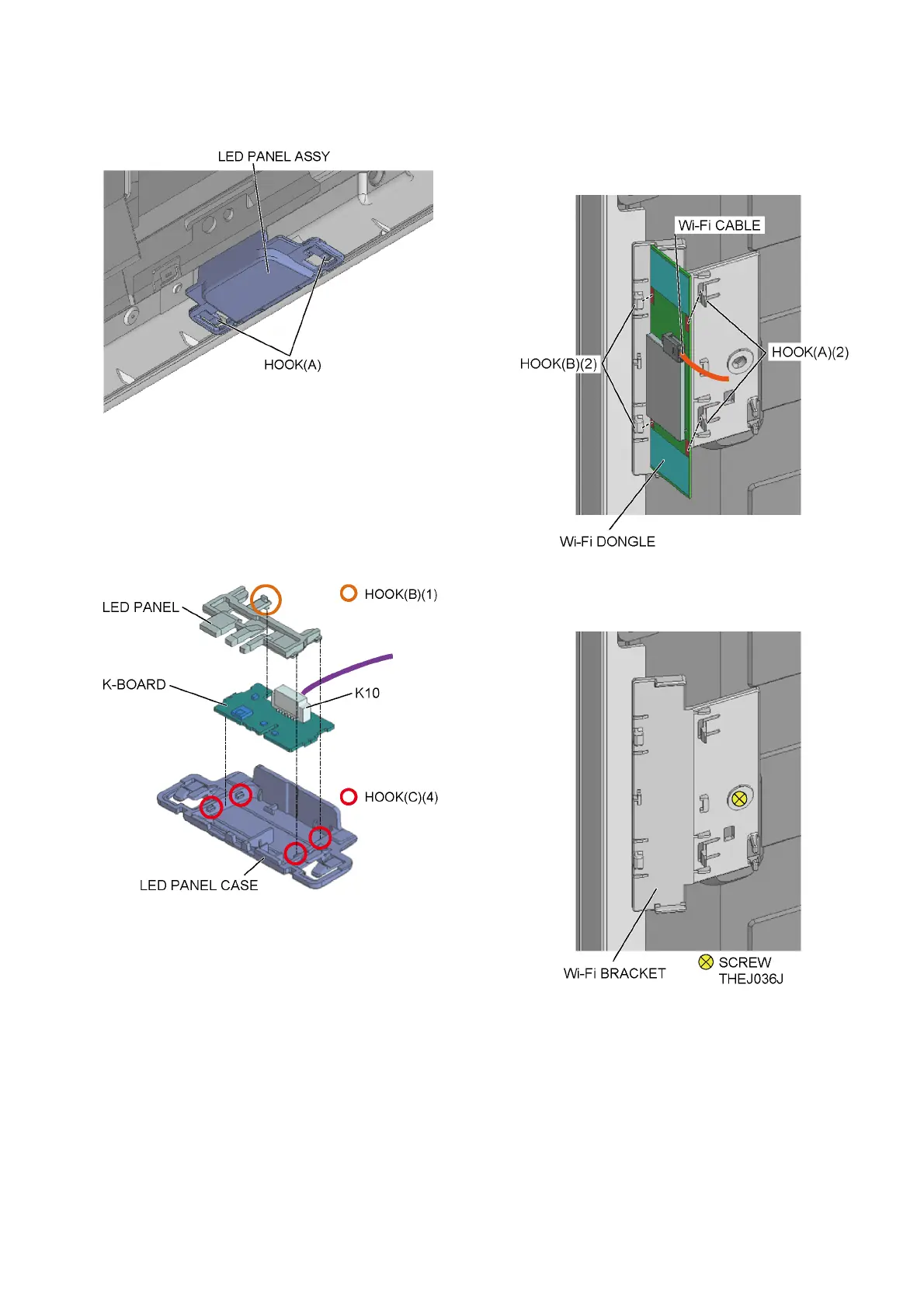
8.2.7. K-Board
1. Remove the 2 hooks (A).
2. Remove the LED Panel Assy.
3. Remove the 1 hook (B).
4. Remove the 4 hooks (C).
5. Remove the K-Board and the LED Panel from the LED
Panel Case.
6. Disconnect the connector (K10).
7. Remove the K-Board from the LED Panel.
8.2.8. Wi-Fi Dongle
1. Disconnect the Wi-Fi Cable.
2. Remove the 2 hooks (A).
3. Remove the 2 hooks (B).
4. Remove the Wi-Fi Dongle.
5. Remove the 1 screw.
6. Remove the Wi-Fi Bracket.




 To Next Page