32
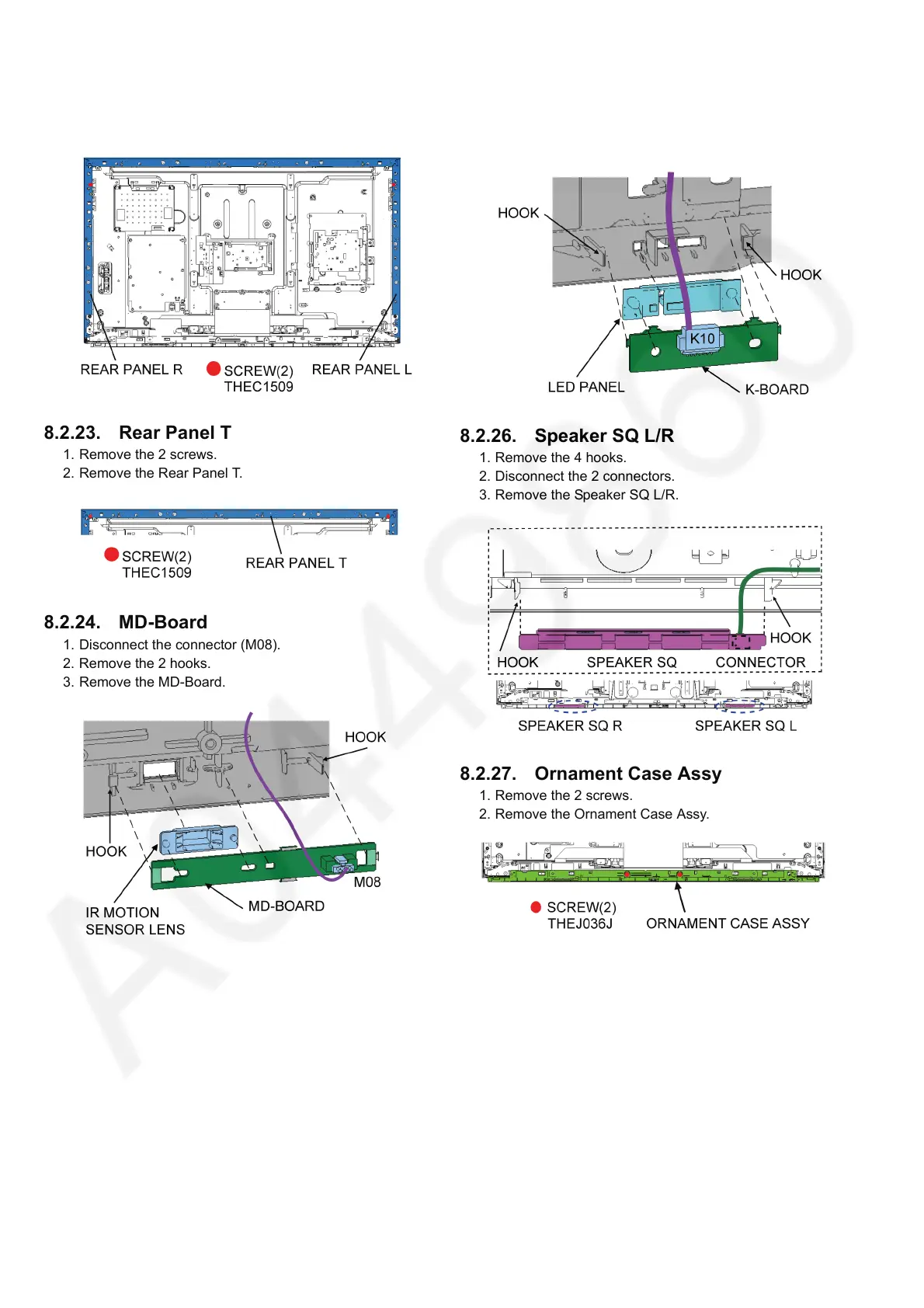
8.2.22. Rear Panel L/R
1. Remove the 2 screws.
2. Remove the Rear Panel L/R.
8.2.23. Rear Panel T
1. Remove the 2 screws.
2. Remove the Rear Panel T.
8.2.24. MD-Board
1. Disconnect the connector (M08).
2. Remove the 2 hooks.
3. Remove the MD-Board.
8.2.25. K-Board
1. Remove the 2 hooks.
2. Disconnect the connector (K10).
3. Remove the K-Board.
8.2.26. Speaker SQ L/R
1. Remove the 4 hooks.
2. Disconnect the 2 connectors.
3. Remove the Speaker SQ L/R.
8.2.27. Ornament Case Assy
1. Remove the 2 screws.
2. Remove the Ornament Case Assy.




 To Next Page