Advanced Picture Settings
54
Adjust the detailed picture settings [Advanced Settings]
White Balance Access
Access
Access
C olour Management
G amma
Advanced Settings
adjust
select
access / store
Menu
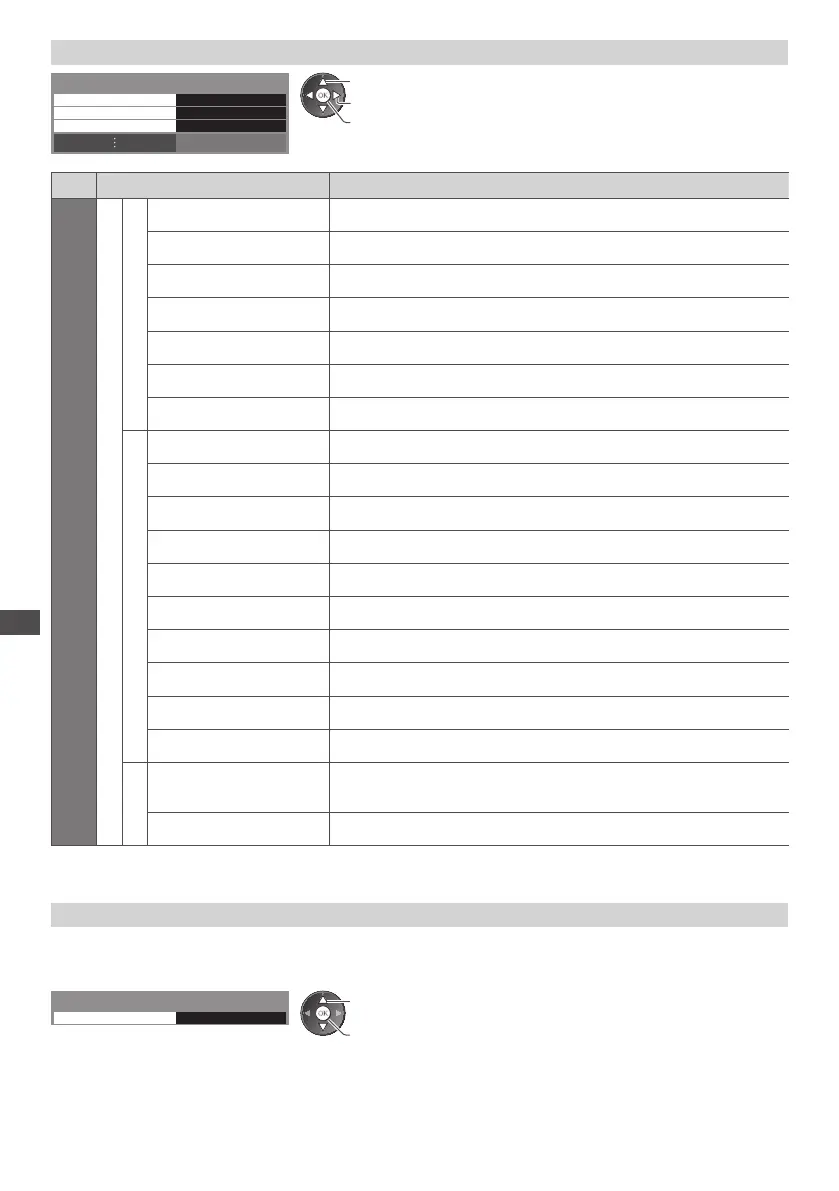
Item Adjustments / Configurations (alternatives)
Picture
Advanced Settings
White Balance
R-Gain Adjusts the white balance of bright red area
G-Gain Adjusts the white balance of bright green area
B-Gain Adjusts the white balance of bright blue area
R-Cutoff Adjusts the white balance of dark r
ed area
G-Cutoff Adjusts the white balance of dark green area
B-Cutoff Adjusts the white balance of dark blue area
Reset to Defaults Press the OK button to reset to the default White Balance
Colour Management
R-Hue Adjusts the picture hue of red area
G-Hue Adjusts the picture hue of green area
B-Hue Adjusts the picture hue of blue area
R-Saturation Adjusts the saturation of red area
G-Saturation Adjusts the saturation of green
area
B-Saturation Adjusts the saturation of blue area
R-Luminance Adjusts the luminance of red area
G-Luminance Adjusts the luminance of green area
B-Luminance Adjusts the luminance of blue area
Reset to Defaults Press the OK button to reset to the default Co
lour Management
Gamma
Gamma
Switches the gamma curve [S Curve] / [1.8] / [2.0] / [2.2] / [2.4] / [2.6]
•
Please note the numerical values are reference for the adjustment.
Reset to Defaults Press the OK button to reset to the default Gamma
•
[Colour Management] is available when [Viewing Mode] in the Picture Menu is set to [Professional1] or [Professional2].
Copy the settings to the other input [Copy Adjustment]
Y ou can copy the selected [Professional1] or [Professional2] settings to that of the other input.
T he settings of [Contrast], [Brightness], [Colour], [Sharpness], [Tint] and [Advanced Settings] will be copied.
Select the destination to copy to
D estination All
Copy Adjustment
access / store
select
•
Y ou cannot copy to the locked mode.









 To Next Page