- 111 -
SD Card
■ SD Card
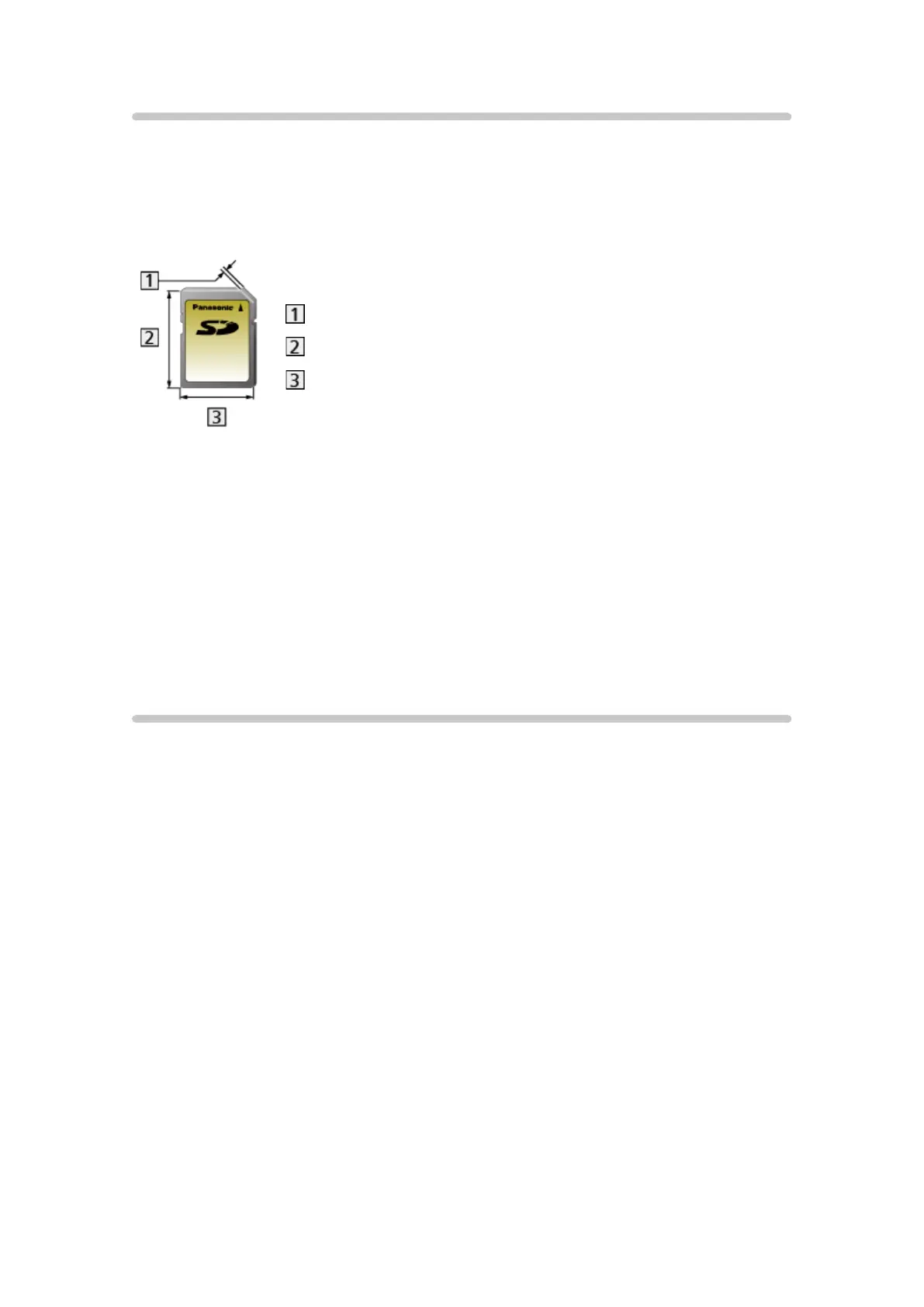
Use an SD Card which meets SD standards. Failure to do so may cause the
TV to malfunction.
2.1 mm
32 mm
24 mm
Card format:
SDXC Card - exFAT
SDHC Card / SD Card - FAT16 or FAT32
Compliant card type (maximum capacity):
SDXC Card (64 GB), SDHC Card (32 GB), SD Card (2 GB), miniSD Card
(2 GB) (miniSD adaptor required)
●
When using a miniSD Card, insert / remove it together with the adaptor.
USB devices
●
It is recommended to connect the USB Flash Memory to the TV’s USB
ports directly.
●
Some USB devices or USB HUB may not be used with this TV.
●
You cannot connect any devices using a USB card reader.
●
Additional information for the devices may be found on the following
website. (English only)
http://panasonic.net/viera/support
■ USB Flash Memory
(for playing back in Media Player)
USB Flash Memory format:
FAT16, FAT32 or exFAT
●
USB HDDs formatted on a PC are not guaranteed to work in Media Player.






 To Next Page