- 97 -
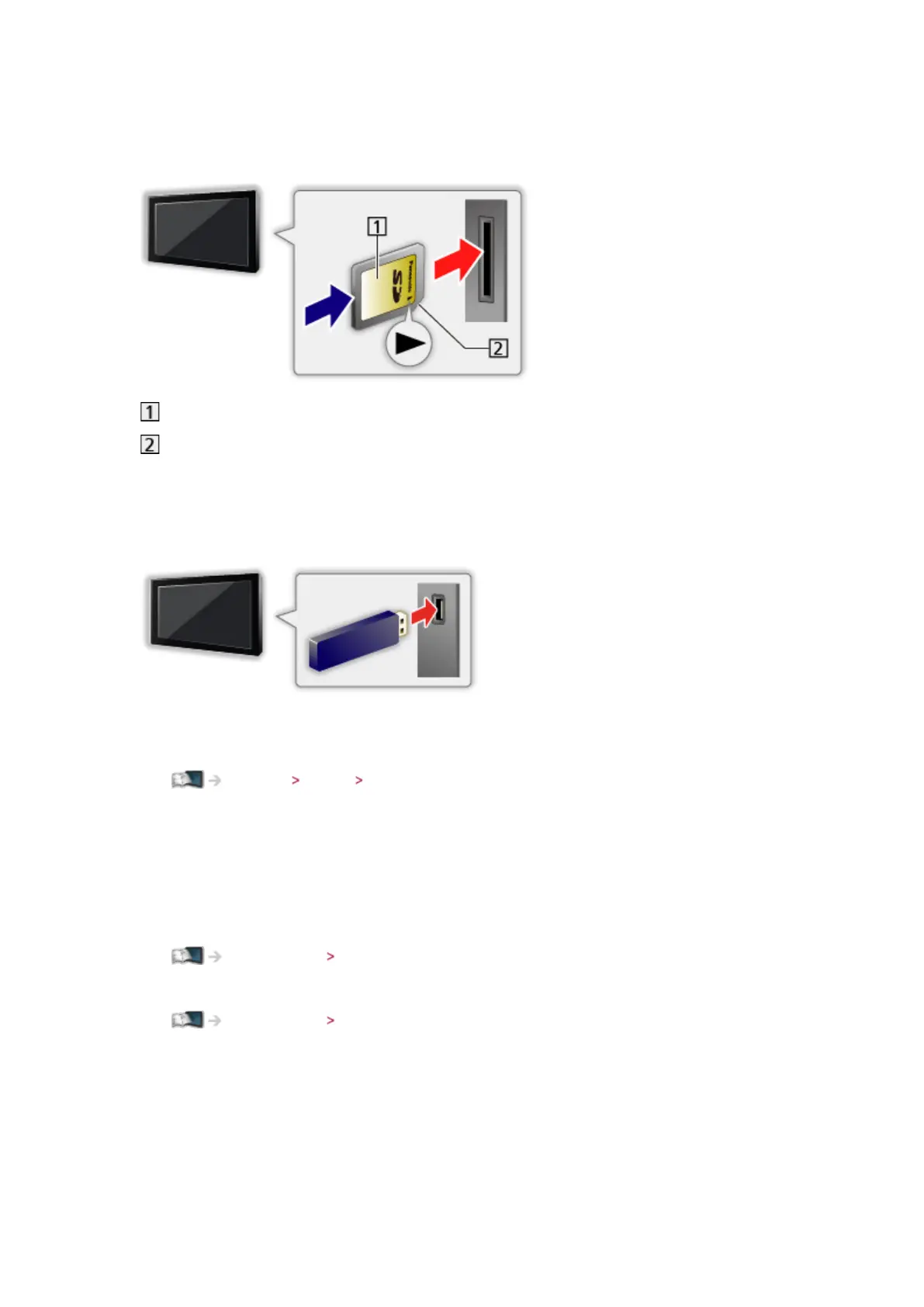
■ To insert or remove the SD Card
Gently insert the SD Card with the label surface facing front. Push the centre
of the card until a click is heard. (To remove, push it again.)
Label surface
Cutout
■ To insert or remove the USB Flash Memory
Insert or remove straight and completely.
●
To remove the USB Flash Memory safely from the TV, perform Safely
remove USB in USB Device Setup.
Settings Setup USB Device Setup
●
Connect the USB Flash Memory to the USB 1 or 2 port.
= Note =
●
Check the terminal type and devices are correct when connecting.
●
For the information of the devices
Media Player Technical information
●
For supported file formats
Media Player Technical information






 To Next Page