English
30
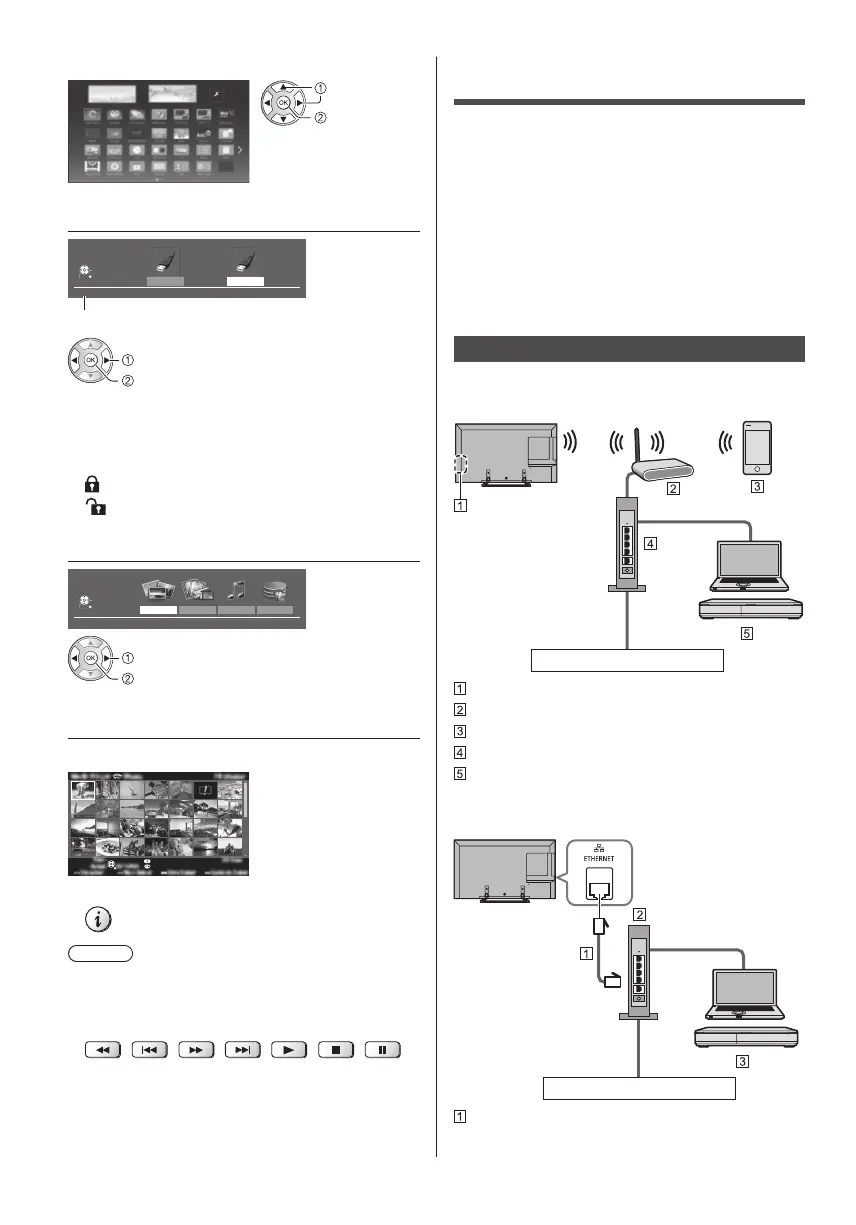
Example: [APPS List]
select
access
3 Select the device
USB HDD1 USB Flash...
Drive Select
USB Flash
Select
RETURN
Access
Selected device name
select
access
●
If only one device is connected, this step will be
skipped.
●
The network device already connected to the TV is
also displayed.
: Enter User / Password to access.
: User / Password are already entered.
4 Select the content
Photo Video Music
Recorded TV
Contents Select
USB Flash
Select
RETURN
Access
select
access
5 The thumbnail view is displayed
Example: Thumbnail - [All photos]
●
To display / hide information of the highlighted content
Note
●
Select the appropriate device and content for playing
back each file.
●
You can use the following buttons during playback.
Confirm the remote control code is “73” (p. 24).
Using Home Network
DLNA
®
This TV is a DLNA Certified™ product.
DLNA (Digital Living Network Alliance) is a standard
that makes DLNA Certified digital electronics easier and
more convenient to use on a home network. To learn
more, visit www.dlna.org.
To use DLNA features, you need a home network
environment and you can operate the features without a
broadband network environment.
●
For details, refer to [eHELP] (Network).
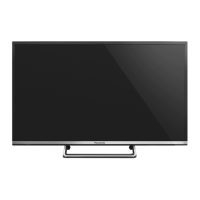
Network connections
■ Wireless connection (For DLNA and
internet service)
Internet environment
Built-in wireless LAN
Access point
Smartphone, etc.
Hub / Router
DLNA Certified media server (PC, etc.)
■ Wired connection (For DLNA and internet
service)
Internet environment
LAN cable (Shielded)
●
Use Shielded Twist Pair (STP) LAN cable.








 To Next Page