- 28 -
●
Use USB 3 port for connecting the USB HDD.
●
Some USB devices or USB HUB may not be used with this TV.
●
You cannot connect any devices by using USB card reader.
●
Additional information for the devices may be on the following website.
(English only)
http://panasonic.net/viera/support
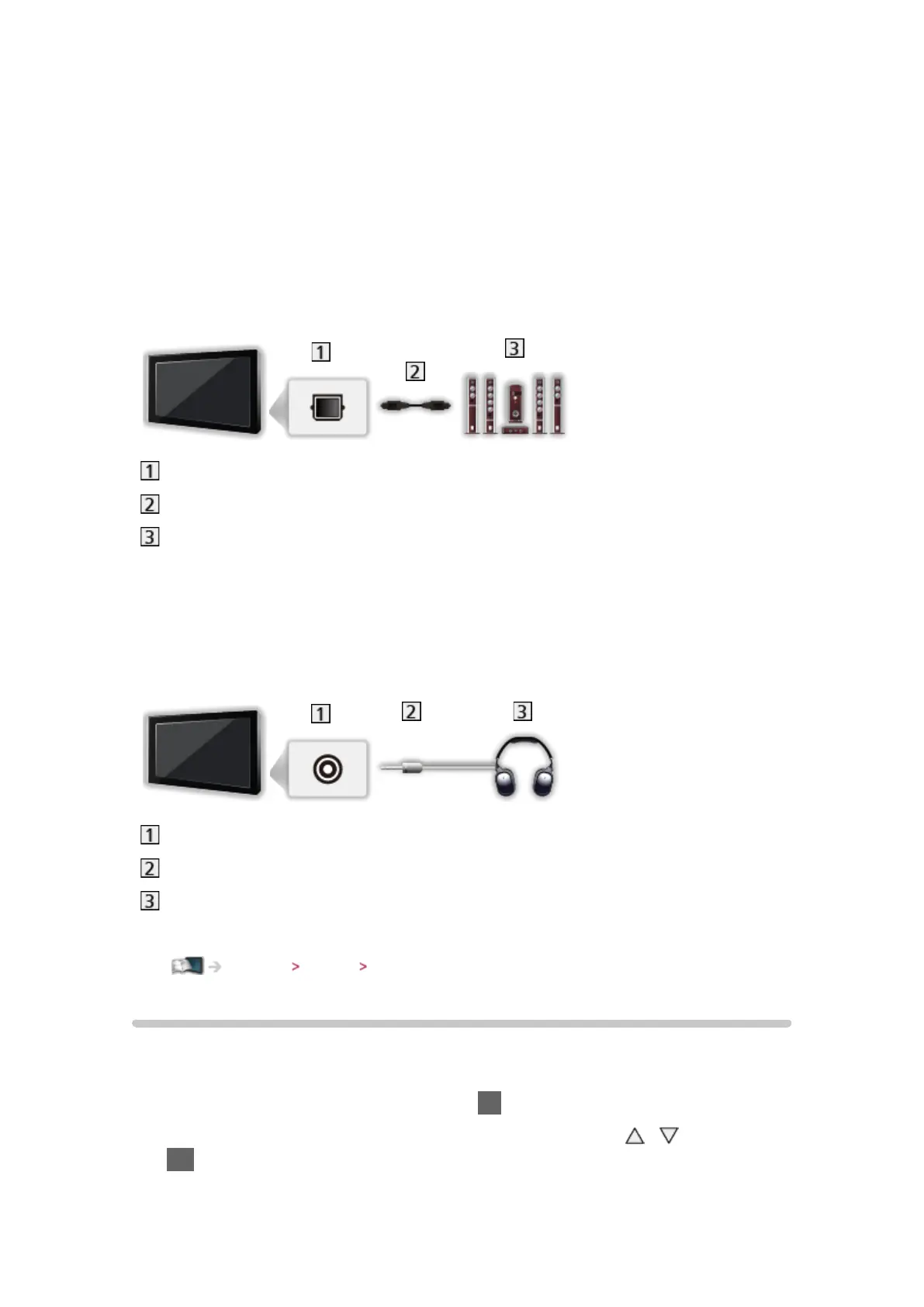
■ To listen with speakers
DIGITAL AUDIO
Optical digital audio cable
Amplifier with speaker system
●
To enjoy the sound from the external equipment in multi-channel sound
(e.g. Dolby Digital 5.1ch), connect the equipment to the amplifier. For the
connections, read the manuals of the equipment and amplifier.
■ Headphones
Headphone jack
M3 stereo mini plug
Headphones
●
To adjust volume, set Headphone Volume.
Settings Sound Volume settings
Watching external input
Connect the external equipment (VCRs, DVD equipment, etc.) and you can
watch through the input.
1. Display the input selection menu with AV
2. Select the input mode connected to the equipment with
/ and press
OK to watch (The selected mode is displayed on the top left of the screen)
●
TV receives input signals automatically connecting with SCART when








 To Next Page