- 51 -
3D
Note
●
Display the image (TV, external input, etc.) full-screen for viewing 3D.
●
If light appears to flicker under fluorescents or dimmers when using the 3D
Eyewear, change the setting of 3D Refresh Rate.
Watching 3D 3D Settings
●
Do not exert pressure on or scratch the lens of the 3D Eyewear.
●
3D content will not be correctly visible if the 3D Eyewear is worn upside
down or back-to-front.
●
When viewing 3D images, make sure your eyes are at an approximately
horizontal level and keep a position where you do not see double images.
●
Do not wear the 3D Eyewear when watching something other than 3D
images. Liquid crystal displays (such as computer screens, digital clocks
or calculators, etc.) may be difficult to see while wearing the 3D Eyewear.
●
Do not use the 3D Eyewear as sunglasses.
●
3D effects may be perceived differently depending on the person.
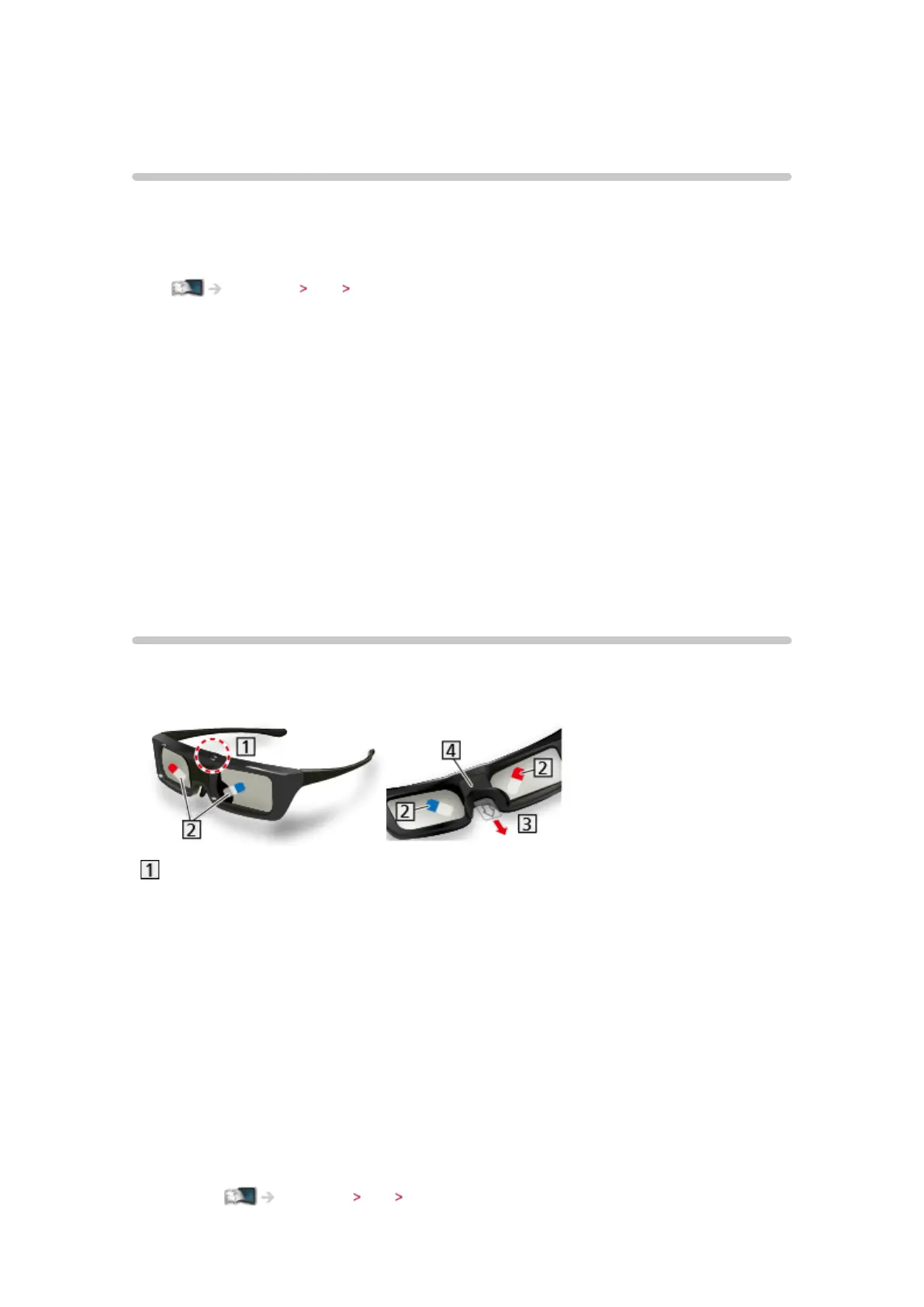
3D Eyewear - Functions
■ Part names and functions
Power button / Mode change / Indicator lamp
●
Power button
– Press and hold for approx. 1 second to turn the 3D Eyewear On.
(The indicator lamp lights for 2 seconds.)
– Press and hold for approx. 2 seconds to turn the 3D Eyewear Off.
(The indicator lamp lights 3 times.)
●
Mode change
– Press and hold for approx. 1 second to change the mode between
3D and 2D (view a 3D image in 2D).
– When power is off, press and hold for approx. 5 seconds to change
to registration mode.
Watching 3D 3D Eyewear - Registration








 To Next Page