EasyManua.ls Logo

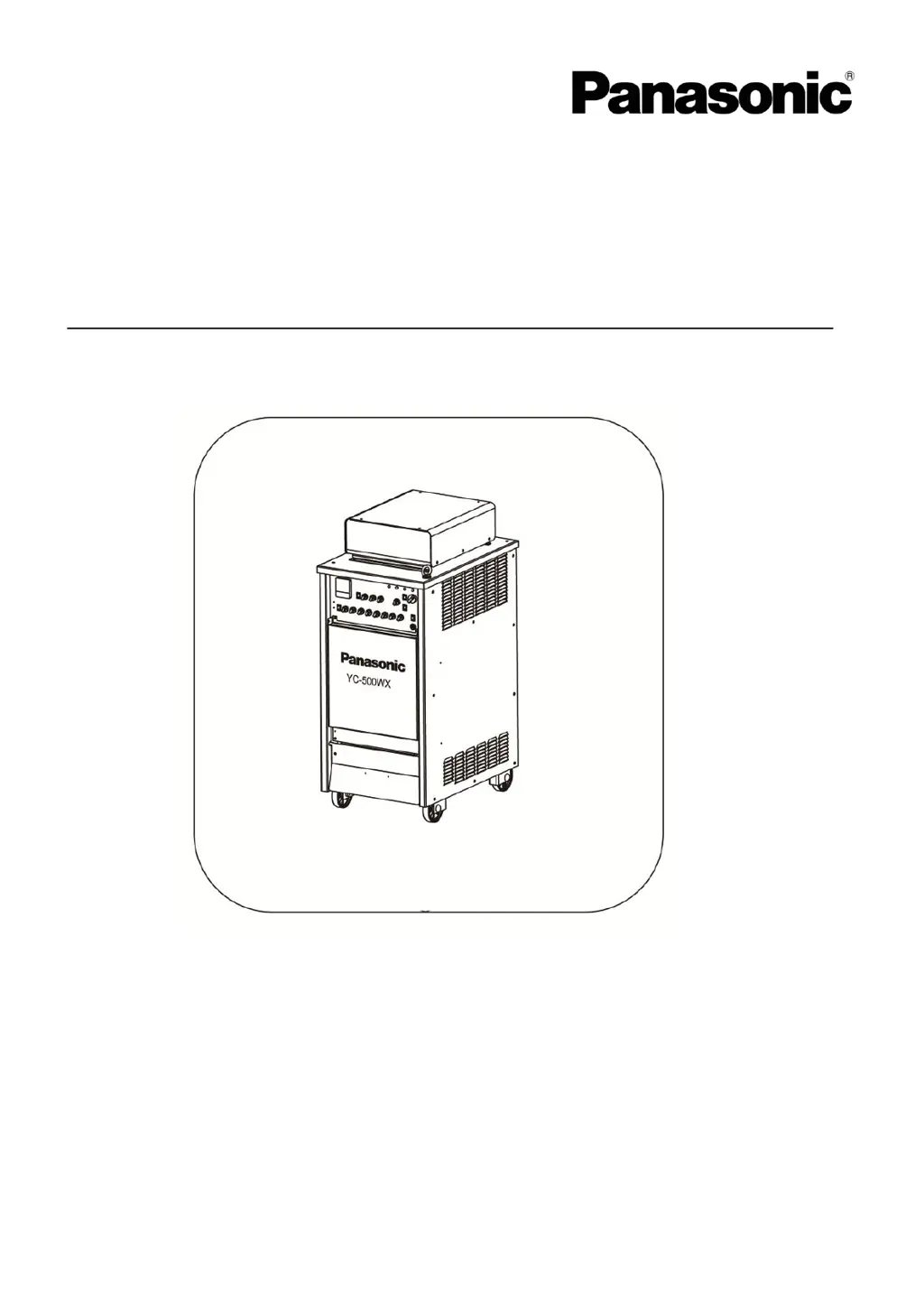
Panasonic YC-500WX - User Manual

Panasonic YC-500WX
38 pages
Print Icon
To Next Page IconTo Next Page
Loading...
Operating Instructions
IGBT Controlled
AC/DCTIG arc welding power source
Model No. :YC-500 WX
`
Thank you for your purchase of Panasonic welding power source.
Before operating this product, please read the instructions carefully and save this manual
for future use.First of all please read “Safety precautions” or “Safety manual”.
SPEC. No.YC-500WX4HGX
Panasonic Welding Systems (Tangshan) Co., Ltd.
WTC017TEOPAA02

Questions and Answers

  • T
    Tiffany OnealAug 16, 2025
    Why does the water/temp./input overvoltage warning lamp light up on my Panasonic Welding System?
    • R
      Ray ThomasAug 17, 2025
      If the water/temp./input overvoltage warning lamp lights up on your Panasonic Welding System, it could be due to several reasons. First, check the torch cooling water level and replenish if it's low. The machine might be operating above its rated current and duty cycle; adjust it to operate within the recommended limits. Also, ensure that the supply voltage is appropriate and stable, as voltage fluctuations can trigger the warning.
  • R
    Robert MclaughlinAug 19, 2025
    How to troubleshoot a Panasonic Welding System when the power lamp doesn't turn on?
    • B
      Brittany RamseyAug 19, 2025
      If your Panasonic Welding System's power lamp doesn't turn on and the cooling fan doesn't rotate when you switch it on, start by checking if the power supply is properly connected. If it is, inspect the fuse in the switch box and the power fuse (5A); replace them if they're blown. If fuse 2 or 3 is blown, it may indicate damaged circuit components, and you should contact the manufacturer's agent.
  • J
    jeremy48Aug 22, 2025
    What to do if the arc is unstable or the welding result is not good with my Panasonic Welding System?
    • L
      Lisa HarrisAug 22, 2025
      If the arc is unstable or the welding result isn't satisfactory with your Panasonic Welding System, ensure that the input and output terminals are effectively connected. If you're using a tungsten electrode, the welding current might be too low for its diameter, so increase it. Also, check if the tungsten electrode is dirty and clean it if necessary. Similarly, if you're using a welding rod, ensure the welding current is adequate for its diameter.
  • A
    alyssa16Aug 25, 2025
    Why is the tungsten electrode excessively worn in my Panasonic Welding System?
    • D
      Debra Clark MDAug 26, 2025
      If the tungsten electrode is wearing excessively on your Panasonic Welding System, it could be because the welding current is too high for the electrode's diameter; reduce the current. Insufficient shielding gas flow or a short gas postflow time can also cause this, so increase both. Check that shielding gas is flowing correctly. Finally, ensure the TIG torch is connected to the correct terminal.
  • H
    Heather GoodwinAug 27, 2025
    How to fix a Panasonic Welding System when the shielding gas does not flow?
    • D
      dmccarthyAug 28, 2025
      If the shielding gas isn't flowing in your Panasonic Welding System, first check the hose for any kinks and straighten them out. If the hose is clear, the gas valve might be malfunctioning; inspect it and repair or replace it as needed.
  • S
    sullivantanyaAug 30, 2025
    What to do if high frequency and arc does not generate on Panasonic Welding System?
    • M
      Michael HansenAug 30, 2025
      If high frequency and arc does not generate in your Panasonic Welding System, ensure the welding method control switch is set appropriately. Also, verify that the torch switch plug socket is properly connected.
  • H
    Heather ThomasSep 2, 2025
    What to do if arc is not generated while high voltage is generated on Panasonic Welding System?
    • V
      Victoria BellSep 2, 2025
      If the arc is not generated while high voltage is generated on your Panasonic Welding System, check that the base metal side cable is properly connected. Also, reduce the distance between the torch electrode and the base metal.
  • T
    tclarkeSep 5, 2025
    Why does the arc die when using my Panasonic Welding System?
    • E
      Elizabeth LaneSep 5, 2025
      If the arc dies while using your Panasonic Welding System, it might be because the distance between the torch electrode and the base metal is too long. Try reducing this distance.
  • A
    Anthony CookSep 8, 2025
    What causes the shielding gas to keep flowing on a Panasonic Welding System?
    • C
      christopher06Sep 8, 2025
      If shielding gas keeps flowing and does not stop on your Panasonic Welding System, the gas valve is likely malfunctioning. Check the gas valve and repair or replace it.
  • M
    Michael FryeSep 10, 2025
    What to do if the arc is not generated at the time of stick welding on Panasonic Welding System?
    • M
      morgan05Sep 10, 2025
      If the arc isn't generating during stick welding with your Panasonic Welding System, make sure the welding method control switch is set to "Stick welding". Also, confirm that the torch selector switch is set to "Air".

Summary

Standard Accessories

Safety

Warning Symbols for Safe Usage

Explains hazardous conditions or damages classified into three levels: Danger, Warning, Caution.

Safety Precautions

Provides essential safety instructions for operating the welding power source.

Rated Specifications

Specifications Table

Detailed technical specifications including input voltage, current, duty cycle, and output parameters.

Rated Duty Cycle

Explains the duty cycle of the welding machine and its relation to output current.

Thermal Protection

Describes the thermal switch and its function to monitor temperature and prevent overheating.

Installation and Power Supply Facility

Installation Site Requirements

Details environmental and physical requirements for placing the welding machine.

Power Supply and Connecting Cable

Specifies requirements for the electrical power supply and connecting cables.

Required Equipment and Materials

Lists necessary equipment and materials for welding operations.

Selection of Tungsten Electrodes

Provides a guide for selecting tungsten electrodes based on welding current.

Filler Wire Selection

Offers guidance on selecting filler wire diameter based on welding current.

Operation Panel

Operation Panel Components

Detailed description of switches, lamps, and adjustors on the welding machine's operation panel.

Connections

TIG Welding Connections

Illustrates and explains the connection procedures for TIG welding.

DC Stick Welding Connections

Illustrates and explains the connection procedures for DC stick welding.

Method of Operation

Operating Method of TIG Welding

Step-by-step guide for performing TIG welding operations.

Torch Cable Handling

Guidance on using and handling torch and base metal side cables to prevent issues.

Operation Method of Stick Welding

Step-by-step guide for performing DC stick welding operations.

Maintenance and Inspection

Daily and Periodic Inspections

Routine checks and periodic inspections to ensure safe and optimal operation of the welding machine.

High-Frequency Voltage Adjustment

Guidance on adjusting the high-frequency voltage spark gap.

Post-Maintenance Precautions

Important steps to follow after performing maintenance and inspection procedures.

Filter Precautions

Filter Setting and Maintenance

Instructions for installing, cleaning, and maintaining the water filter.

Water Pressure Requirements

Details on water pressure and flow rate for the cooling system.

Connection with Other Equipment

Switch Settings on P Board

Configuration of switches on the PC board for various functions like voltage reduction and arc start.

Jig Terminal Usage

Explanation and usage examples for the jig terminal board connectors.

Troubleshooting

Troubleshooting Guide

Lists common abnormalities and their corresponding checking points for diagnosing issues.

Circuit Diagram

Parts Layout Drawing

Parts List

Outline Drawing

Characteristics of Individual Welding Methods

AC Hard TIG Characteristics

Describes the AC Hard TIG welding method, its output waveform, and features.

AC Soft TIG Characteristics

Describes the AC Soft TIG welding method, its output waveform, and features.

MIX TIG Characteristics

Details the MIX TIG welding method, output waveform, and operational notes.

AC STD. TIG Characteristics

Explains AC STD. TIG welding, its rectangular pulse waveform, and application range.

DC TIG Characteristics

Covers DC TIG welding, its stable direct current output, and pulse waveform applications.

Panasonic YC-500WX Specifications

General IconGeneral
BrandPanasonic
ModelYC-500WX
CategoryPortable Generator
LanguageEnglish

Related product manuals