EasyManua.ls Logo

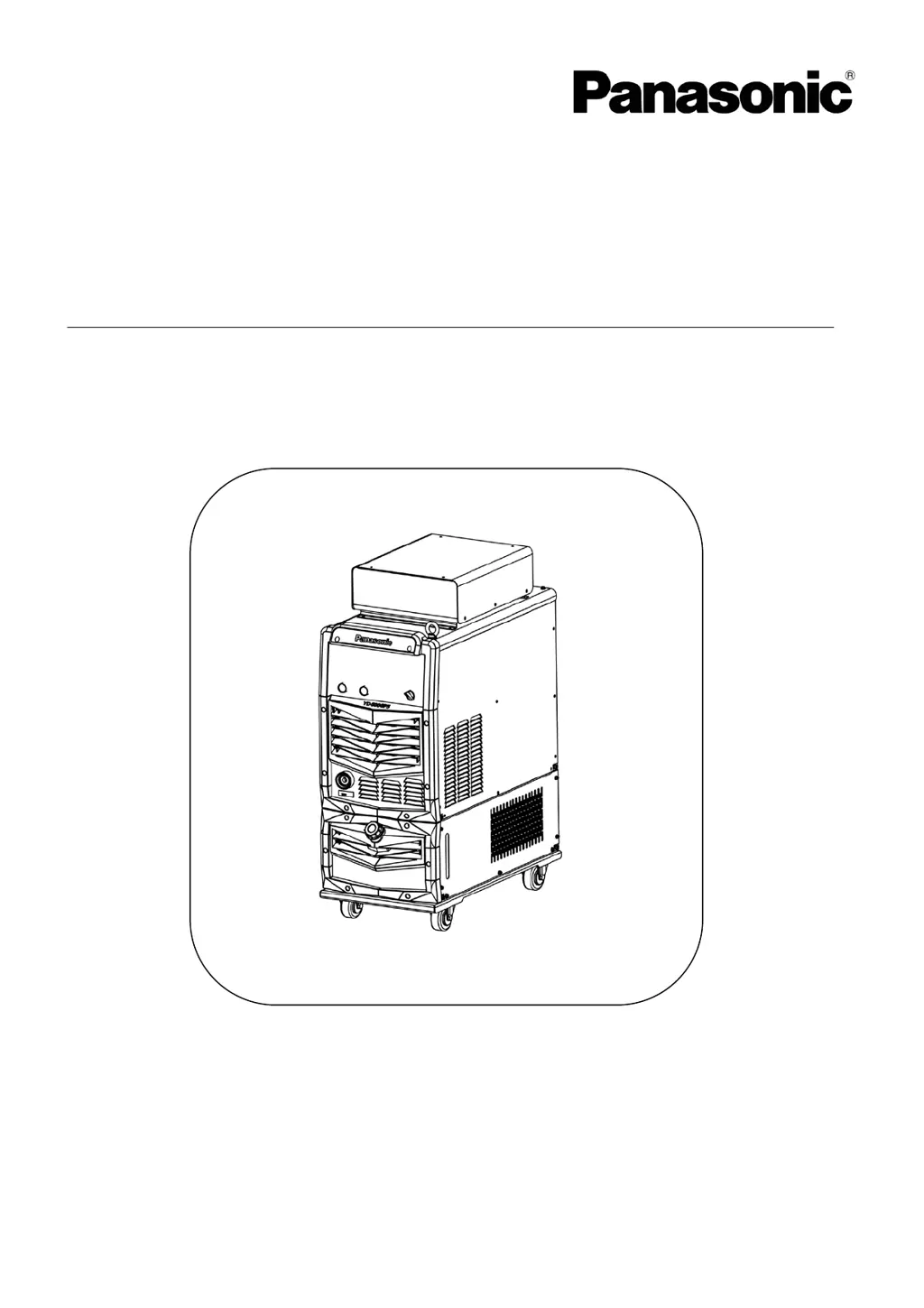
Panasonic YD-500GP5 - User Manual

Panasonic YD-500GP5
64 pages
Print Icon
To Next Page IconTo Next Page
Loading...
Operating Instructions
Digital IGBT control
MIG/MAG Power Source
Model No.:
YD-500GP5
Thank you for your purchase of Panasonic welding power source.
Before operating this product, please read the instructions carefully and save this manual
for future use First of all, please read “Safety precautions” or “Safety manual”.
SPEC. No.YD-500GP5HNX.
Panasonic Welding Systems (Tangshan) Co., Ltd.
WTD038TE0PA02

Table of Contents

Questions and Answers

  • W
    William WilliamsAug 19, 2025
    What to do if Panasonic YD-500GP5 Portable Generator shows secondary over-current error?
    • F
      flemingmatthewAug 20, 2025
      If your Panasonic Portable Generator shows a 'secondary over-current error', turn the welding gun switch OFF and identify, then resolve the cause of the over-current.
  • R
    rhodesshelleyAug 21, 2025
    Why does my Panasonic YD-500GP5 Portable Generator show a wire feeder over-current error?
    • D
      dclarkeAug 21, 2025
      If you are experiencing a 'wire feeder over-current error' with your Panasonic Portable Generator, it means the wire feeding route is blocked, causing an overload of the motor. You should clean the wire feeding route, including the contact tip, wire feeding liner, and wire feeding roller.
  • J
    Johnny SchneiderAug 23, 2025
    What to do if Panasonic Portable Generator shows primary over-voltage?
    • D
      danielingramAug 25, 2025
      If your Panasonic Portable Generator displays a 'primary over-voltage' error, it means the input voltage is exceeding the allowable range (higher than AC 437V). Allow the input voltage to return within the acceptable range, then turn the power switch back ON.
  • J
    Jeff HobbsAug 26, 2025
    What to do if Panasonic YD-500GP5 Portable Generator shows primary under-voltage?
    • M
      Marie RileyAug 26, 2025
      If your Panasonic Portable Generator displays a 'primary under-voltage' error, it indicates that the input voltage is lower than the allowable range (lower than AC 304V) or there is an input power source phase failure. After the input voltage returns to the allowable range, turn the power switch back ON.
  • H
    hsheltonAug 27, 2025
    How to fix temperature rise error on Panasonic YD-500GP5?
    • J
      Jamie IngramAug 27, 2025
      If your Panasonic Portable Generator is experiencing a 'temperature rise error', keep the input power in a no-load state and wait for a while to allow the internal temperature to decrease.
  • D
    David BaileyAug 29, 2025
    What to do if Panasonic YD-500GP5 Portable Generator shows arc start error?
    • L
      Laura VillanuevaAug 29, 2025
      If your Panasonic Portable Generator shows an 'Arc Start error', switch off the power source switch and identify, then resolve the cause of the arc ignition error.
  • C
    clopezAug 31, 2025
    How to clear emergency stop on Panasonic YD-500GP5?
    • O
      onealharoldAug 31, 2025
      If your Panasonic Portable Generator displays an 'emergency stop' error, it is because of the connection of external equipment emergency stop on the output terminal block. Turn the power switch OFF, identify and remove the cause, then turn the power switch ON again.
  • A
    Allison VaughnSep 2, 2025
    Why is my Panasonic YD-500GP5 Portable Generator showing a welding gun switch error?
    • S
      Sarah StephensSep 2, 2025
      If your Panasonic Portable Generator is experiencing a 'welding gun switch error', it means the torch switch was turned on before turning on the power switch. Turn the welding gun switch or inching wire feeding button OFF.
  • K
    Kristina WellsSep 4, 2025
    What to do if Panasonic Portable Generator shows current detection error?
    • M
      Mary Jones MDSep 5, 2025
      If your Panasonic Portable Generator shows a 'current detection error', turn the power switch OFF and check the system to identify and eliminate the cause(s).
  • S
    Scott AndrewsSep 6, 2025
    What causes external interruption 1 on Panasonic YD-500GP5 Portable Generator?
    • S
      shansenSep 7, 2025
      If your Panasonic Portable Generator shows an 'external interruption 1' error, it means the external equipment connected to the output terminal block is receiving the interruption signal “temporary stop 1”. Remove the cause on the external equipment side.

Summary

Rated Specifications

Specifications Table

Comprehensive table detailing electrical and physical specifications of the welding power source.

Rated Duty Cycle

Information on the machine's performance limits based on continuous operation time.

Thermal Protection

System overview for preventing overheating and protecting internal components.

Dimensions

External physical measurements (width, height, length) of the welding unit.

Installation and Power Supply Facility

Installation Site

Guidelines for selecting an appropriate and safe location for machine setup.

Installation Transportation

Procedures and safety advice for moving the welding machine.

Power Supply Equipment

Requirements for electrical input, protection, and cable specifications.

Configuration

Equipment Necessary for Welding

List of essential components and accessories required for welding.

Connecting Cable

Guidance on selecting and properly using connecting cables for welding.

Connections and Operations of the Cooling System

Instructions for connecting and operating the liquid cooling system.

Names and Functions

Power Switch

Operation of the main power switch and related safety notes.

Rear Side View

Identification of connectors and ports on the rear panel of the machine.

Front Panel Overview

Explanation of controls, displays, and indicators on the front control panel.

Connection

Output Cable Connection

Procedures for connecting output cables to the base metal and torch terminals.

Grounding Wire Connection

Instructions for correctly connecting the grounding wire for electrical safety.

Input Cable Connection

Steps for connecting the main input power cable to the unit.

Input Cable Digital Interface Connection

Details on connecting digital interfaces (RS485, RS232) for communication.

Connecting Jig(s)

Information on connecting external jigs and terminal layout.

Preparation and Termination Processing

Preparation

Pre-operation checks and safety measures before starting welding.

Termination Processing

Procedures for safely shutting down and completing welding operations.

Settings

F. ADJ Function Settings

Fine adjustment settings for parameters like slow down speed, pre/after flow time.

CALL and RECORD Function Settings

Storing, recalling, and managing welding parameters and channels.

Welding Machine Factory Defaults Reset

Procedure to reset the machine to its original factory settings.

Welding Preparation Settings

Settings related to preparing for welding, including wire feed and gas checks.

Checking Shield Gas

Procedure for verifying and adjusting the shield gas flow rate.

Operation

Welding Current Calibration

Guidelines for adjusting welding current based on wire extension.

No Crater Operation

Basic welding mode without crater filling function.

Crater Operation

Welding mode that includes a crater filling sequence at the end.

Initial and Crater Operation

Sequence for initial welding, main welding, and crater filling.

Crater Repeat Operation

Function to automatically repeat the crater welding process.

Arc Spot Operation

Performing spot welds by controlling the torch switch duration.

Maintenance and Inspection

Daily Check

Recommended daily checks for safety and operational readiness.

Periodic Check

Scheduled in-depth inspections and cleaning for long-term reliability.

Precautions for Withstand Voltage Test and Insulation Resistance Measurement

Safety procedures and precautions for performing electrical tests.

Parts List

Parts List for GP5

Detailed listing of all components and their part numbers for the GP5 model.

GP5 Parts Diagram

Visual representation of the internal and external parts of the GP5 model.

Troubleshooting

Error Indication

Explanation of error codes displayed on the machine and their meanings.

Troubleshooting Table

Guide to diagnose and resolve common welding issues without error codes.

Circuit Diagram

Circuit Diagram for YD-500 GP5

Detailed electrical schematic illustrating the internal circuitry of the YD-500GP5.

Appendix

CO2 Welding Conditions Table

Reference table for standard welding parameters when using CO2 gas.

MAG Welding Conditions Table

Reference table for standard welding parameters when using MAG gas.

Arc Spot Welding Conditions Table

Reference table for standard welding parameters for arc spot welding.

Panasonic YD-500GP5 Specifications

General IconGeneral
BrandPanasonic
ModelYD-500GP5
CategoryPortable Generator
LanguageEnglish

Related product manuals