EasyManua.ls Logo

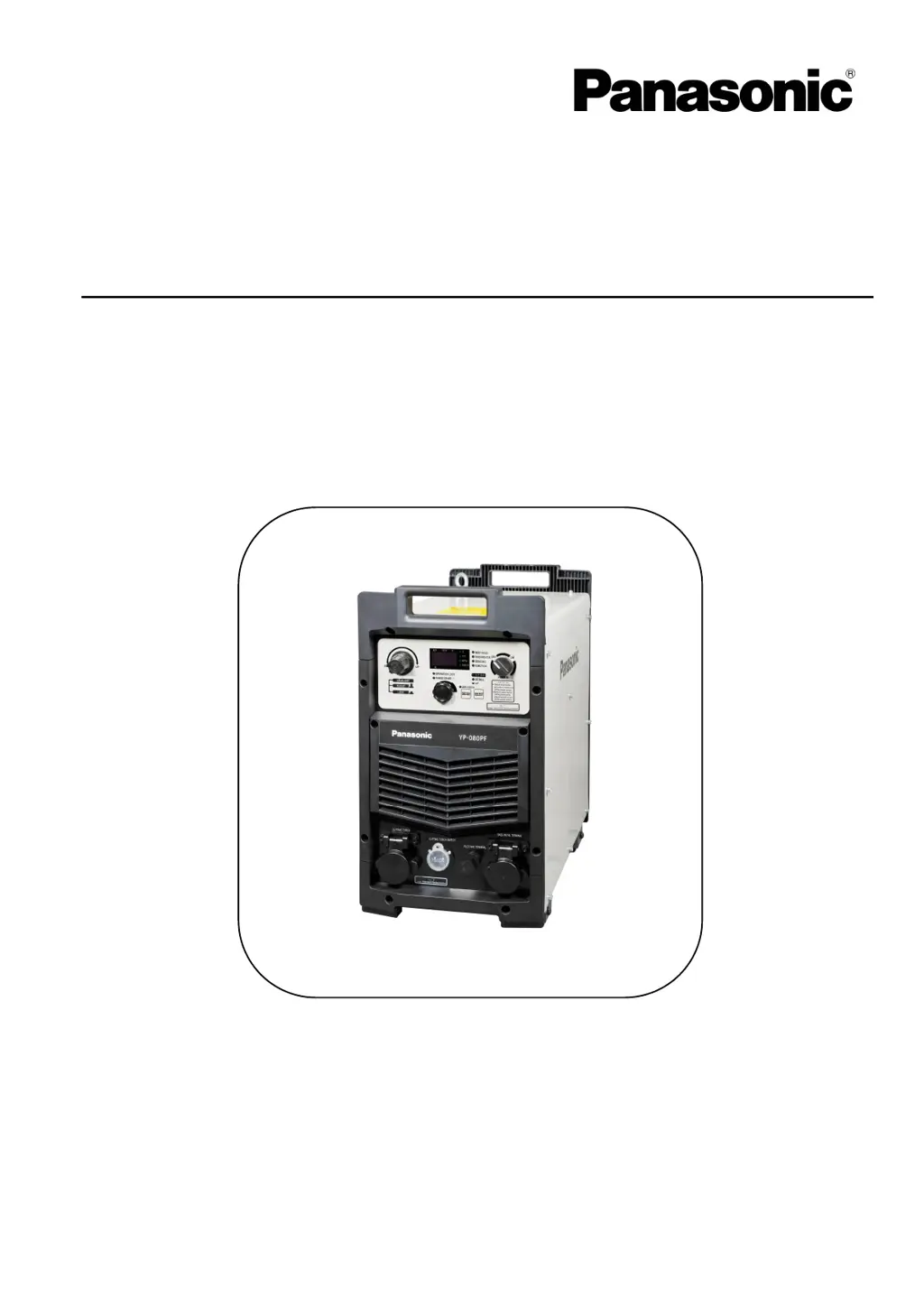
Panasonic YP-100PF - User Manual

Panasonic YP-100PF
72 pages
Print Icon
To Next Page IconTo Next Page
Loading...
Thank you for your purchase of Panasonic cutting power source.
● Before operating this product, please read the instructions carefully and save this manual
for future use. First of all, please read “Safety precautions” or “Safety manual”.
● SPEC. No.YP-060PF3HGF, YP-060PF3HJE, YP-100PF3HGF, YP-100PF3HJE
Panasonic Welding Systems (Tangshan) Co., Ltd.
IGBT Controlled Plasma Arc Cutting Power S
ource
Model N o.
Operating Instructions
TSM50245-02
Y
P
-
060PF
Y
P
-
100PF

Table of Contents

Questions and Answers

Summary

1 Safety

Signal Words and Safety Symbols

Explains symbols for hazardous conditions and safety precautions.

2 Important Safety Items

Cutting Power Source Safety

Safety instructions for operating the plasma cutting power source.

Electrical Shock Prevention

Precautions to prevent hazards from electric shock during operation.

Ventilation and Protective Equipment Safety

Safety measures for ventilation, fume, and necessary protective gear.

Fire and Explosion Prevention

Cautions to prevent fires, explosions, or blowouts during operation.

3 Rated Specifications

4 Installation and Power supply facility

Installation Site Requirements

Guidelines for selecting a suitable location for machine installation.

Power Supply Equipment Requirements

Specifications for input power source, protection, and cable cross-section.

5 Configuration

6 Names and Functions

Operation Area Overview

Explanation of the operation panel, digital display, and indicators.

Operation Controls and Indicators

Details the dial, buttons, LEDs, and air pressure adjustment on the operation panel.

8 Settings and Operations

Adjusting Cutting Current

Steps to set and adjust the cutting current using the dial.

Cutting Navigation Setup

Method for setting cutting conditions using the navigation function.

Cutting Navigation Material and Thickness Selection

Process for selecting base metal material and thickness.

Confirming Cutting Navigation Conditions

Steps to confirm the set cutting navigation parameters.

Submenu Overview and Direct Setting

Introduction to the submenu for fine adjustment and direct setting methods.

Submenu Parameter Settings

Process for selecting and modifying submenu parameters like P01-P14.

Submenu Setting Procedures

Step-by-step guide for setting items within the submenu.

Submenu Parameter Selection and Modification

How to select and modify specific submenu parameters.

Submenu Contents and Descriptions

Detailed table of submenu settings, items, and their descriptions.

Gouging Function Operation

How to enable and use the plasma gouging function.

Air Pressure Warning Setting

How to set warnings for air pressure outside the recommended range.

Operation Locking Function Setup

How to enable and configure the operation locking function.

Modifying Operation Lock Password

Steps to change the password for the operation lock.

Resetting Operation Lock Password

Procedure to reset the operation lock password to factory default.

9 Operation methods

Safety Measures for Operation

General safety precautions to take before and during operation.

10 The cutting technique and condition

12 Maintenance

Daily Spot Check

Routine checks to ensure proper performance and safety.

Periodic Inspection

Schedule and scope for periodic inspection and cleaning.

13 Troubleshooting

Error Numbers and Descriptions

List of error codes, their meanings, and remedies.

Summary

1 Safety

Signal Words and Safety Symbols

Explains symbols for hazardous conditions and safety precautions.

2 Important Safety Items

Cutting Power Source Safety

Safety instructions for operating the plasma cutting power source.

Electrical Shock Prevention

Precautions to prevent hazards from electric shock during operation.

Ventilation and Protective Equipment Safety

Safety measures for ventilation, fume, and necessary protective gear.

Fire and Explosion Prevention

Cautions to prevent fires, explosions, or blowouts during operation.

3 Rated Specifications

4 Installation and Power supply facility

Installation Site Requirements

Guidelines for selecting a suitable location for machine installation.

Power Supply Equipment Requirements

Specifications for input power source, protection, and cable cross-section.

5 Configuration

6 Names and Functions

Operation Area Overview

Explanation of the operation panel, digital display, and indicators.

Operation Controls and Indicators

Details the dial, buttons, LEDs, and air pressure adjustment on the operation panel.

8 Settings and Operations

Adjusting Cutting Current

Steps to set and adjust the cutting current using the dial.

Cutting Navigation Setup

Method for setting cutting conditions using the navigation function.

Cutting Navigation Material and Thickness Selection

Process for selecting base metal material and thickness.

Confirming Cutting Navigation Conditions

Steps to confirm the set cutting navigation parameters.

Submenu Overview and Direct Setting

Introduction to the submenu for fine adjustment and direct setting methods.

Submenu Parameter Settings

Process for selecting and modifying submenu parameters like P01-P14.

Submenu Setting Procedures

Step-by-step guide for setting items within the submenu.

Submenu Parameter Selection and Modification

How to select and modify specific submenu parameters.

Submenu Contents and Descriptions

Detailed table of submenu settings, items, and their descriptions.

Gouging Function Operation

How to enable and use the plasma gouging function.

Air Pressure Warning Setting

How to set warnings for air pressure outside the recommended range.

Operation Locking Function Setup

How to enable and configure the operation locking function.

Modifying Operation Lock Password

Steps to change the password for the operation lock.

Resetting Operation Lock Password

Procedure to reset the operation lock password to factory default.

9 Operation methods

Safety Measures for Operation

General safety precautions to take before and during operation.

10 The cutting technique and condition

12 Maintenance

Daily Spot Check

Routine checks to ensure proper performance and safety.

Periodic Inspection

Schedule and scope for periodic inspection and cleaning.

13 Troubleshooting

Error Numbers and Descriptions

List of error codes, their meanings, and remedies.

Panasonic YP-100PF Specifications

General IconGeneral
BrandPanasonic
ModelYP-100PF
CategoryPortable Generator
LanguageEnglish

Related product manuals