35
8 Settings and Operations
(continue)
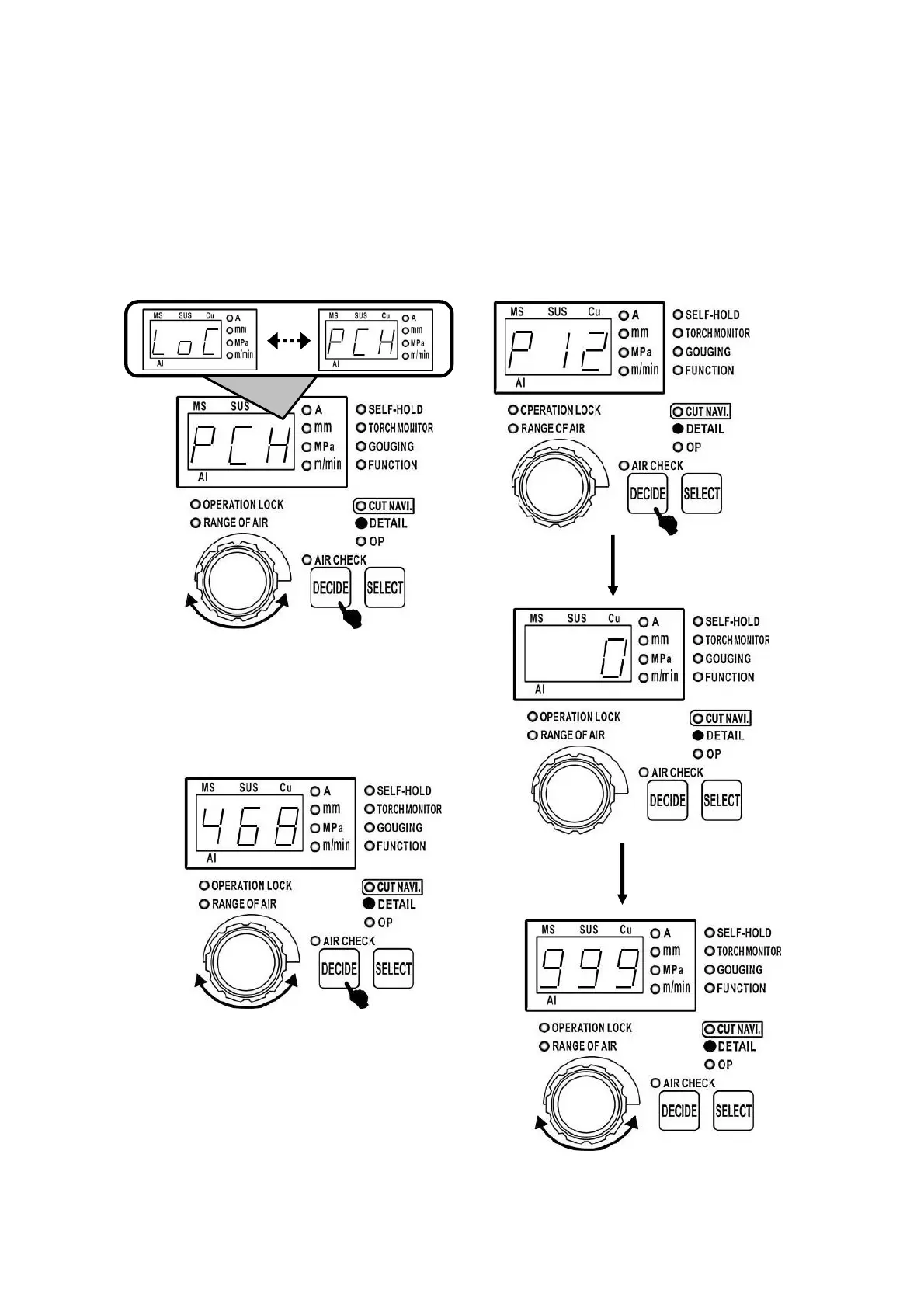
8.9.2 The modification method of
operation lock password
(1) On the status of【8.9.1 setting method of
operation locking function 〔2〕】, turn the dial to
select 【 password modification 「pch」】 and
then press 「DECIDE」 button.
(2) Rotate the dial to set the new password and
press 「DECIDE」 button. The display of all unit
LEDs lasts 2s, confirm the password. The setting
range of password is 「0」 to 「999」.
8.9.3 The reset of operation locking
password
Note:
If you want to stop in the half way during the
resetting of the password, you may just turn off
the power source.
(1) Enter submenu 【 operation lock setting
「p12」】, turn the dial, to show window displays
「999」.



 To Next Page