34
8 Settings and Operations
(continue)
8.9 The operation locking
function
The Product can execute the locking of such
operations like the set current value and
modification of submenu etc.
Note:
When the operation locking function is enabled,
functions as follows:
· Operation locking function
·The cutting torch monitoring function (only for
reset operation)
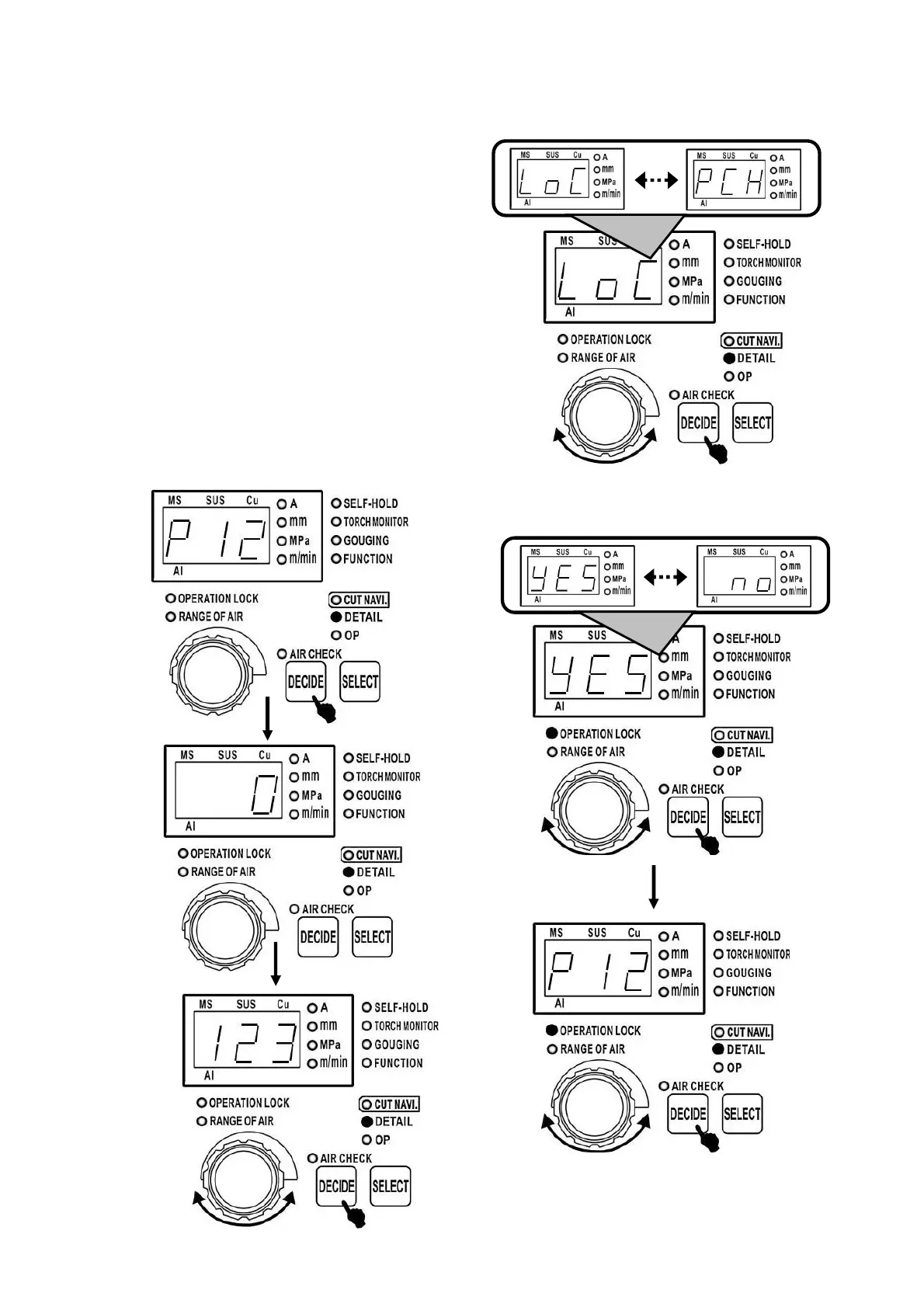
8.9.1 The setting method of operation
locking function
(1) When entering submenu 【 operation lock
setting 「p12」】, digital display window displays
「0」. Rotate the dial to input password, press
「DECIDE」 button. The factory setting is 「123」.
(2) Turn the dial to display 【 operation lock
「loc」】 press 「DECIDE」 button.
(3) Turn the dial to display 「yes」 and press
「DECIDE」 button. If selection 「no」, then
remove the operation lock.



 To Next Page