26
8 Settings and Operations
(continue)
8.5.2 The settings in the submenu
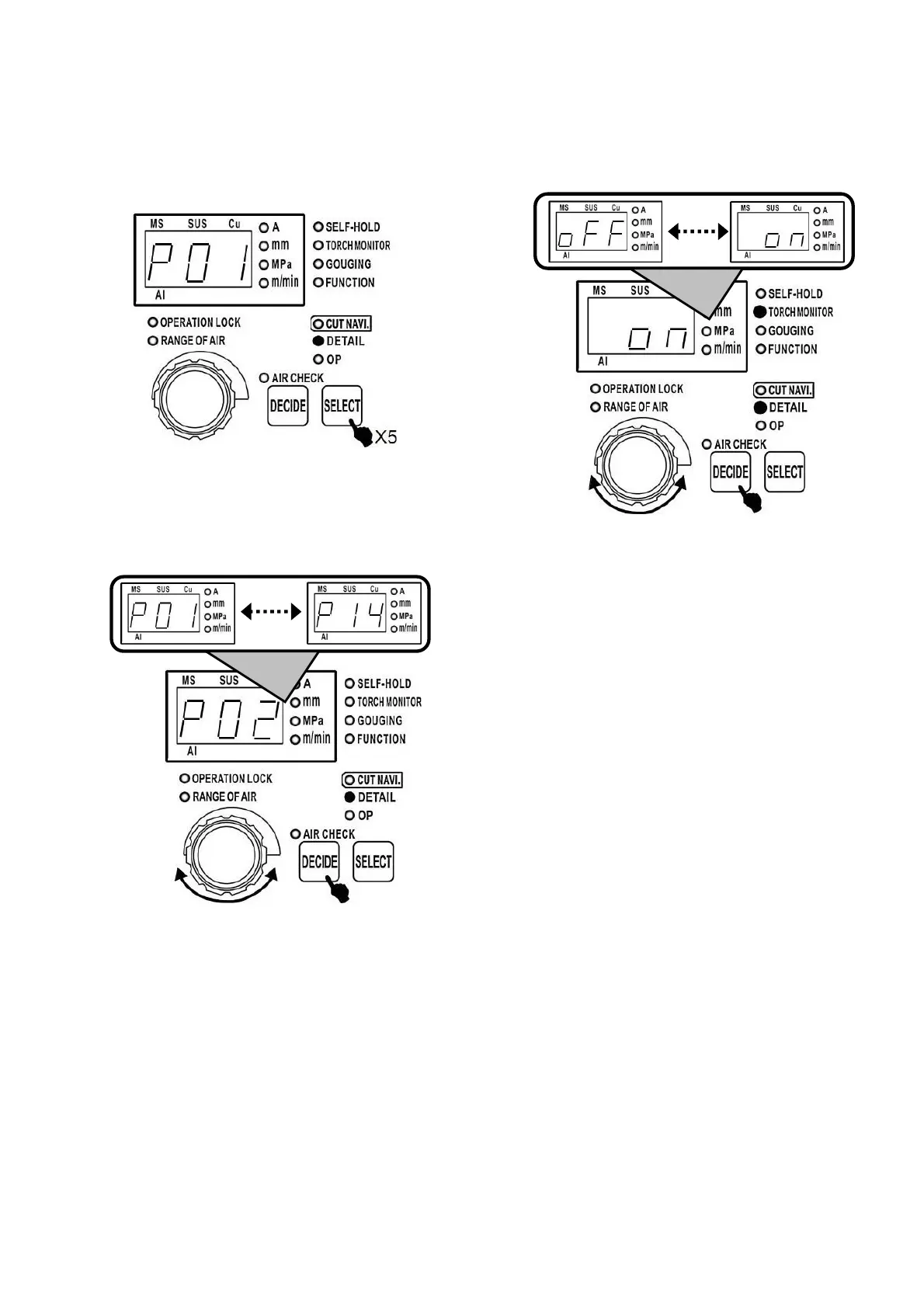
(1) On the cutting stand-by status, press selection
button 5 times to switch to submenu.
(2) Rotate the dial to display parameter number
(P01~P14) to be modified.
Press the DECIDE button and select parameter
number.
The parameter number of selecting the status can
be shown in the subsequent pages.
(3) Rotate the dial to modify set values of
parameters and then press the DECIDE button.
After that of parameter number of the initial
selection can be displayed.
(4) Press selection button. If LED of submenu is
not lit, it means machine is working under
stand-by status.
Note:
·During the setting of submenu, the machine can’t
be operated for cutting.
·During the cutting, the machine can’t be switched
to submenu.
·For 「P04」, 「P05」, 「P10」, 「P11」, when
display values are set values before shipment,
the status of digital display window is blinking.



 To Next Page