User Manual For CYCLONE FX Programmers 36
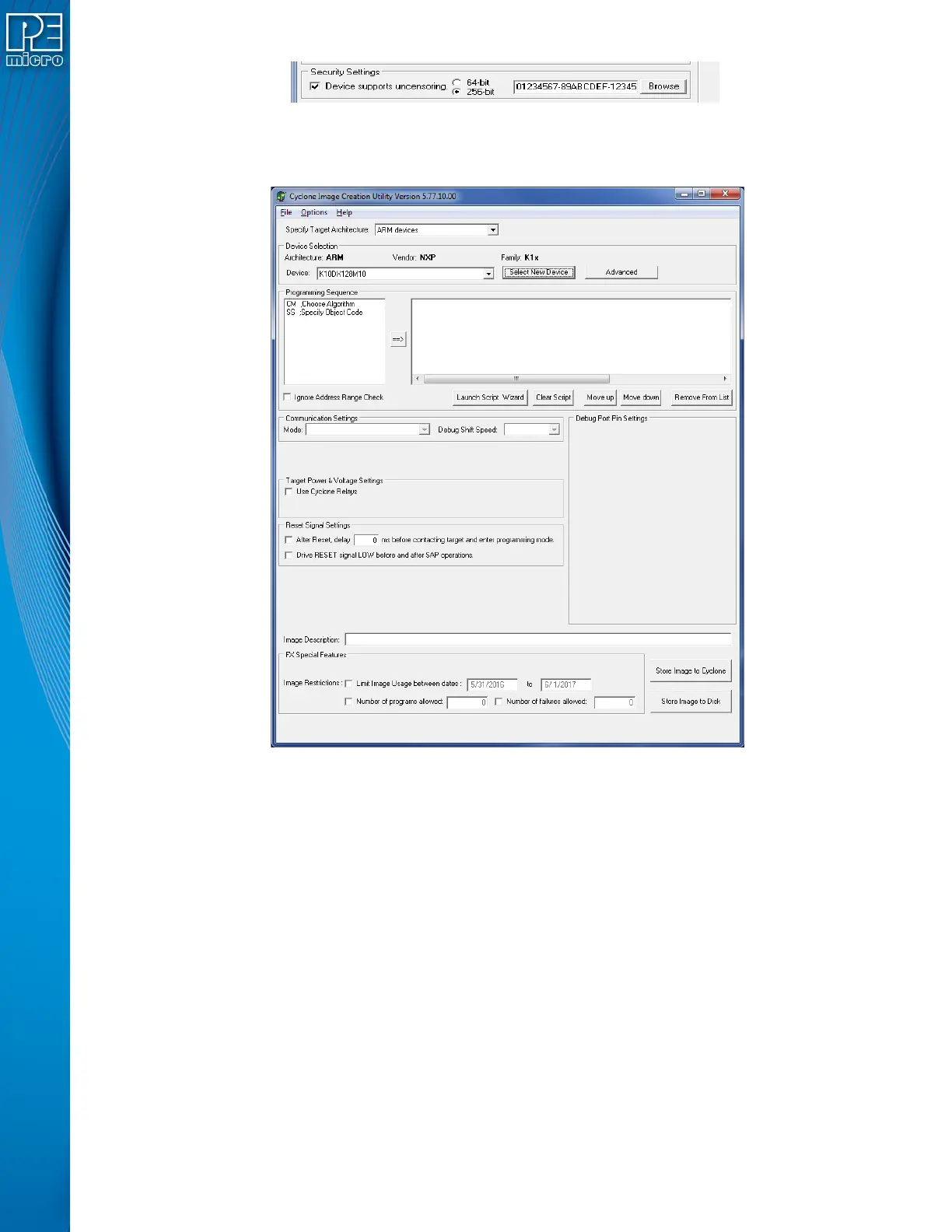
Figure 6-4: Security Settings - MPC55xx-57xx Only
6.1.2 Specify Programming Script
Figure 6-5: Specify Programming Script
This is a two-panel interface. The left panel provides a list of available programming functions. The
right panel displays the ordering of the functions.
To specify the programming algorithm for the target, double-click on the Choose Algorithm (CM)
function in the left panel. Or, you may highlight it and add it to the right panel using the arrow (->).
This opens the Load Programming Algorithm dialog.


 To Next Page