10
• Start up / Stop 2nd Booster
Action Control panel Display
Start up 2
nd
Booster Slide to the end of the “SLIDER” [ P ]
Or press directly on the end of
the “SLIDER”
Start up 2
nd
Booster Re-press on the end of the “SLIDER” [ and P ]
Stop the 2
nd
Booster Slide on the “SLIDER“ [ P ] to [ 0 ]
Stop Power Slide on the “SLIDER“ [ 9 ] to [ 0 ]
• Power management:
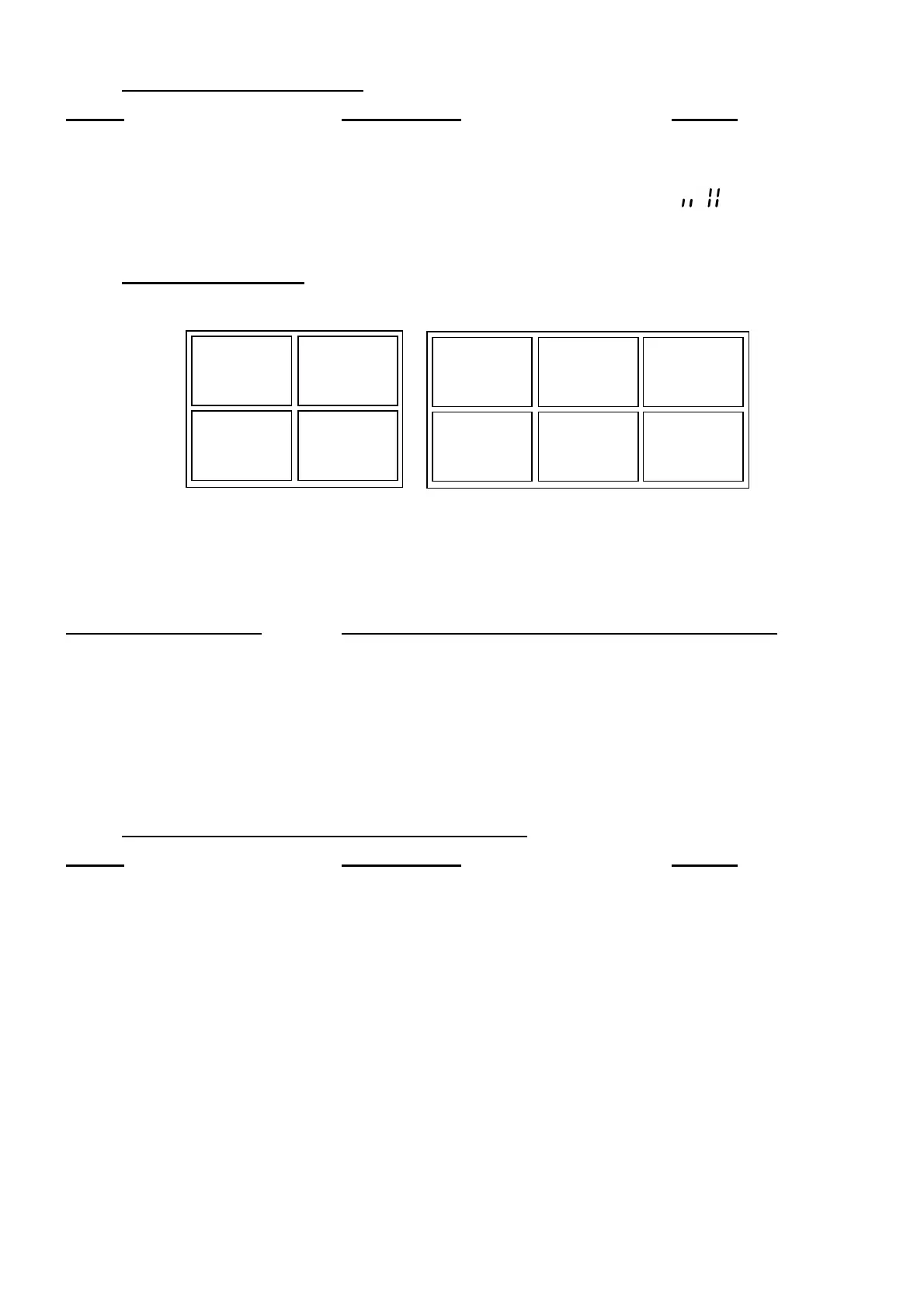
The table is divided in 3 separate sets of heating zones, each set having a maximum power.
If the selected heating levels for both zones exceed the maximum available amount of power, the
power management function is automatically reducing the power from one of these zones. The
display of this zone is first blinking; the level is then automatically reduced to the highest suitable
position.
Heating zone selected The other heating zone: (example: power level 9)
[ P ] is displayed [ 9 ] goes to [ 8 ] and blinks
It is possible to activate the booster function (or double booster) on several cooking zones at the
same time, for this it is necessary to use the zones in a discriminant way (A-B, A-C, B-C or A-B-C).
Timer
The timer is able to be used simultaneous with all heating zones and this with different time
settings (from 0 to 999 minutes) for each heating zone.
• Setting and modification of the cooking time :
Action Control panel Display
Select the power level slide on the “SLIDER“ [ 1 ] to [ P ]
Select theTimer Press simultaneously key [ - ] and [ + ] Timer display on
from the timer until the
desired display is on
Decrease the time Press key [ - ] from the timer [ 60 ] to 59, 58...
Increase the time Press key [ + ] from the timer Time increase
After a few seconds, the [ min ] display stops with blinking.
The time is confirmed and the timer starts.
A
B
B
A
C
C
A
B
B
A



 To Next Page