DWG# 1003659 Rev 1100
2. Update the firmware
CAUTION
Only one printer can be updated at a time. Do not connect two or more printers to the computer via USB.
During the update, do not turn the printer off or disconnect the USB cable.
1. Connect the printer to the computer with a USB cable.
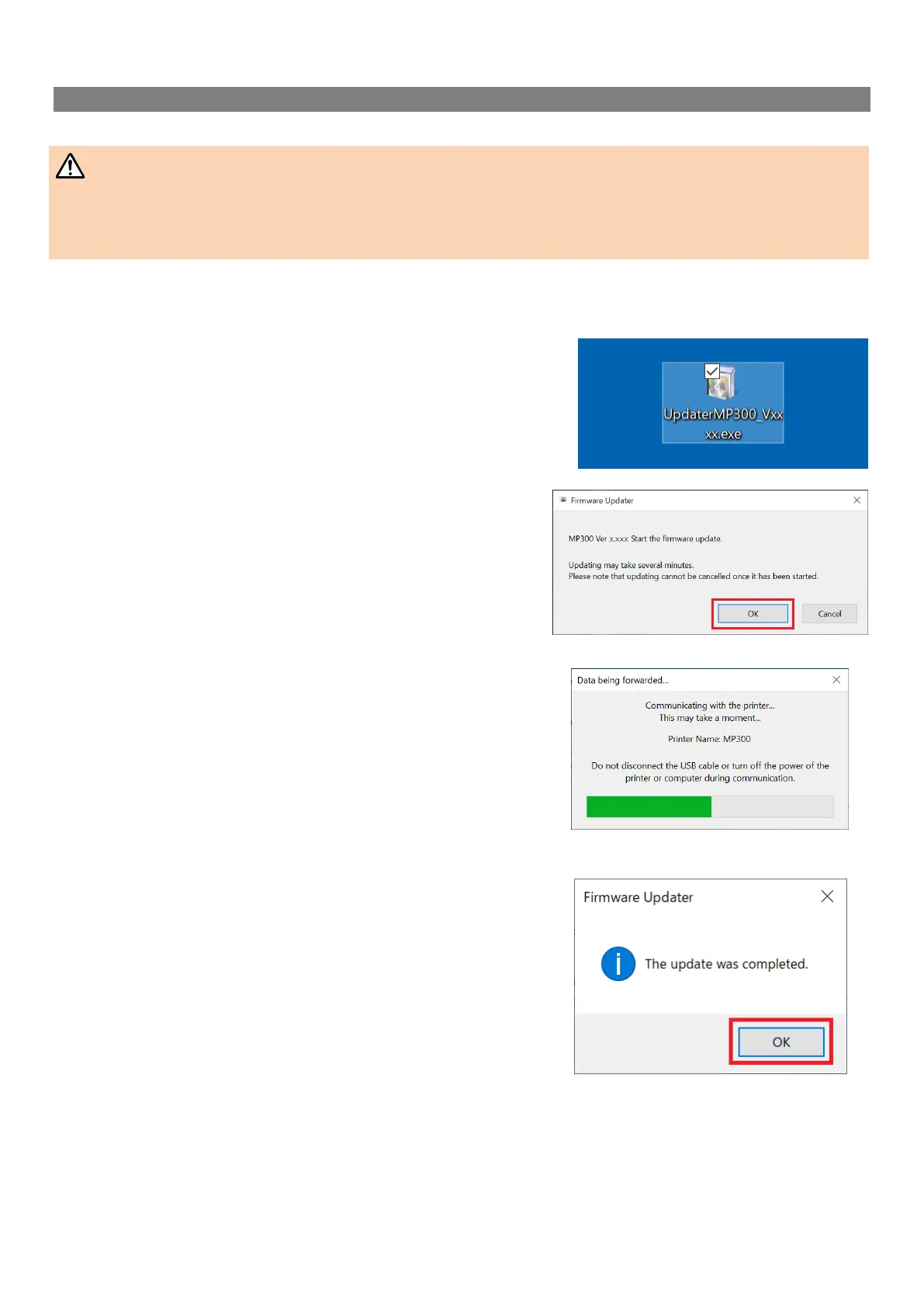
2. Double-click “UpdaterMP300_V1100.exe” you previously
saved to your desktop.
>> Download the Firmware Updater
3. Click [OK].
Firmware update is started.
4. A screen to show that the update is in progress is
displayed during the update.
It takes about 5 to 10 minutes to complete the update, however, it
may take longer depending on the computer environment.
5. Click [OK].
The firmware update is now complete.
You can use the printer immediately after completion of the update.


 To Next Page
 Loading...









