16
02
03
04
05
06
07
08
01
17
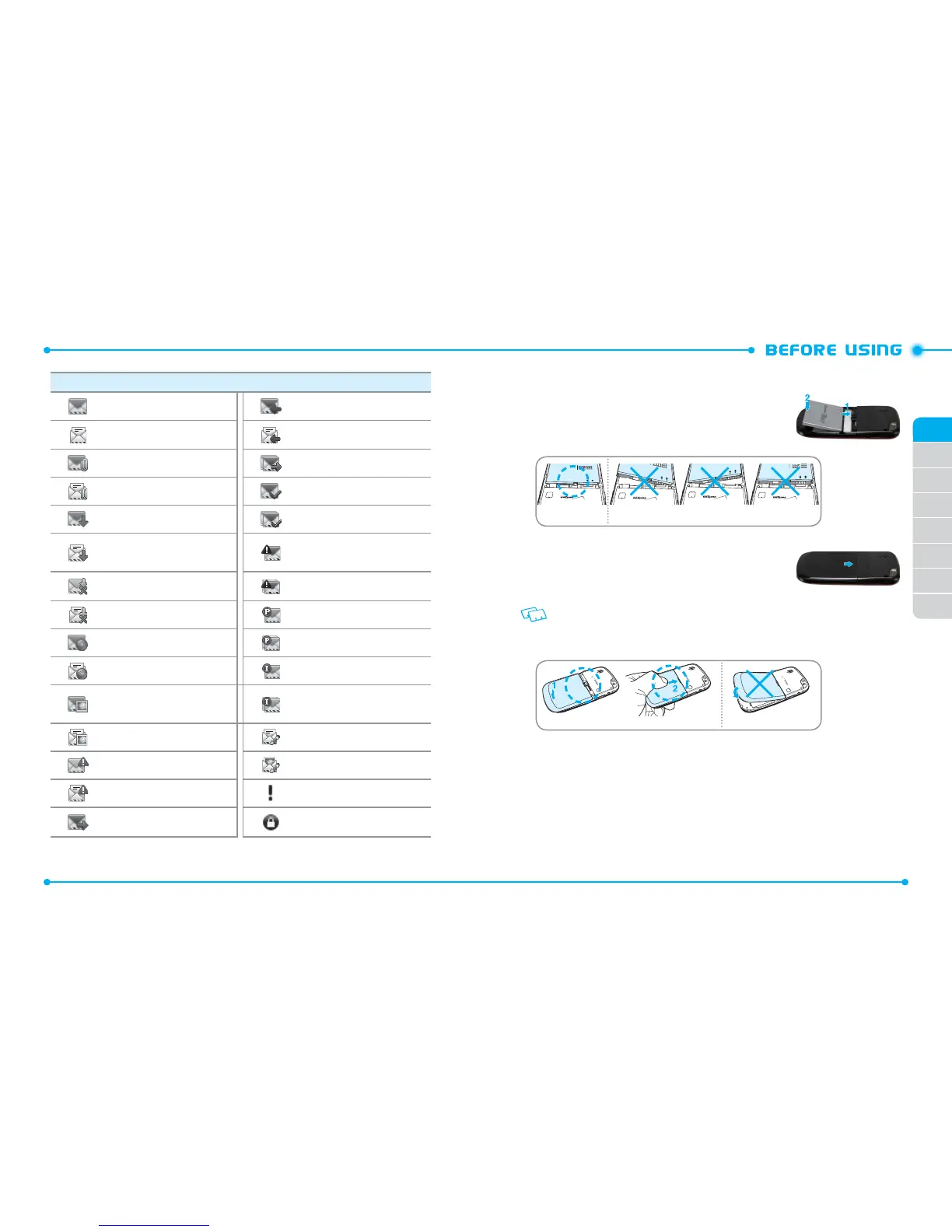
Message Icons
Unread Message Received Unread Message
Read Message Received Read Message
Unread EMS Multiple Message Sent
Read EMS Message Delivered
Unread MMS Notication
Multiple Message Delivered
Read MMS Notication
Sent Message Delivery
Failed
Unread Corrupt Message Multiple Message Failed
Read Corrupt Message Pending Message Send
Unread Wap Push Multiple Message Pending
Read Wap Push Incomplete Delivery
Unread MMS
Multiple Message
Incomplete
Read MMS Text Message Draft
Unread CMAS Picture Message Draft
Read CMAS Priority
Sent Message Message Locked
INSTALLING THE BATTERY
1. Slide the battery into the slot (1) by aligning the
contacts and push down (2) until you hear the “click.”
Correct Incorrect
2. Align the cover tabs with the slots on the back of the
phone and slide the battery cover onto the unit until
it snaps into place.
If the battery is not correctly placed in the
compartment, the phone will not turn on and/or the
battery may detach during use.
Correct Incorrect



 To Next Page