10
02
03
04
05
06
07
08
01
11
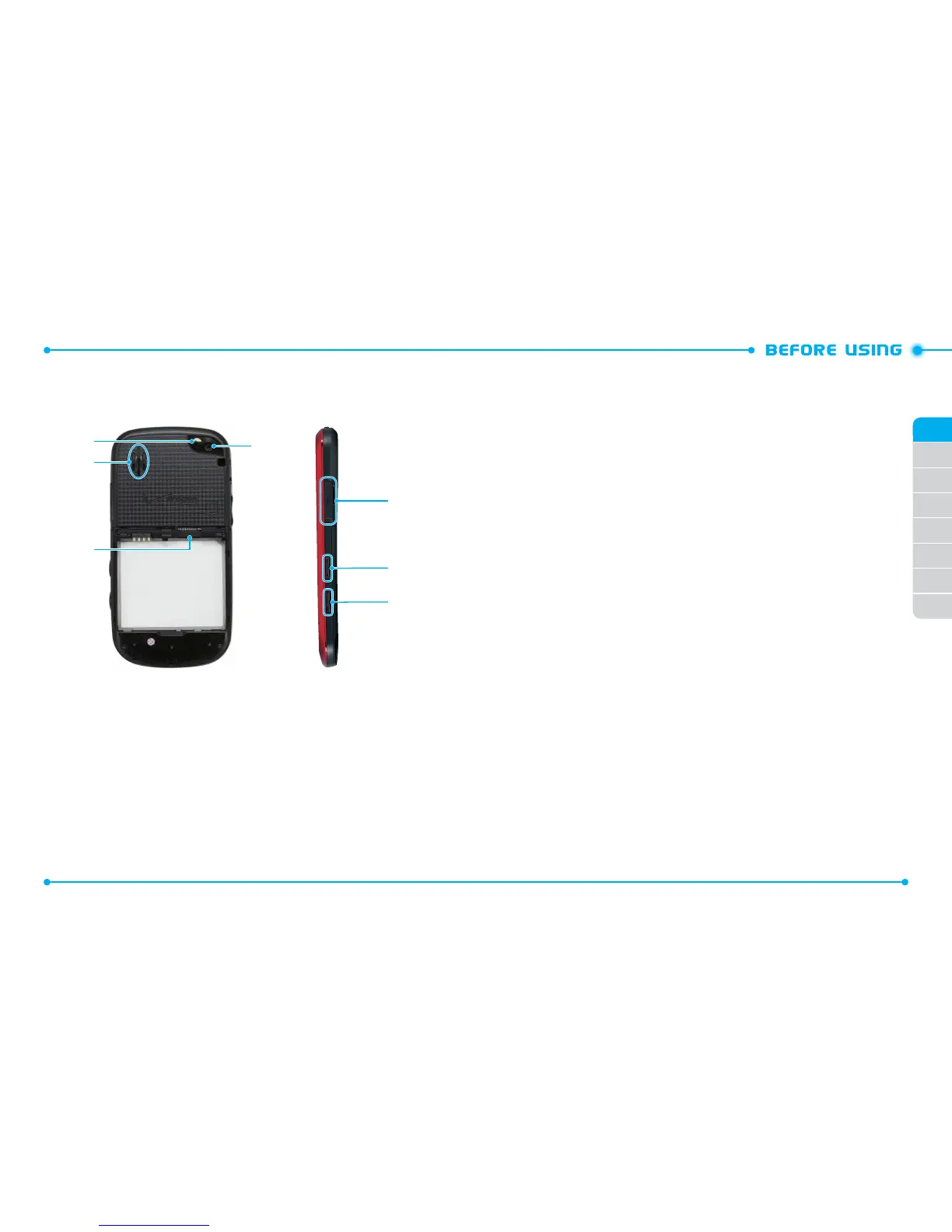
8. Self-Portrait Mirror
9. Speaker
10. microSD
TM
Card Slot
11. Camera Lens
12. Charging/Data Port
13. Voice Commands Key
14. Camera/Video Key
HANDSET DESCRIPTIONS
12
13
14
9
10
11
8
KEY DESCRIPTIONS
The following list correlates to the previous page’s phone illustration.
1. Lock/Power Key
: With the phone unlocked, press to lock the phone. Press
and hold to turn the phone on or off.
2.
Earpiece
: Allows you to hear the other caller.
3. Touchscreen
: Tap the touchscreen to access the menu or perform phone
functions.
4. Home Key
: Press to return to the Menu mode screen. In Menu mode, press to
view the touchscreen in 3-way view. Press and hold to open the Task Manager
screen.
5. Wrist Strap Eyelet
: Accessory eyelet (attach optional straps and lanyards –
purchased separately).
6. Headset Jack
: Plug in an optional 3.5mm headset for convenient handsfree
conversations or for listening to music.
7. Volume Keys
: With the phone unlocked, from Menu mode, press to adjust
the phone’s volume. When a call comes in, press to silence the call ringtone.
During a call, press to adjust the earpiece volume. In Speakerphone mode,
press to adjust the speaker volume. During playback, press to adjust the music
volume.
8. Self-Portrait Mirror
: Displays your reflection when taking photos or
recording videos.
9. Speaker
: Music, ringtones, and sounds are played through the external
speaker.
10. microSD
TM
Card Slot:
A 2GB microSD
TM
card comes pre-installed to increase
memory capacity.
11. Camera Lens
: The lens of your built-in camera and camcorder.



 To Next Page