12 Getting Started
The Verizon Wireless 4G SIM Card is compatible with
any Verizon Wireless 4G certified device. You can move
the 4G SIM Card from one device to another and your
wireless service will work seamlessly as long as you
have a compatible device and service plan. To see which
devices are compatible with the Verizon Wireless 4G SIM
Card, visit verizonwireless.com/certifieddevice.
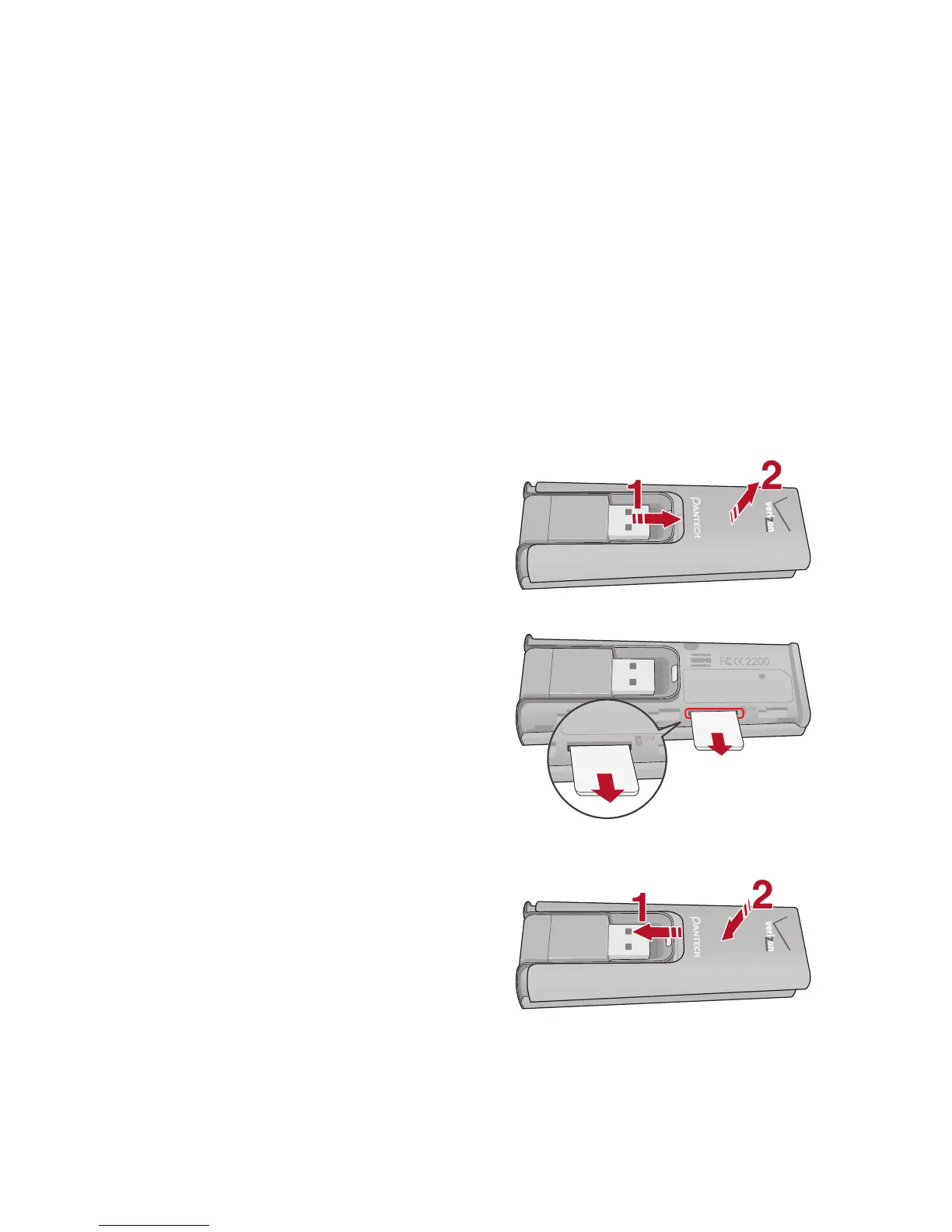
Removing the 4G SIM Card
1. Remove the protective
USB modem cover.
2. Gently push in the 4G
SIM Card one time to
pop it loose.
3. Carefully pull out the 4G
SIM Card and close the
USB modem cover.


 To Next Page