18 Using UML295
Using UML295
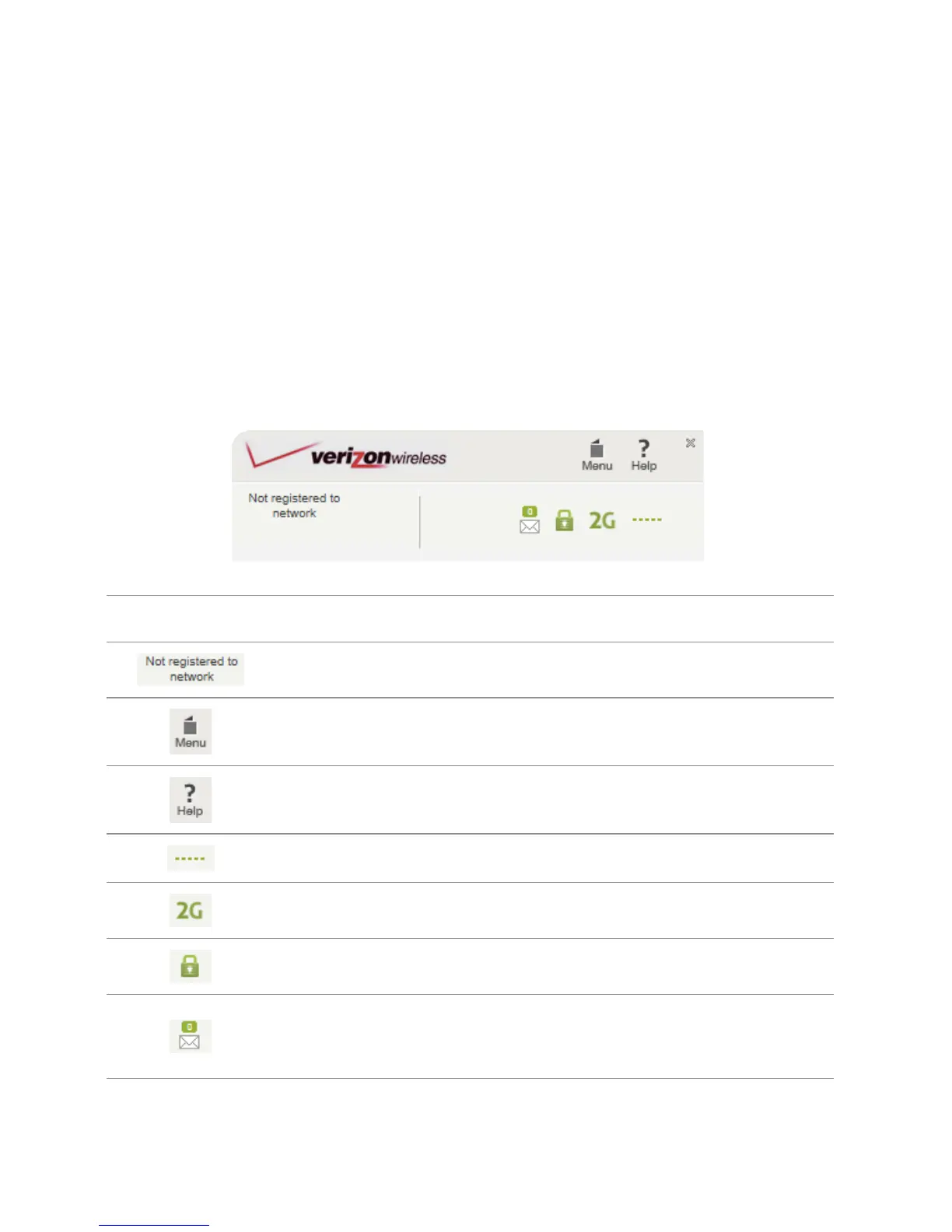
Overviewing the SmartMobility
When you activating the UML295, the web browser will
open the main page for the Verizon wireless. You can
manage available network connections and see your
current connection state.
Icon Description
Displays the current status of connection
Displays options available
Displays support information and FAQ
Displays the current signal strength
Displays the current network type
Displays the network encryption
Allows you to compose and send text
message to other wireless phones


 To Next Page