X-Rite eXact 2
43
M2(UVC) – UV Cut Filter
M3(Pol) – Polarization Filter (not in eXact 2 Xp).
Illuminant Observer
Used to select the illuminant and observer combination.
Colorimetric Measurement Condition
Used to select the measurement condition for colorimetric (e.g. CIE L*a*b*) functions. Options are:
M0(No) – No Filters
M1(D50)
M2(UVC) – UV Cut Filter
M3(Pol) – Polarization Filter (not in eXact 2 Xp).
Active Delta E Method
Used to select the ∆E method for color measurements. Options are: CIE ∆E*76, ∆Ecmc, CIE ∆E*00, and CIE
∆E*94. When using ∆Ecmc, CIE ∆E*00, or CIE ∆E*94, you can adjust the belonging constants.
Delta E Constants
Used to adjust the ∆Ecmc, CIE ∆E*00, and CIE ∆E*94 constants.
Job Functions
The functions determine what measurement values are displayed after a measurement. The available functions
are specific to density measurements, and they display information per patch type.
In addition, the Density Summary function requires the measurement of Paper, Solid, and Tint patches and then
shows all the results on one screen.
NOTE: Jobs can also contain color bars. Refer to the Scan section later in this document for additional
information.
To select a job function:
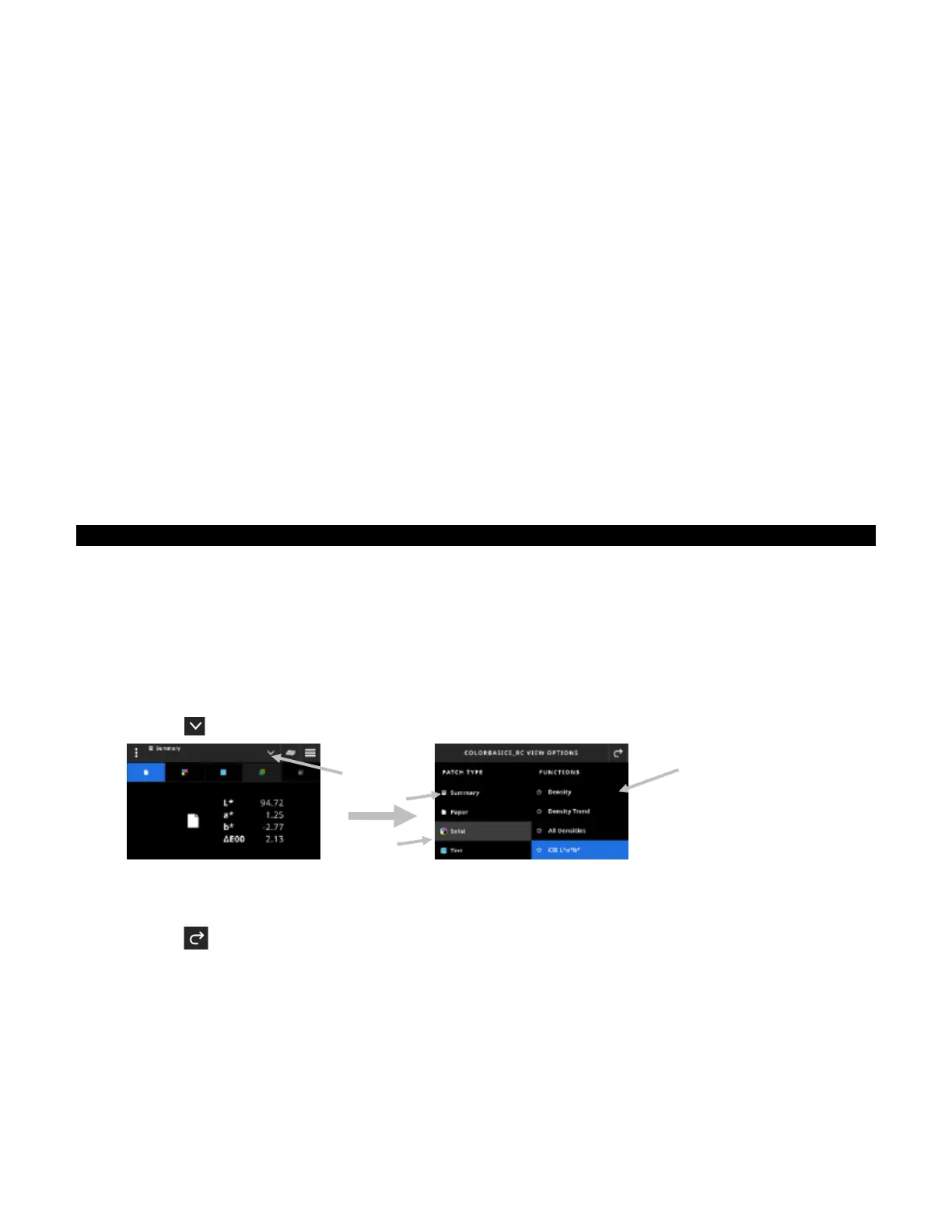
1. Tap the icon (1) next to the function name at the top of the screen to open the View Options for your job.
2. Tap Summary (2) to see a summary of the measurements in your jobs.
3. Tap the desired patch type (3) on the left to see the available function (4). Additional patch types and
functions can be accessed by swiping up on the screen. A table with the available functions is shown below.
4. Tap the icon (3) to return to the Job screen.
Available Functions b
Patch T
pe
Paper Solids Tints Overprints Gra
Balance
ll Densities BestMatch Tone Value
ll Densities Gra
Balance QC
Lab Densit
Tone Value Increase Trappin
CMY Balance
LCh Densit
Trend Lab Lab Delta E Trend
Bri
htener Index
ll Densities Densit
& Lab LabCh
ll Densities
(1)
(4)
(2)
(3)


 To Next Page