X-Rite eXact 2
44
LabCh Lab LabCh Delta E Trend Lab
Paper QC Densit
& Lab Delta E Trend LCh LabCh
Delta E Trend LabCh LCh Inks QC LCh
XYZ LCh Densit
& LCh XYZ XYZ
Yx
Densit
& LCh Densit
Yx
Yx
Delta E Trend Densit
Trend
Metamerism Contras
Hue Error & Gra
ness XYZ
bsolute Color Stren
th Yx
Relative Color Stren
th
Inks QC
XYZ
Yx
* Functions in gray are only available in eXact 2 Plus
Measure Override
This feature allows you to override a measurement for a selected patch with a new measurement. The override
deactivates the Auto Patch function for the next measurement. It can be used on any patch measurement that is
difficult to identify. You can also add a spot color with this feature.
To perform an override measurement:
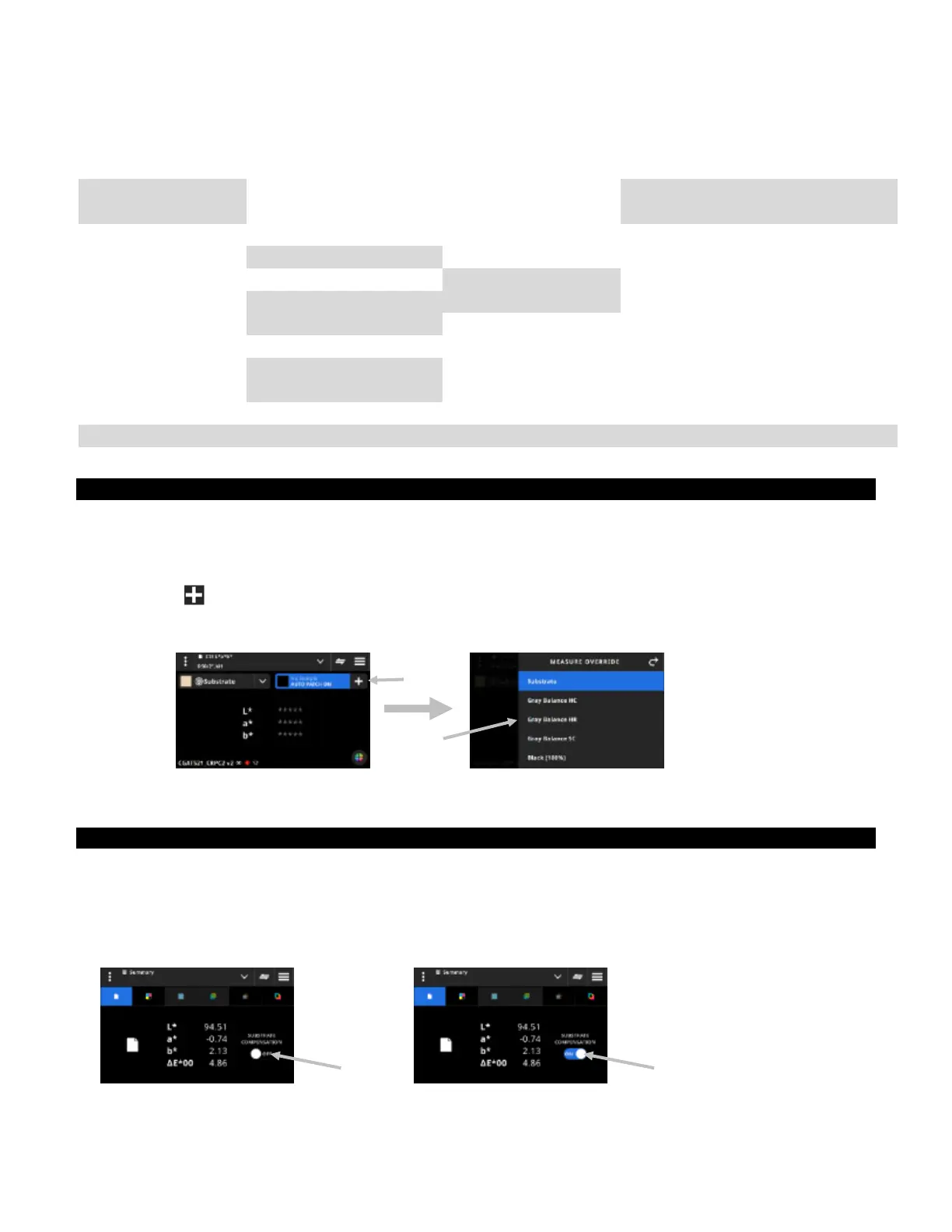
1. Tap the icon (1) at the top of the screen to open the Measure Override screen.
2. Select the desired patch (2) from the list. The screen automatically changes to the measurement screen for
the selected patch.
3. Measure the selected patch.
G7, PSO, and Japan Color Information
G7 Substrate Compensation
This function allows you to adjust the targets related to the process colors (CMYK) based on the substrate
measurement. When set to On in the selected job, the target values will be adjusted. Substrate compensation
can also be activated after a paper measurement during a G7 job.
Tap the Compensation icon to toggle On.
(1)
(2)
Off
On


 To Next Page