Need help?
Do you have a question about the Paradox RPT1+ and is the answer not in the manual?
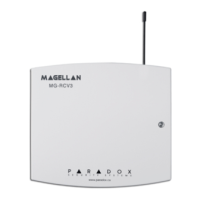
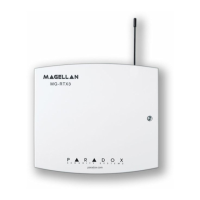
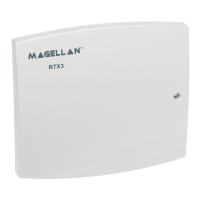
The Paradox RPT1+ Wireless Repeater Module is designed to enhance the range and reliability of your Magellan security system, as well as the RTX3 when integrated with any Spectra SP control panel. This device functions by retransmitting wireless signals from various components, including zones, PGMs (Programmable Outputs), wireless keypads, and the main control panel. It ensures that all remote control signals are consistently repeated, improving overall system coverage. While it significantly extends the reach of your wireless devices, it's important to note that wireless sirens are not compatible with the RPT1+.
For larger installations or areas with significant signal attenuation, the system supports the use of up to two RPT1+ modules, allowing for broader coverage and more robust signal integrity. The repeater also features a single zone input, providing two-way wireless communication for an additional wired zone within your security setup.
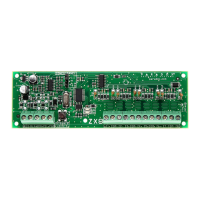
Installation of the RPT1+ is straightforward, beginning with recording its serial number and location for future reference and integration into the Paradox BabyWare software. Proper placement is crucial; the module should be installed in a location free of obstacles to ensure optimal RF performance. After connecting the included Li-ion battery, the device requires a 12-24 VAC transformer or 12-24 VDC power supply. Hardwired zones can then be connected to the Z1 input and COM terminals. If a trouble tamper is desired, the RPT1+ zone (Z1) must be programmed accordingly in the control panel. A jumper (JP1) allows configuration for Normally Closed (ON, default) or Normally Open (OFF) zones. Finally, the RPT1+ zone is registered by entering its serial number into the system's Zone Serial Number section or via the Installer Quick Menu.
For optimal performance, it is critical not to cut, bend, or alter the antenna. The RPT1+ should not be mounted on metal surfaces or in any location prone to RF interference. Mounting the module as high as possible and in areas not subject to drastic temperature changes is recommended. Adequate ventilation is also important, requiring at least 5 cm (2 inches) of space around the module.
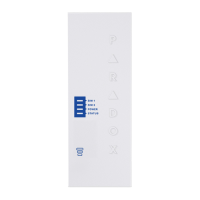
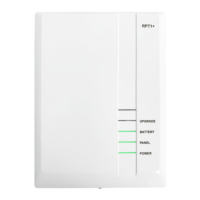
The RPT1+ provides clear LED indicators for various operational states, aiding in monitoring and troubleshooting. The green Power LED indicates that AC/DC power is connected, while an off state means the unit is running on battery. The Panel LED uses different flashing patterns to convey connection status and signal strength: green flashing signifies a strong connection, amber flashing indicates a medium signal, and red flashing suggests a lost or weak panel connection. A blue flashing Panel LED indicates RF jam detection. The Battery LED shows green when fully charged, amber when charging, and off if the battery is disconnected or experiencing AC loss. An amber flashing Upgrade LED signals that a firmware upgrade is in progress.
Programming the RPT1+ involves several sections within the MG5000/MG5050/MG5050+ and Spectra SP/Spectra SP+ control panels. You can assign the repeater to the system, monitor its signal strength, and configure repeater supervision. The module allows for selective repetition of zones (1 to 32), 2WPGMs (1 to 16), and wireless keypads. Additionally, there is an option to always repeat all remote controls, ensuring comprehensive coverage for these devices. This granular control over repetition allows installers to optimize system performance and battery life by only repeating necessary signals.
 General
| Model | RPT1+ |
|---|---|
| Communication | Wireless |
| Battery Backup | Yes |
| Supervision | Yes |
| Tamper Protection | Yes |
| Compatibility | Paradox security systems |
| Function | Wireless repeater |

 To Next Page