EasyManua.ls Logo

Paragon EC4000 - User Manual

Paragon EC4000
2 pages
Print Icon
To Next Page IconTo Next Page
Loading...
PROGRAMMING INSTRUCTIONS
These timers initially power up in the Clock Format Select Mode. This
mode is only accessible once. If the clock format needs to be changed,
the timer will have to be reset. To reset the timer, insert a pointed object
into the reset hole to the right of the display.
CLOCK FORMAT SELECT mode
STEP KEY DESCRIPTION
1. Apply power to timer. Control displays 12 Hr, indi-
cating 12 hour clock format.
2. Toggles between 12 hour (AM/PM) and 24 hour
(17:00 = 5:00 P.M.) clock formats. Choose the
format desired.
3. ENTER Advances to RUN mode.
SET TIME mode
STEP KEY DESCRIPTION
1. MODE Advances to SET TIME mode. Control displays
time with hours flashing. TOD is also displayed to
indicate that Time of Day is being set.
2. Advance to current hour.
3. ENTER Minutes begin flashing.
4. Advance to current minute.
5. ENTER Day of week begins flashing.
6. Advance to current day of week, then go directly
to setpoint programming mode below.
SKIP-A-DAY PROGRAMMING mode
STEP KEY DESCRIPTION
1. MODE Advances from the SET TIME mode to the SKIP-
A-DAY PROGRAMMING mode. The time control
displays “SU” (Sunday). If “SCIP” is displayed,
then Sunday is skipped. Otherwise, the pro-
grammed schedule is followed on Sunday.
2. Display toggles between “SCIP” and “ ”.
3. ENTER Advances to next day. Repeat steps 2 and 3 to
program Skip-A-Day for the rest of the week.
EVENT PROGRAMMING mode
STEP KEY DESCRIPTION
1. MODE Advances to Skip-A-Day PROGRAMMING mode
to the EVENT. The timer displays “1” at bottom of
display and “_ _:_ _”. The “1” indicates that the
first of 16 events is being programmed. The
dashes indicate that this event is clear.
2. ENTER Display shows the day(s) enabled (not skipped).
The time control also displays “_ _:00” with the
dashes flashing.
3. Advance to desired hour.
4. ENTER Minutes begin flashing.
5. Advance to desired minute.
6. ENTER Event type begins flashing.
7. Display toggles between ON and OFF event
types. Choose the event desired.
8. ENTER Advances to the second event. Repeat steps 2
through 8 to program additional events. When all
events required are programmed, advance to the
next step.
9. RUN Returns to the RUN mode when
programming is complete.
GENERAL INSTRUCTIONS
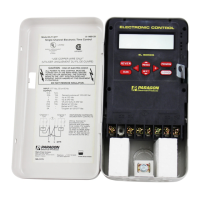
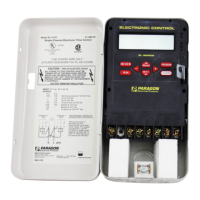
The EC4000 is a single-channel, electronic time control that provides sim-
ple, inexpensive control of lighting, heating, ventilation, air-conditioning,
security systems, motors, pumps, fans or any load with a time-of-day
schedule. A Skip-A-Day feature allows any day or days to be skipped dur-
ing the week. With 16 setpoints available, this time control provides pro-
gramming versatility.
SPECIFICATIONS
PROGRAMMING CAPABILITIES
16 Setpoints - Each event can either be an ON or OFF event.
Skip-A-Day - Allows any day(s) to be skipped. All events are ignored
on a skipped day.
Selectable Clock Format - 12 hour (AM/PM) or 24 hour format.
Manual Override - Reverses current output state; begins immediate-
ly when initiated and remains until overridden again or until next set-
point is reached.
1 Minute Interval
ELECTRICAL
WIRING -
Terminals can accommodate 10-16 AWG wire.
POWER OUTAGE CARRY-OVER
The program and time-of-day are maintained during a power outage for a
minimum of 7 days. A built-in special capacitor eliminates the inconve-
nience of battery replacement.
ENVIRONMENTAL
The control should be mounted indoors in an environment that is free from
excessive contaminants such as oil, moisture and dirt. Controls mounted
in a non-metallic, NEMA Type 3R enclosure are suitable for both indoor
and outdoor use.
KEYPAD DESCRIPTION
RUN-
Returns timer to the RUN mode.
The timer will only control the
load when in the RUN mode.
MODE-
Advances from one programming
mode to the next. The order of
programming modes is as fol-
lows: Clock Format Select, Run,
Set Time, Setpoint Programming,
Set Duration 1 and Set Duration
2. After the last mode, the control
will loop back to the Run Mode.
Rolls through the parameter cur-
rently being programmed.
ENTER-
In all programming modes, what
is shown in the display is what
exists in memory. Pressing the
ENTER key simply advances to
the next parameter to be pro-
grammed (i.e., hours to minutes).
EC4000 Single-Channel
Electronic Time Control
110-668B
http://waterheatertimer.org/Paragon-timers-and-manuals.html#EC

Question and Answer IconNeed help?

Do you have a question about the Paragon EC4000 and is the answer not in the manual?

Summary

Electrical Wiring

Power Outage Carry-Over

Programming Instructions

Clock Format Select Mode

Selects between 12-hour (AM/PM) and 24-hour clock formats.

Set Time Mode

Sets the current hour, minute, and day of the week.

Skip-A-Day Programming Mode

Allows specific days of the week to be skipped for programmed events.

Event Programming Mode

Programs ON/OFF events with specific times and days.

Reviewing Setpoints

Manual Override Function

Troubleshooting Common Issues

Overview

The EC4000 is a single-channel electronic time control designed for simple and inexpensive management of various loads, including lighting, heating, ventilation, air-conditioning, security systems, motors, pumps, and fans. It operates based on a time-of-day schedule and offers programming versatility with 16 available setpoints. A key feature is the Skip-A-Day function, allowing specific days of the week to be excluded from the schedule.

Function Description:

The primary function of the EC4000 is to control electrical loads by turning them ON or OFF at programmed times. Each of the 16 setpoints can be configured as either an ON or an OFF event. The Skip-A-Day feature allows users to designate specific days when all programmed events are ignored, providing flexibility for weekly schedules. The device also includes a Manual Override function, which immediately reverses the current output state of the load. This override remains active until it is manually overridden again or until the next scheduled setpoint is reached. The control maintains its program and time-of-day for a minimum of 7 days during a power outage, thanks to a built-in capacitor that eliminates the need for battery replacement.

Important Technical Specifications:

  • Channels: Single-channel.
  • Setpoints: 16 programmable setpoints (each can be ON or OFF).
  • Time Interval: 1 minute.
  • Clock Format: Selectable 12-hour (AM/PM) or 24-hour format.
  • Power Outage Carry-Over: Minimum 7 days for program and time-of-day retention.
  • Wiring Terminals: Accommodates 10-16 AWG wire.
  • Environmental: Designed for indoor mounting in environments free from excessive contaminants (oil, moisture, dirt). Suitable for both indoor and outdoor use when mounted in a non-metallic, NEMA Type 3R enclosure.
  • Output Types: SPDT, SPST, DPST (wiring diagrams provided for each).

Usage Features:

  • Programming Modes: The device offers several programming modes: Clock Format Select, Set Time, Skip-A-Day Programming, and Event Programming.
  • Clock Format Select: Allows selection between 12-hour (AM/PM) and 24-hour clock formats. This mode is accessible only once upon initial power-up or after a reset.
  • Set Time Mode: Used to set the current hour, minute, and day of the week.
  • Skip-A-Day Programming Mode: Enables users to select specific days of the week to be skipped. When a day is skipped, all programmed events for that day are ignored. The display shows "SU" for Sunday and "SCIP" if Sunday is skipped.
  • Event Programming Mode: Allows users to program up to 16 ON or OFF events. The display shows the event number (1-16) and allows setting the desired hour, minute, and event type (ON or OFF).
  • Manual Override: Initiated by pressing the OVR (ENTER) key in RUN mode. It reverses the current load state (ON to OFF, OFF to ON) and displays "OVR" to indicate its active status. The override remains in effect until the next setpoint or another manual override.
  • Keypad: Features dedicated keys for RUN, MODE, %, and ENTER.
    • RUN: Returns the timer to the RUN mode, where it controls the load.
    • MODE: Advances through programming modes in a specific order: Clock Format Select, Run, Set Time, Setpoint Programming, Set Duration 1, and Set Duration 2.
    • %: Used to roll through parameters being programmed (e.g., hours, minutes, days, event types).
    • ENTER: Advances to the next parameter in programming modes or confirms a selection. Also initiates manual override in RUN mode.
  • Display: Shows time, day, event numbers, and programming status. For example, "AM TU 12:34 ON" indicates Tuesday, 12:34 AM, with the load ON.

Maintenance Features:

  • Reset Function: A reset switch (hole to the right of the display) allows clearing the control's memory and starting over. This is useful for changing the clock format after initial setup or troubleshooting.
  • Troubleshooting Tips: The manual provides guidance for common issues:
    • Nothing happens when a setpoint occurs: Review programmed setpoints and ensure no days are skipped.
    • Clearing memory: Depress the reset switch.
    • Manual override not working: Check load wiring; contacts only switch what is applied to them (dry or isolated contacts).
    • Blank display: Check the input power source and connections.
    • Control not operating after programming: If programming was not performed (e.g., changing clock time or entering a setpoint), the control will not update itself. Press ENTER and override the load until the next scheduled setpoint.
  • Power Outage Carry-Over: The built-in capacitor ensures that the program and time-of-day settings are retained for at least 7 days during a power outage, reducing the need for reprogramming after power interruptions.

Paragon EC4000 Specifications

General IconGeneral
BrandParagon
ModelEC4000
CategoryController
LanguageEnglish

Related product manuals