20
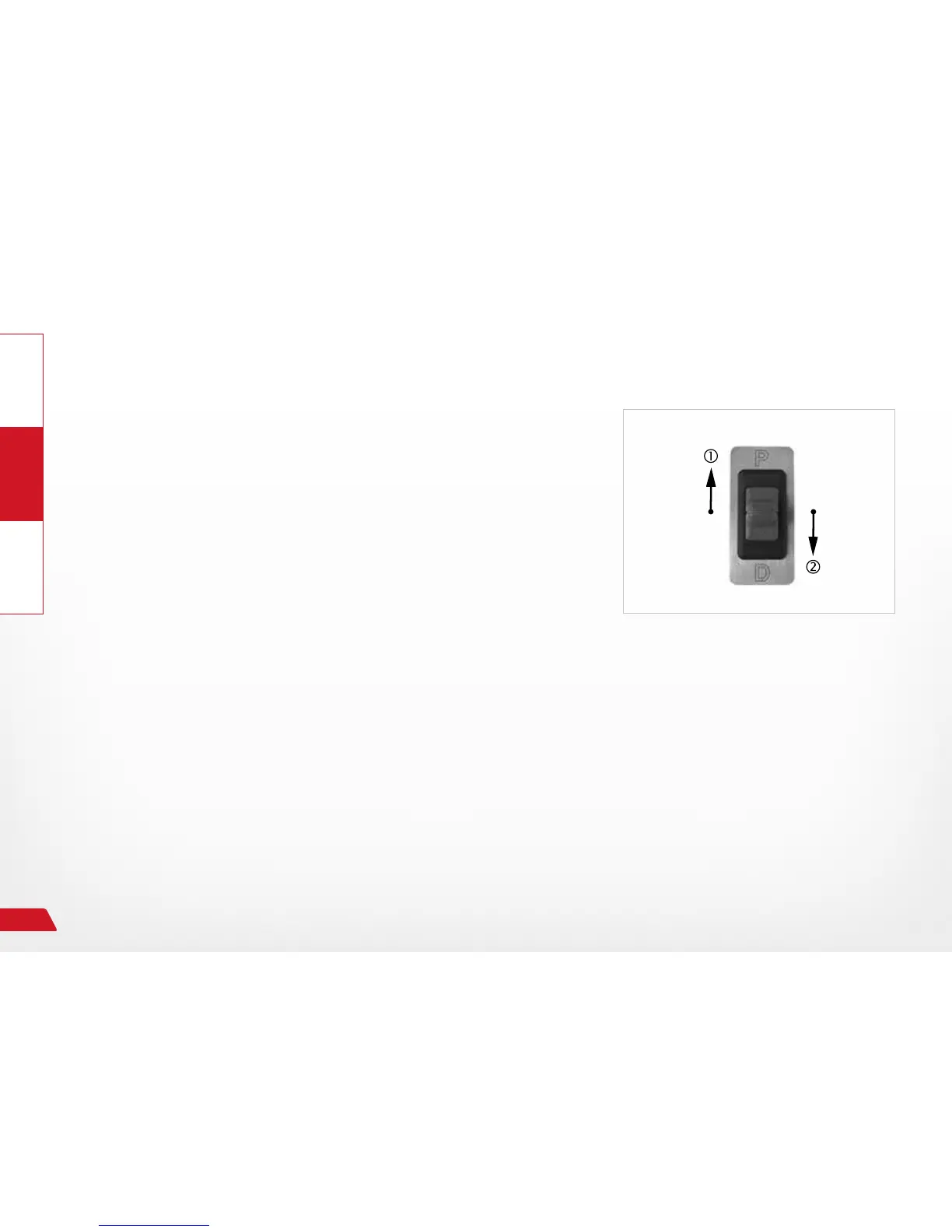
Selecting driving gears "D" and "P" via the emergency switch
Selecting driving gear "D":
› Bring the vehicle to a stop.
› Press and hold brakes
› Activate rocker switch (toggle switch) in the "D" direction.
→ Driving gear "D" will be engaged.
→ The engaged driving gear will be displayed on the instrument clus-
ter of the vehicle.
Selecting driving gear "P", parking:
› Bring the vehicle to a stop.
› Press and hold brakes
› Activate rocker switch (toggle switch) in the "P" direction.
The parking lock will be engaged on the automatic transmission.
→ The engaged driving gear will be displayed on the instrument clus-
ter of the vehicle.
› Set parking brake.
Fig. 11: Emergency switch


 To Next Page